Incident Report Examples and Checklist for Safer Workplace Records
Many workplaces tell people to “report incidents”, but workers are not always shown what a useful report looks like.
That creates problems.
A report may say “someone got hurt” without explaining the task, location or immediate action. A near miss may never get recorded because no one was injured. A hazard may stay in a verbal conversation and disappear before a manager can act.
Good incident reports need clear examples, simple fields and a practical reporting process.
This guide gives workplace incident report examples, checklist points and record-quality tips for injuries, near misses, hazards, psychosocial concerns, property damage, security issues and environmental events.
INDUCT FOR WORK helps businesses deliver online induction, explain reporting expectations, collect forms, support incident reports and keep records in one platform.
A strong reporting process also supports safety culture because workers and contractors learn that reports are useful, not just paperwork. In addition, rapid induction setup can help organisations turn existing incident forms, reporting rules and examples into online training sooner.
For a plain explanation of the term, see what is an incident report. For the practical online reporting tool, see reporting incident.
Quick incident report checklist
A useful incident report should answer these questions:
- What happened?
- Where did it happen?
- When did it happen?
- Who was involved?
- Who saw it happen?
- Was anyone injured?
- Did any property, equipment or material get damaged?
- Was there an immediate hazard left behind?
- What action happened straight away?
- Who received notification?
- What follow-up does the business need?
A report does not need fancy language.
It needs clear facts.
The person reading it should understand the situation even if they were not there.
Example 1: Slip, trip or fall incident report
Scenario
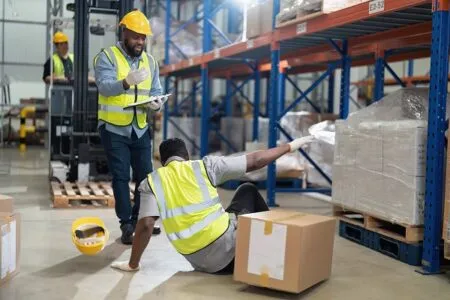
A worker slips near a warehouse entry after rainwater enters the doorway.
Poor report
Worker slipped near entrance.
Better report
At approximately 8:20 am, a warehouse worker slipped near the northern entry door after rainwater had pooled on the floor. The worker landed on their left side and reported pain in the left wrist. First aid was provided. A wet floor sign was placed near the entry and the area was mopped. Supervisor notified.
Useful details to include
- exact location
- time of incident
- surface condition
- footwear where relevant
- lighting
- weather conditions
- injury details
- first aid provided
- witnesses
- photos of the area
- immediate control used
- follow-up action
Possible follow-up
The business may review mat placement, drainage, cleaning frequency, signage and entry inspection routines.
For broader hazard examples, see our workplace hazards guide.
Example 2: Near miss incident report
Scenario
A forklift reverses close to a pedestrian in a loading area, but no contact occurs.
Poor report
Forklift nearly hit someone.
Better report
At 2:45 pm, a forklift reversed from Bay 4 while a pedestrian crossed behind it. No contact occurred. The pedestrian stepped back quickly. The forklift operator stopped immediately. No injury was reported. The area had no marked pedestrian crossing at the time. Supervisor notified and pedestrian access through Bay 4 was paused until review.
Useful details to include
- vehicle or plant involved
- direction of travel
- pedestrian location
- visibility
- warning alarms
- traffic route
- speed where known
- witnesses
- immediate action
- temporary controls
- review required
Possible follow-up
Managers may review traffic routes, line marking, exclusion zones, spotter use, alarms, training or signage.
Near misses are warnings. Treat them seriously before the same situation causes injury.
Example 3: Equipment damage report
Scenario
A machine guard is found cracked during a pre-start check.
Poor report
Guard broken.
Better report
During a pre-start check at 6:50 am, the operator found a cracked guard on Machine 2. The crack was visible on the right side of the guard near the hinge. The machine was not started. The area supervisor tagged the machine out and maintenance received notification. No injury occurred.
Useful details to include
- equipment name or number
- fault location
- how the issue was found
- whether equipment was in use
- who stopped the equipment
- whether lockout or tag-out occurred
- photos
- maintenance notification
- follow-up status
Possible follow-up
Maintenance may inspect the guard, review previous reports, check whether similar guards need inspection and update training if operators missed earlier signs.
For related guidance, see machine safety and guarding.
Example 4: Manual handling injury report
Scenario
A worker strains their back while lifting a heavy box from floor level.
Poor report
Worker hurt back lifting.
Better report
At approximately 11:10 am, a worker reported lower back pain after lifting a heavy box from floor level in the storage room. The box contained printed materials and was not labelled with weight. The worker stopped the task and reported the injury to the supervisor. First aid assessment occurred and the remaining boxes were moved using a trolley.
Useful details to include
- object handled
- estimated weight
- lifting position
- distance moved
- equipment available
- whether help was requested
- injury location
- first aid details
- witnesses
- immediate control
Possible follow-up
The business may review storage height, box weight labels, trolley availability, task design and manual handling training.
For more detail, see manual handling online induction.
Example 5: Chemical spill report
Scenario
A cleaning chemical leaks from an unlabelled container in a storage cupboard.
Poor report
Chemical leaked in cupboard.
Better report
At 9:35 am, a cleaner found liquid leaking from an unlabelled container in the cleaning storage cupboard near the staff kitchen. The area had a strong chemical smell. The cupboard was closed and nearby staff were moved away. The supervisor received notification. The spill kit was used and the container was isolated for identification. No injury was reported.
Useful details to include
- substance name if known
- container condition
- label status
- smell, vapour or visible residue
- people exposed
- PPE used
- spill response
- ventilation
- photos
- disposal or isolation action
- supervisor notification
Possible follow-up
Managers may review chemical labelling, storage rules, safety data sheet access, spill kit condition and worker training.
Example 6: Psychosocial report
Scenario
A worker reports repeated aggressive behaviour from a member of the public.
Poor report
Customer was rude again.
Better report
At approximately 3:15 pm, a worker reported repeated aggressive behaviour from a member of the public at the front counter. The person shouted, used threatening language and refused to leave when asked. Another staff member witnessed the event. The worker moved to the back office and the supervisor attended. No physical injury occurred, but the worker reported feeling shaken and unsafe returning to the counter.
Useful details to include
- what happened
- date and time
- location
- people involved
- witnesses
- words or behaviour observed
- immediate action
- worker impact
- supervisor response
- follow-up required
- whether further escalation occurred
Possible follow-up
The business may review counter procedures, staffing levels, duress support, public access rules, worker support and escalation steps.
For more detail, see psychosocial hazard reporting.
Example 7: Security incident report
Scenario
A worker finds signs of unauthorised entry at a depot.
Poor report
Someone broke in.
Better report
At 6:30 am, the opening supervisor found the side gate unlocked and a storage shed door damaged at the depot. Two power tools appeared to be missing. No workers were present at the time of discovery. Photos were taken before the area was disturbed. The site manager received notification and the affected area was secured.
Useful details to include
- discovery time
- access point
- damage found
- missing items
- people present
- photos
- CCTV availability
- immediate securing action
- manager notification
- police report if applicable
Possible follow-up
Managers may review locks, lighting, access control, CCTV, key management and tool storage.
For digital security awareness, see cybersecurity awareness.
Example 8: Environmental incident report
Scenario
Fuel spills near a stormwater drain during refuelling.
Poor report
Fuel spill near drain.
Better report
At approximately 7:55 am, fuel spilled during refuelling in the yard near the eastern stormwater drain. The operator stopped refuelling immediately. Spill socks were placed around the drain and absorbent material was used on the surface. The site supervisor received notification. No fuel was seen entering the drain at the time of reporting.
Useful details to include
- substance involved
- estimated amount
- spill location
- nearby drains or soil
- weather conditions
- immediate containment
- PPE used
- photos
- supervisor notification
- clean-up action
- external notification where required
Possible follow-up
The business may review refuelling procedures, spill kit access, staff training and drain protection.
For related workplace waste guidance, see waste disposal.

Example 9: Visitor incident report
Scenario
A visitor trips over a raised floor mat near reception.
Poor report
Visitor tripped.
Better report
At 10:05 am, a visitor tripped over the raised edge of a floor mat near reception. The visitor did not fall fully but stumbled and reported mild ankle pain. Reception staff offered assistance and notified the site manager. The mat was removed from the walkway until replacement could be arranged.
Useful details to include
- visitor name if appropriate
- host person
- exact location
- condition of floor or mat
- injury or discomfort
- witness details
- immediate action
- photos
- manager notification
- follow-up required
Possible follow-up
The business may review reception layout, mat condition, visitor walkways and inspection routines.
When paired with visitor management, reporting can help organisations keep clearer records of visitor-related issues.
Example 10: Contractor incident report
Scenario
A contractor damages a roller door while reversing a van.
Poor report
Contractor hit door.
Better report
At 1:25 pm, a contractor reversing a service van struck the lower panel of the roller door at Loading Bay 2. No injury occurred. The door was left partially operational but showed visible bending. The contractor stopped work and notified the site contact. Photos were taken and the loading bay was closed until inspection.
Useful details to include
- contractor name and company
- vehicle details
- location
- damage description
- traffic conditions
- spotter use if relevant
- photos
- immediate action
- site contact notified
- follow-up repair or review
Possible follow-up
Managers may review loading bay signage, reversing rules, contractor induction and access instructions.
For contractor-specific site training, see contractor induction.
What every incident report should avoid
Poor reports often create more confusion than clarity.
Avoid:
- blaming people before review
- guessing at causes
- using emotional language
- leaving out times and locations
- recording only the injury and not the task
- forgetting witnesses
- failing to include immediate action
- treating near misses as unimportant
- delaying reports until details fade
- storing photos away from the report
- leaving follow-up blank
- hiding repeated issues in separate folders
Clear reports help managers act.
Weak reports create more questions.
What good incident reporting looks like
Good reporting follows a simple pattern.
First, workers know what to report.
Next, the report form collects the right details.
Then, managers review the report and decide what needs to happen.
Finally, the workplace keeps the record and looks for repeat issues.
The practical INDUCT FOR WORK reporting incident feature helps workers submit incident details from phones, tablets and other devices. This can make reporting faster and easier for mobile workers, contractors and site teams.
Incident report checklist by report type
Different incidents need different details.
| Report Type | Details to Capture |
|---|---|
| Injury report | Injury type, body part, first aid, task, witnesses, follow-up |
| Near miss report | What nearly happened, people at risk, controls that failed, immediate action |
| Hazard report | Unsafe condition, location, people exposed, temporary control |
| Psychosocial report | Behaviour or concern, people involved, impact, witnesses, support action |
| Property damage report | Item damaged, location, photos, cause if known, repair action |
| Security report | Access point, missing items, damage, people present, evidence |
| Environmental report | Substance, amount, location, containment, clean-up, escalation |
| Visitor report | Visitor details, host, location, injury or concern, immediate action |
| Contractor report | Contractor company, task, site contact, documents, follow-up |
This table can help managers design better report forms and induction content.
How incident report examples improve training
Examples make reporting rules easier to understand.
A worker may not know that a near miss should be reported until training shows a realistic near miss example. Contractors may not understand the reporting pathway unless the induction explains it before site access. Visitors may need short instructions rather than a full workplace course.
With online safety induction, businesses can show practical examples before work begins.
Training may include:
- example reports
- photos of hazards
- short quizzes
- reporting scenarios
- when to escalate
- who receives reports
- what happens after submission
Good examples remove doubt.
They also reduce the chance that workers ignore early warning signs.
How INDUCT FOR WORK supports incident report quality
INDUCT FOR WORK helps businesses improve reporting by connecting training, forms and records.
It can support:
- incident report forms
- hazard reports
- near miss reports
- psychosocial concern reports
- worker and contractor submissions
- photo attachments
- reporting instructions inside induction
- refresher training
- acknowledgements
- completion records
- follow-up visibility
With custom forms, businesses can collect report details in a structured way.
Using digital signatures can also help where declarations, acknowledgements or confirmations need formal sign-off.
For the main feature overview, visit reporting incident.

Record keeping for incident reports
Incident reports need proper storage and follow-up.
Managers may need to confirm:
- who submitted the report
- incident date and time
- exact location
- people involved
- witnesses recorded
- photos or attachments included
- immediate action taken
- corrective action assigned
- follow-up completed
- records ready for review
INDUCT FOR WORK helps improve record keeping by keeping reports, training records, forms, certificates and acknowledgements online.
In addition, reporting helps managers review activity, completion and follow-up where needed.
Good record keeping helps businesses learn from incidents instead of treating every report as a separate event.
From weak reports to better workplace records
| Weak Incident Report | Better Incident Report |
|---|---|
| “Worker slipped.” | Records location, surface condition, injury, first aid and follow-up |
| “Forklift nearly hit someone.” | Explains movement, pedestrian position, controls and immediate action |
| “Machine broken.” | Identifies equipment, fault, tag-out status and maintenance notification |
| “Customer was aggressive.” | Records behaviour, witnesses, worker impact and supervisor action |
| “Chemical leaked.” | Identifies substance, container, exposure, spill response and containment |
| “Contractor damaged door.” | Records company, vehicle, location, photos and loading bay control |
This style of reporting gives managers information they can use.
Best practice tips for incident report examples
Show workers what good looks like
Examples help people understand the expected level of detail.
Keep forms simple
Long forms discourage reporting.
Include near misses
A near miss gives the business a chance to act before injury occurs.
Keep language factual
Reports should describe what happened without blame or unsupported claims.
Attach photos where useful
Photos can show location, damage, layout and conditions.
Train contractors before work starts
External workers need reporting instructions before site access.
Review repeat issues
Several minor reports may point to one serious underlying problem.
Keep records together
Reports, forms, photos, training and follow-up notes should stay easy to find.
Start improving incident report quality
Incident reports are only useful when people know what to record and managers can act on the information.
Clear examples help workers, contractors and visitors understand the difference between a vague note and a useful report.
INDUCT FOR WORK helps businesses train users on reporting expectations, collect incident reports online, attach evidence, manage records and follow up through a clearer process.
Use better examples. Keep the form practical. Make reporting easy before details are lost.
For online incident reporting tools, visit reporting incident.
Frequently asked questions
Incident report examples show how to record injuries, near misses, hazards, property damage, psychosocial concerns, security issues, environmental incidents and other workplace events.
A useful incident report should include what happened, when it happened, where it happened, who was involved, witnesses, evidence, immediate action and follow-up requirements.
Yes. Near misses show where harm could have occurred and should trigger review before a more serious event happens.
Yes. Psychosocial concerns such as bullying, harassment, aggression, fatigue, traumatic events and work-related stress should have a clear reporting pathway.
Yes. INDUCT FOR WORK helps businesses collect reports, attach details and photos, train users on reporting expectations and keep records in one platform.
Yes. Examples help workers and contractors understand what to report and what details managers need.
Start a free trial or book a demo to see how INDUCT FOR WORK can support your workplace processes.
Author: Ari Parz
Published: 10/02/2023
Updated: 18/05/2026