
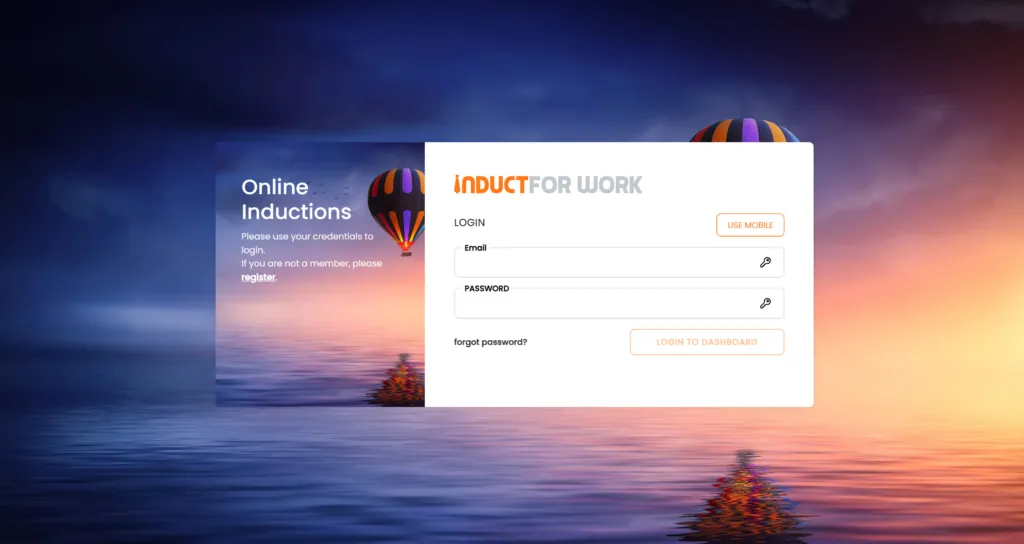
Online Induction Login: How Workers, Contractors and Visitors Access Their Training
If you have been asked to complete an online induction, you usually need to access it through a link sent by the company, site, contractor manager or organisation that invited you.
An online induction login is often used by workers, contractors, visitors, volunteers, seasonal staff and new employees who need to complete training before starting work or attending a site.
In many cases, your induction is assigned to you by the organisation that manages the workplace. That means the fastest way to access your induction is usually through the invitation email or SMS you received.
INDUCT FOR WORK helps organisations deliver online inductions, collect forms, capture acknowledgements, issue certificates and keep completion records. However, each company controls its own induction content, user invitations and access requirements.
Therefore, if you are trying to log in, start by checking the invitation you received from the company that asked you to complete the induction.
A clear online access process also supports a better safety culture because workers and contractors can complete important information before they arrive. In addition, rapid induction setup can help organisations move induction content online sooner when they need a faster rollout.
What is an online induction login?
An online induction login gives a user access to assigned induction training.
Depending on the organisation, it may allow you to:
- view assigned induction courses
- complete workplace training
- answer quiz questions
- upload documents
- complete forms
- sign acknowledgements
- download certificates
- update personal details
- view assigned site requirements
- complete refresher training
An online induction login may be used for:
- new employees
- contractors
- subcontractors
- visitors
- volunteers
- labour hire workers
- seasonal workers
- delivery drivers
- temporary staff
- event workers
- site-based teams
The login process may vary depending on how the organisation has set up its account.
For example, some users may receive a direct invitation link. Others may need to enter an email address, password or access code.
Why people look for online induction login help
Most people search for online induction login help because they have been invited to complete training and cannot find where to start.
Common reasons include:
- the invitation email is missing
- the link has expired
- the user entered the wrong email address
- the password was forgotten
- the induction was assigned to another email
- the course is not showing
- the user is unsure which company invited them
- the certificate cannot be found
- the user completed training but the site cannot see it
- the person is trying to access old induction records
- the contractor company needs to add another worker
These issues are usually easy to solve once the correct invitation or account details are found.
However, users should remember that the organisation assigning the induction controls access to its own training. As a result, the company that invited you may need to resend your link, correct your email address or confirm your completion.
Where to find your online induction login link
The best place to start is your email inbox.
Search for terms such as:
- induction
- online induction
- Induct For Work
- training
- contractor induction
- site induction
- visitor induction
- onboarding
- safety induction
- welcome
- invitation
Also check:
- spam folder
- junk folder
- promotions tab
- deleted items
- SMS messages
- emails from the company contact
- emails from a site manager
- emails from a contractor manager
- emails sent to your work email rather than personal email
If you still cannot find the link, contact the organisation that asked you to complete the induction.
They may need to resend the invitation or confirm which email address was used.
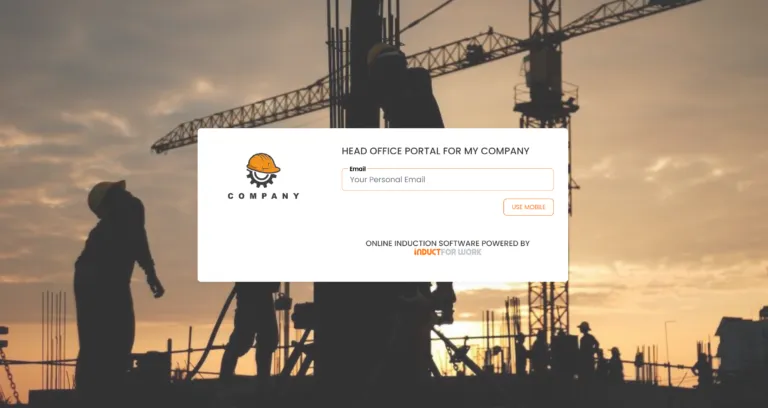
Before you try to log in
Before logging in, check that you have the right information.
You may need:
- the invitation email or SMS
- the correct email address
- your password or access code
- a phone or computer with internet access
- any documents requested by the company
- licence or certificate files if required
- time to complete the course
- permission to complete training before arrival
Some inductions include forms, document uploads or quiz questions. Therefore, it is best to complete the induction when you have enough time and access to any required documents.
For example, a contractor may need to upload a licence, insurance document or SWMS before the induction can be marked complete.
Online induction login for contractors
Contractors are often asked to complete an online induction before they attend a workplace or site.
A contractor induction may include:
- site rules
- emergency procedures
- PPE requirements
- access instructions
- permit requirements
- incident reporting steps
- licence or certificate uploads
- insurance documents
- SWMS requirements
- policy acknowledgements
- supervisor contact details
- completion certificate
For businesses that need to manage contractor access and records, our general contractor page explains broader contractor-related responsibilities and workplace expectations.
In addition, a structured contractor induction process helps organisations prepare contractors before work begins.
If you are a contractor trying to log in, make sure you use the same email address the organisation used when it invited you.
If your company has several workers attending a site, each worker may need their own induction record.
Online induction login for visitors
Visitors may also be asked to complete a short induction before entering a workplace.
This can be useful for:
- construction sites
- warehouses
- schools
- factories
- farms
- offices
- council facilities
- events
- healthcare sites
- logistics yards
- restricted work areas
A visitor induction is usually shorter than a worker or contractor induction. It may cover emergency procedures, restricted areas, sign-in rules, host details and basic site expectations.
For organisations that want a simple way to manage visitors, INDUCT FOR WORK also offers information about a free visitor management system.
When a visitor induction is connected with sign-in, organisations can give visitors important information before or during arrival and keep clearer records of attendance.
Online induction login for new employees
New employees may receive online induction access before their first day.
An employee induction may include:
- welcome information
- workplace policies
- safety procedures
- emergency information
- role expectations
- privacy or confidentiality rules
- HR forms
- payroll or administrative information
- digital acknowledgements
- completion certificate
A structured employee onboarding process helps businesses give new starters important information early.
If you are a new employee and cannot access your induction, contact your manager, HR contact or the person who sent the invitation.
They may need to check whether your account has been created with the correct email address.
Common online induction login problems
Login problems are common and often simple to fix.
The invitation email is missing
Check your spam, junk and deleted folders. Also search your inbox for “induction” or the company name.
The link has expired
Some invitation links may expire. Contact the organisation that invited you and ask for a new link.
The wrong email was used
If you were invited using a different email address, the system may not recognise your login. Ask the organisation to confirm the email address on your record.
The password was forgotten
Use the password reset option if available. If that does not work, contact the organisation that assigned the induction.
The induction is not showing
The training may not have been assigned yet. It may also be assigned to another profile or email address.
The certificate is missing
Check whether all modules, forms, quizzes and acknowledgements have been completed. Some certificates only become available after every required step is finished.
Uploaded documents are not accepted
The file type, file size or document may not meet the organisation’s requirements. Contact the organisation for clarification.

Reporting a technical fault
If the issue appears to be a technical fault with the platform rather than an account or invitation issue, users can report it through the report a fault page.
Examples may include:
- a page not loading
- a broken link
- a form not submitting
- a file upload issue
- an error message
- a button not working
- a certificate download issue
- a display problem on a device
However, if your issue relates to access, assigned training, company approval or missing documents, contact the organisation that invited you first. They control your induction record and can confirm what you still need to complete.
Tips for completing your induction successfully
A few simple steps can help avoid delays.
Use the correct email address
Use the same email address that received the invitation.
Complete every required section
Some inductions include multiple modules, forms and acknowledgements.
Check quiz results
If a quiz is required, make sure you have passed it.
Upload the right documents
Contractors may need to upload licences, certificates, insurance or SWMS documents.
Save or download your certificate
If a certificate is provided, keep a copy for your records.
Contact the inviting organisation
If something does not look right, contact the company or site that assigned the induction.
Allow enough time
Do not wait until you are at the gate or reception area if the induction must be completed before arrival.
Online induction login and training records
Online induction login is not only about access. It also connects to training records.
Once users complete an induction, the organisation may need to confirm:
- who completed training
- when training was completed
- which course was completed
- whether the person passed a quiz
- which forms were submitted
- which documents were uploaded
- which acknowledgements were signed
- whether a certificate was issued
- whether refresher training is due
INDUCT FOR WORK helps improve record keeping by keeping training records, forms, acknowledgements and certificates online.
In addition, reporting helps administrators check completion status and follow up where needed.
As a result, organisations can manage induction records more clearly than they could with paper forms, email attachments or spreadsheets.
Online induction login for free or low-cost induction software
Some organisations searching for online induction login help are also reviewing whether their current induction process is the right fit.
If your business is comparing options, our article on the best free online induction software explains what to look for when reviewing free or low-cost induction systems.
That supporting article is useful for small businesses, seasonal teams and workplaces that want to reduce paper-based onboarding without paying for unnecessary complexity.
However, if you are a worker trying to access an assigned induction, you should use the login link provided by the organisation that invited you.
Online induction login as part of a wider induction strategy
A login page is only one part of a successful induction process.
For organisations, the bigger question is how the full induction process works.
A strong process should explain:
- who receives induction
- which training each user group needs
- how invitations are sent
- what happens when a user cannot log in
- which forms are required
- who checks uploaded documents
- when certificates are issued
- how incomplete users are followed up
- how records are stored
- when refresher training is assigned
For a broader planning approach, see our online induction strategy article.
That article explains how businesses can plan induction pathways for employees, contractors, visitors and other user groups.

Why organisations use INDUCT FOR WORK for online induction access
A clear login and induction process helps businesses reduce confusion and administration.
Without a proper system, induction access may be handled through emails, PDFs, spreadsheets and manual reminders. That can quickly become difficult when many users, contractors or sites are involved.
INDUCT FOR WORK helps organisations:
- invite users online
- assign training by role or site
- collect forms and acknowledgements
- manage contractor documents
- support visitor workflows
- issue certificates
- track completion
- keep records online
- manage refresher training
- review reports
- support a clearer access process
This helps workers, contractors and visitors complete the right information while giving administrators better visibility.
From login confusion to a clearer induction process
| Common Access Problem | INDUCT FOR WORK Helps By |
|---|---|
| Users cannot find the invitation | Administrators can resend access details |
| Contractors use the wrong email | Records can be checked and updated |
| Visitors receive inconsistent instructions | Visitor pathways can be set up |
| Training status is unclear | Completion can be tracked online |
| Certificates are hard to find | Certificates can be linked to completion |
| Forms are incomplete | Administrators can check outstanding items |
| Documents are sent by email | Files can be uploaded online |
| Follow-up is manual | Reports show who needs attention |
| Records sit in folders | Records can stay in one platform |
| Refresher training is forgotten | Updated training can be assigned when needed |
This gives organisations a more organised way to manage induction access and completion.
Best practice tips for online induction login pages
A good induction login process should be simple and easy to follow.
Make invitation emails clear
Users should know who invited them and what they need to complete.
Use plain instructions
Avoid confusing language. Tell users what to do next.
Explain who to contact
Users should know whether to contact the company, site manager, HR team or support.
Keep links easy to find
Place login links in emails, onboarding messages and contractor instructions.
Explain document requirements
Contractors should know what documents they need before starting.
Track incomplete users
Administrators should regularly review who has not completed training.
Provide a fault reporting option
Technical issues should have a clear reporting path.
Review common login issues
If many users have the same problem, update the invitation wording or login instructions.
Need help with your online induction login?
If you are a worker, contractor or visitor, start by checking the invitation email or SMS sent by the organisation that asked you to complete the induction.
Use the same email address that received the invitation and complete all required modules, forms, quizzes and acknowledgements.
If you cannot access your induction, contact the company, site, manager or organisation that invited you. They can confirm your account, resend the link or check whether anything is incomplete.
If you are an organisation looking for a better way to manage online induction access, INDUCT FOR WORK can help you invite users, assign training, collect forms, track completion and keep records online.
Give workers, contractors and visitors a clearer way to complete induction before they arrive.
Frequently asked questions
Check the invitation email or SMS sent by the organisation that asked you to complete the induction. Also search your inbox for “induction”, “training” or the company name.
Common reasons include using the wrong email address, an expired link, forgotten password, missing invitation or training that has not been assigned yet.
First contact the organisation that invited you to complete the induction. They control your training access, assigned courses and completion record.
Yes. Contractors can complete assigned induction training before arriving, depending on how the organisation has set up the process.
Yes. Visitors can complete short safety information, sign-in instructions and acknowledgements if the organisation requires it.
If the issue is a technical fault, broken page, file upload issue or form error, you can report a fault.
This depends on the organisation’s setup. Some inductions provide a certificate after all modules, quizzes, forms and acknowledgements are completed.
Yes. INDUCT FOR WORK helps organisations invite users, assign training, collect forms, track completion, issue certificates and keep records online.
Author: Anna Milova
Published: 07/03/2024
Last edited: 05/05/2026


