ONLINE INDUCTION QUIZZES
Build quizzes that confirm understanding.
Create online quiz questions for inductions, assessments and refresher training. Check understanding, automate marking and keep quiz results with your induction records.

TRUSTED BY ORGANISATIONS ACROSS AUSTRALIA AND THE WORLD


CREATE QUIZZES YOUR WAY
Build questions around your induction content.
Add quiz questions to test the information that matters to your organisation. Use different question types, include media and randomise questions where required.
- Multiple choice questions
- True or false questions
- Short answer questions
- Multi-select questions
- Images, videos and voiceovers
- Randomised questions
Ignore it and keep working
Report it to your supervisor
Fix it yourself
Tell a workmate later
CHECK UNDERSTANDING
Ensure understanding every time.
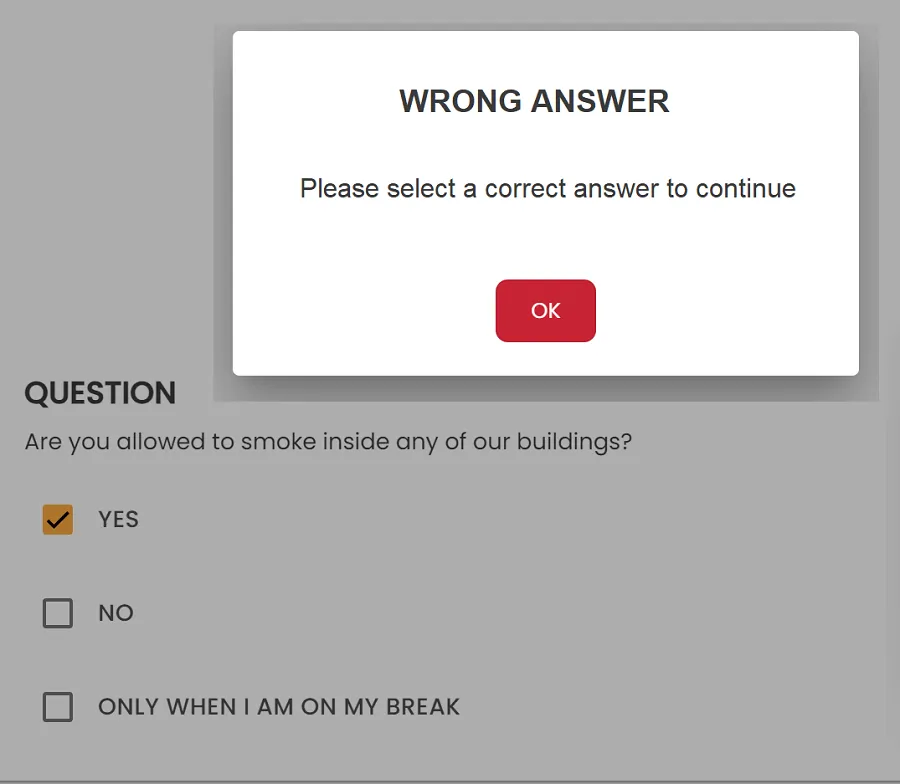
Set pass marks, automate scoring and decide what happens when an answer is incorrect. Learners can be guided back to the information they need before progressing.
- Set pass marks and requirements
- Automated scoring
- Allow additional attempts
- Provide immediate feedback
✓ Quiz requirement met.

QUIZ RESULTS
Track results and identify knowledge gaps.
Review quiz performance across your induction program. See scores, pass or fail results, attempts and completion information from one central view.
- Individual quiz results
- Pass and fail status
- Attempts and completion history
- Identify areas that need reinforcement
USE QUIZZES ACROSS YOUR ORGANISATION
Perfect for every induction and every worker.
WORKS ON ANY DEVICE
Complete quizzes anywhere.
FREQUENTLY ASKED QUESTIONS
Quiz questions, answered.
What types of quiz questions can I create?
You can create different question styles to suit your induction content, including multiple choice and other assessment formats supported within your induction workflow.
Can I set a pass mark?
Yes. Pass requirements can be configured so learners must achieve the required result before satisfying the quiz requirement.
Can questions be randomised?
Questions can be randomised to vary the assessment experience and reduce reliance on memorising a fixed question order.
Can learners try again after an incorrect answer?
Quiz settings can be used to support additional attempts and guide learners toward the correct information before they progress.
Can I see who has passed or failed?
Administrators can review quiz results and completion information to see how learners performed.
Can quizzes be completed on mobile devices?
Yes. Online inductions and quizzes can be completed using internet-connected desktop, tablet and mobile devices.
IMPROVE UNDERSTANDING WITH QUIZZES
Turn quiz results into safer decisions.
Induct For Work quizzes help confirm understanding, identify knowledge gaps, guide refresher training and keep assessment records connected to your induction process.

See scores, pass marks and feedback so you can guide workers back to the right information.