
20 Account Switching
What is account switching?
One Induct For Work login can open more than one account: your own company, other companies that gave you access, contractor accounts and your personal account. Your personal account is where you do your own online inductions. Account switching lets you move between them without logging out.
Rules to know
- Plan: switching works on every plan.
- Personal account: shows once your email has one. You get one when you register a company, or when you do an induction with that email.
- Account owners: only see their own company. A login that owns a company can’t join another one.
- Other companies: each company that gave you admin access shows until it revokes your access.
- Contractor accounts: only show for companies that use Contractor Management.
- No new login: the page reloads in the account you pick. What you can see depends on your role there.
What you’ll need
- A login with more than one account.
Switch to another account
- Click the gear icon, top right.
- Click Accounts.
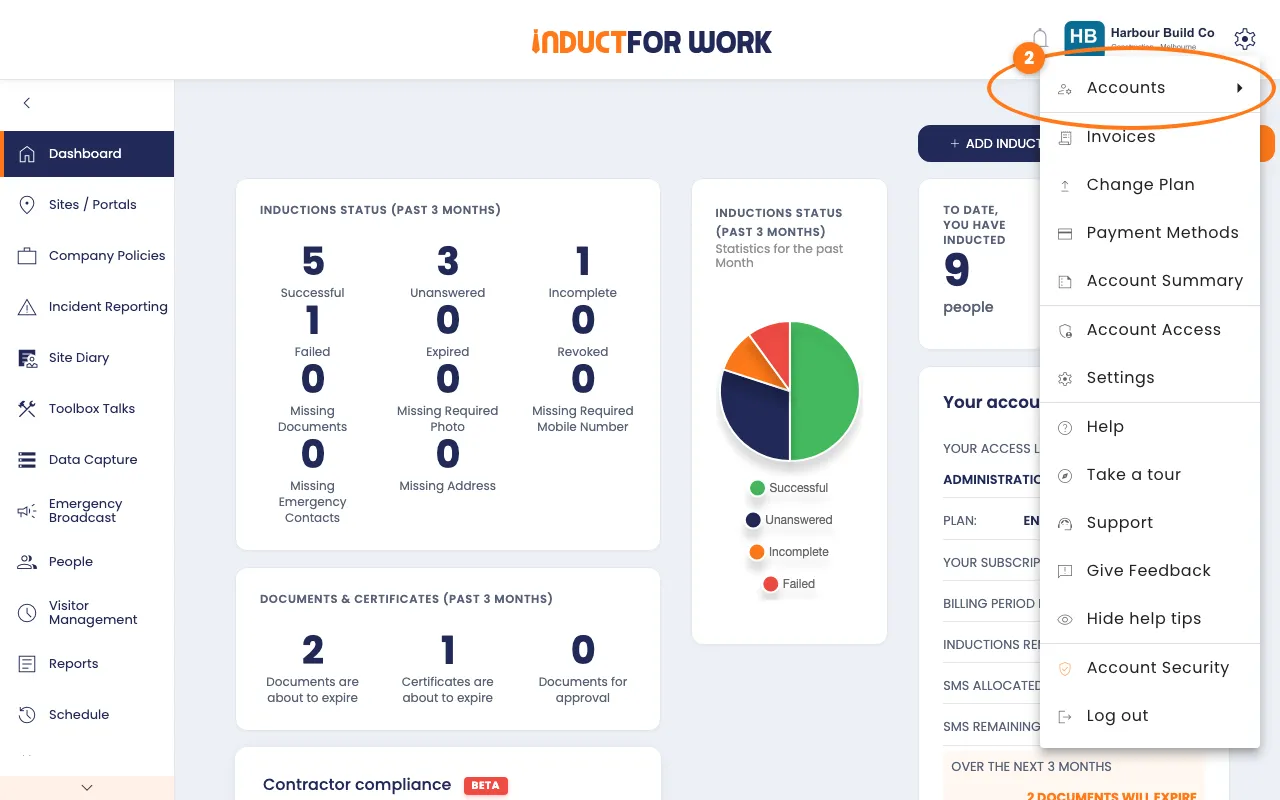
- Click the account you want to open.
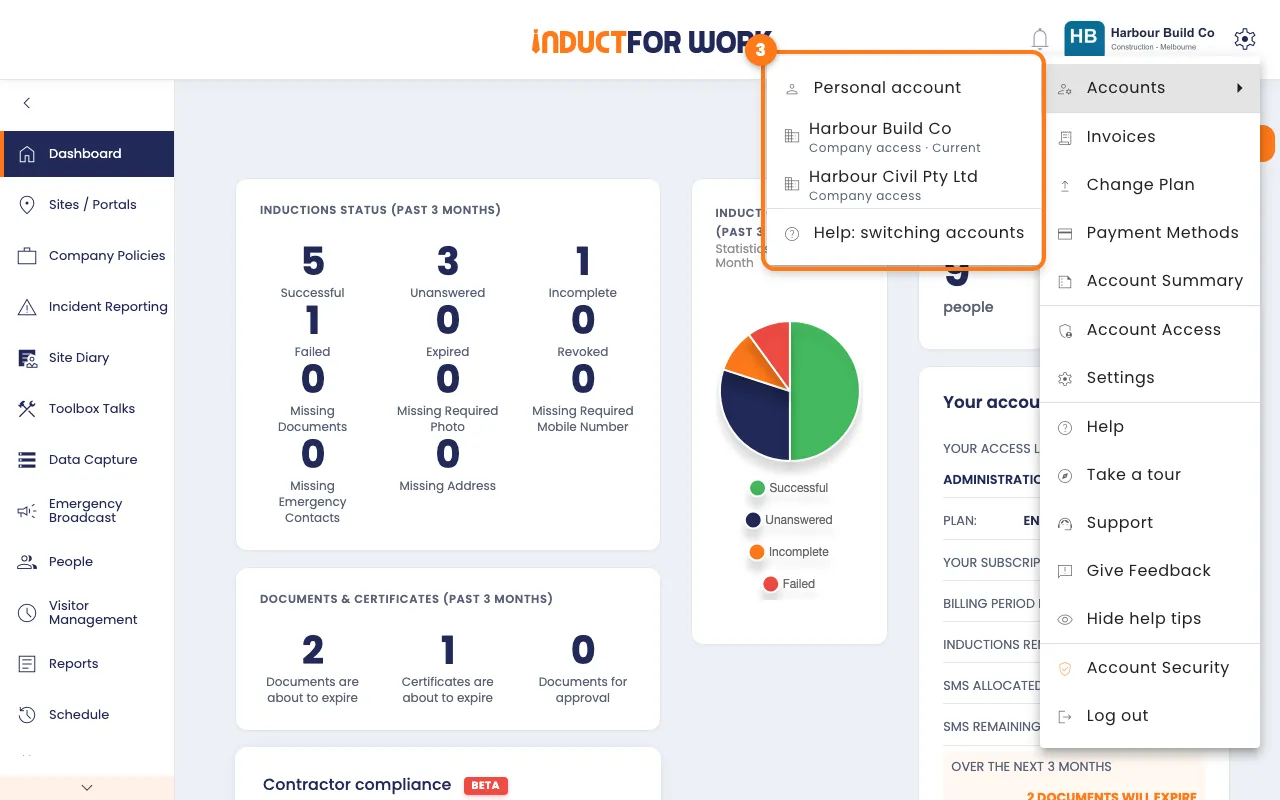
Under each company you’ll see:
- Your company: you own this account.
- Company access: another company gave you access.
- Current: the account you’re in now.
If you also work for a contractor, its account shows below a line, with its status.
Go back from your personal account
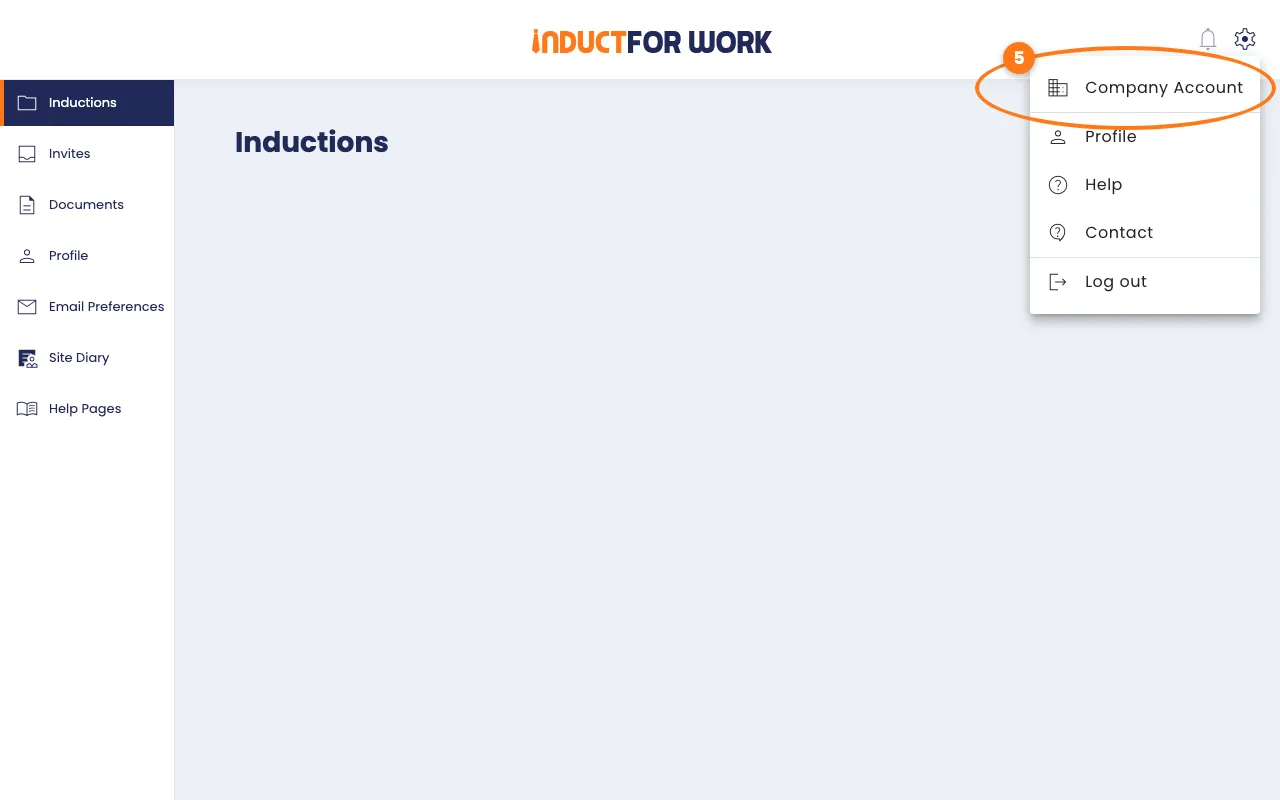
- In your personal account, click the gear icon, top right.
- Click Company Account.
Switch from a contractor account
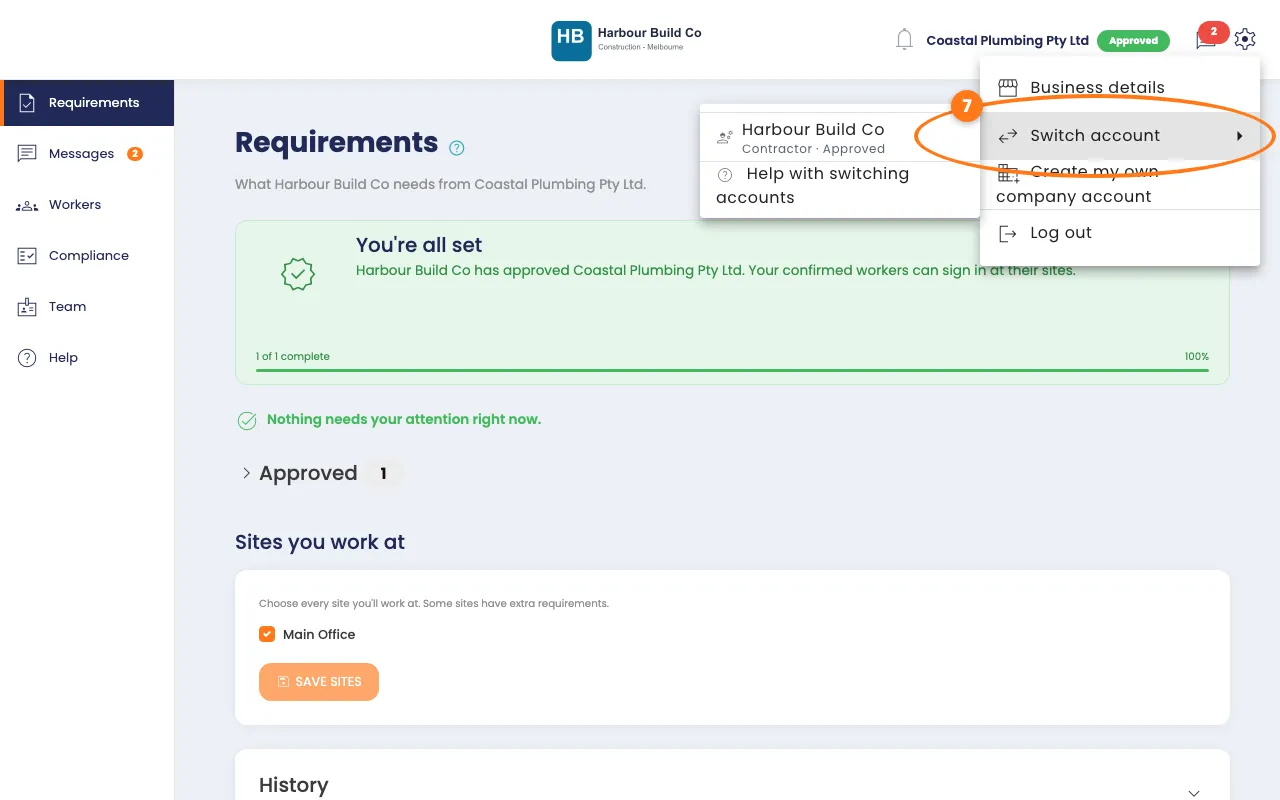
- In a contractor account, click the gear icon, top right.
- Click Switch account, then pick the account you want.
Can’t see a company?
Ask that company to invite you from Account Access. See Admin users.
Done! What happens next
- The page reloads in the account you picked.
- You keep one email and password for every account.
- Next time you log in, you open the company you last switched to.