
23 Updating Credit Card
What are Payment Options?
Payment Options is where you keep the cards that pay for your online induction subscription. Add a new card before the old one expires, pick which card is the default, and remove cards you no longer use. Your plan keeps running without a break.
Rules to know
- Who: only the Account owner and Administration Users can add, change or remove cards. If someone else does it, the Account owner gets an email.
- New cards become the default: a card you add is used for your next payment straight away.
- The default card can’t be removed. Make another card the default first.
- Removing asks first: a pop-up box asks you to confirm, naming the card’s last 4 digits.
- Card details are safe: your card number goes straight to our payment provider, Stripe. Induct For Work only sees the card type, last 4 digits and expiry.
- Plan changes need a card: you can’t confirm a paid plan until a card is saved.
- If a payment fails: the Account owner and Administration Users are taken to a page where they can retry the payment or add a new card. Other admins are told there’s an account issue.
What you’ll need
- An Account owner or Administration User login.
- The card you want to add.
Open Payment Options
- Click the gear icon, top right.
- Click Payment Methods.
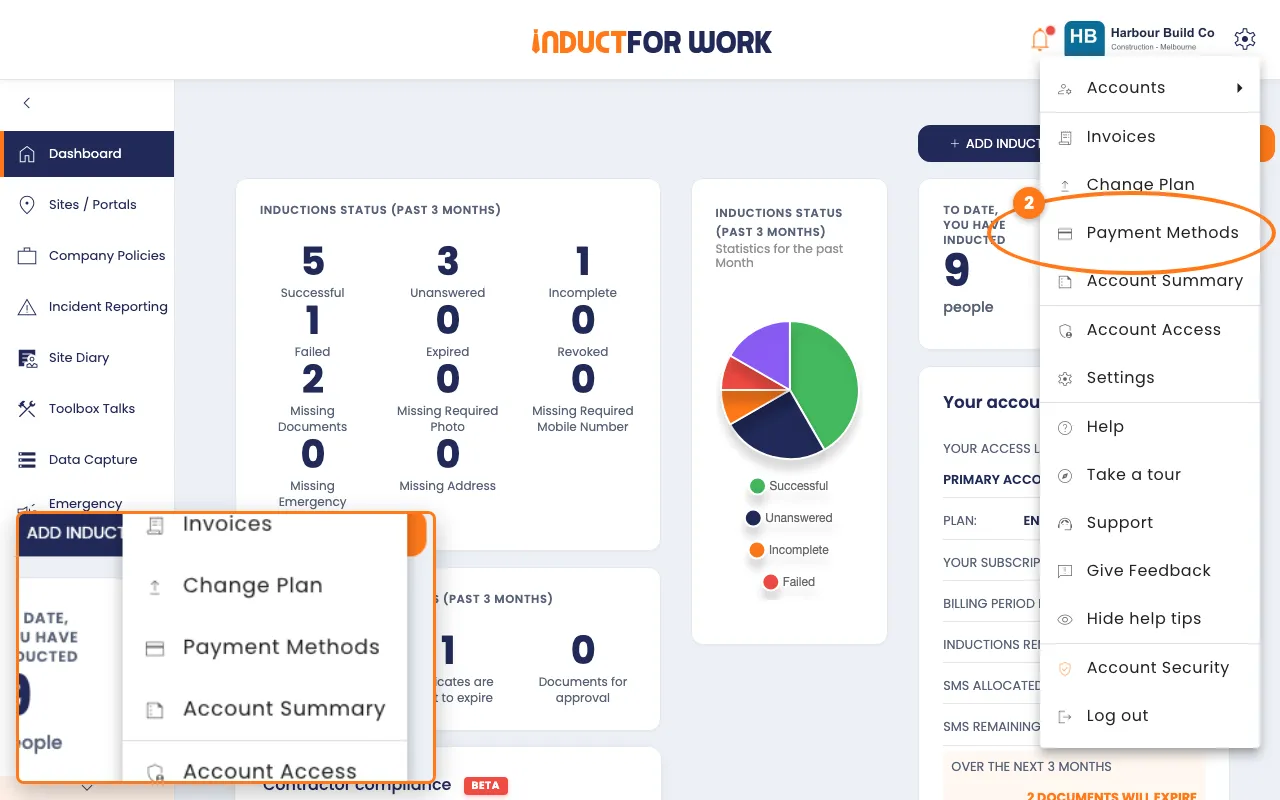
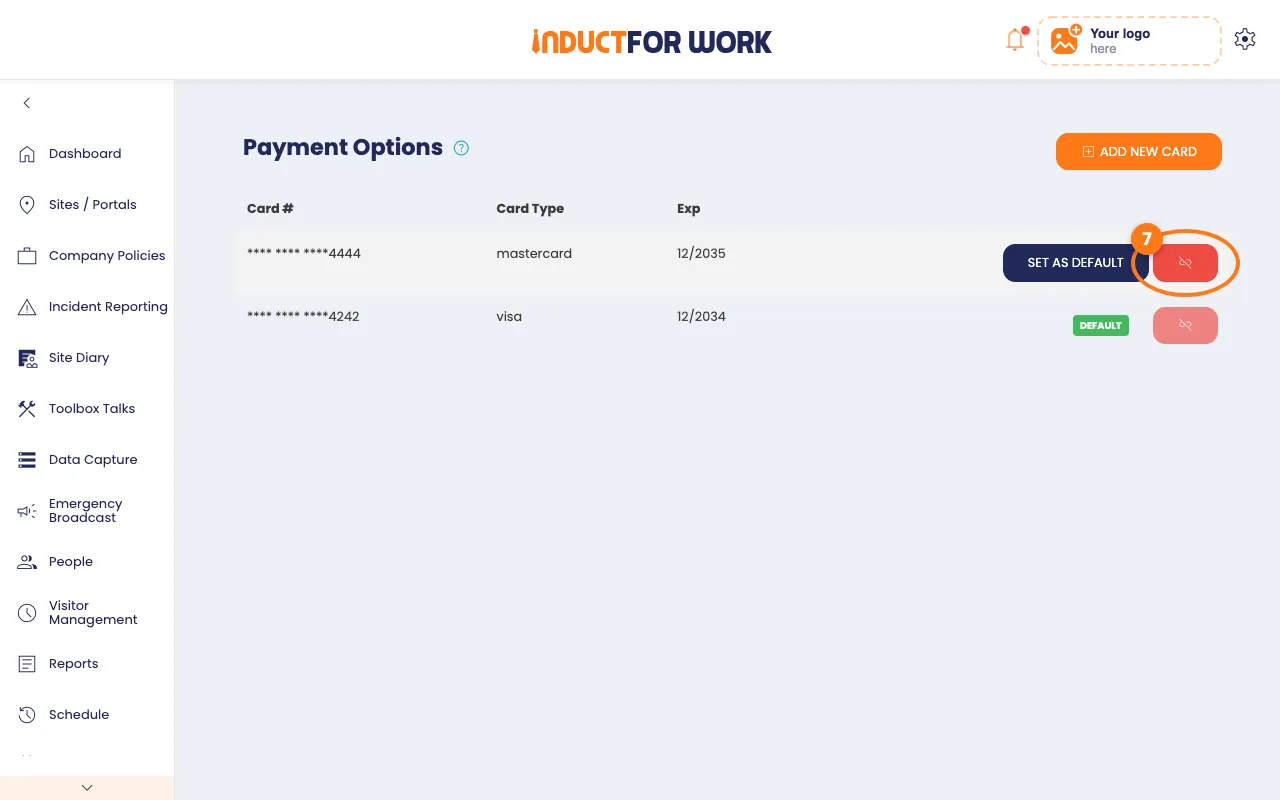
The Payment Options page lists your cards. The one marked DEFAULT pays your bills.
Add a new card
- Click the orange Add new card button, top right.
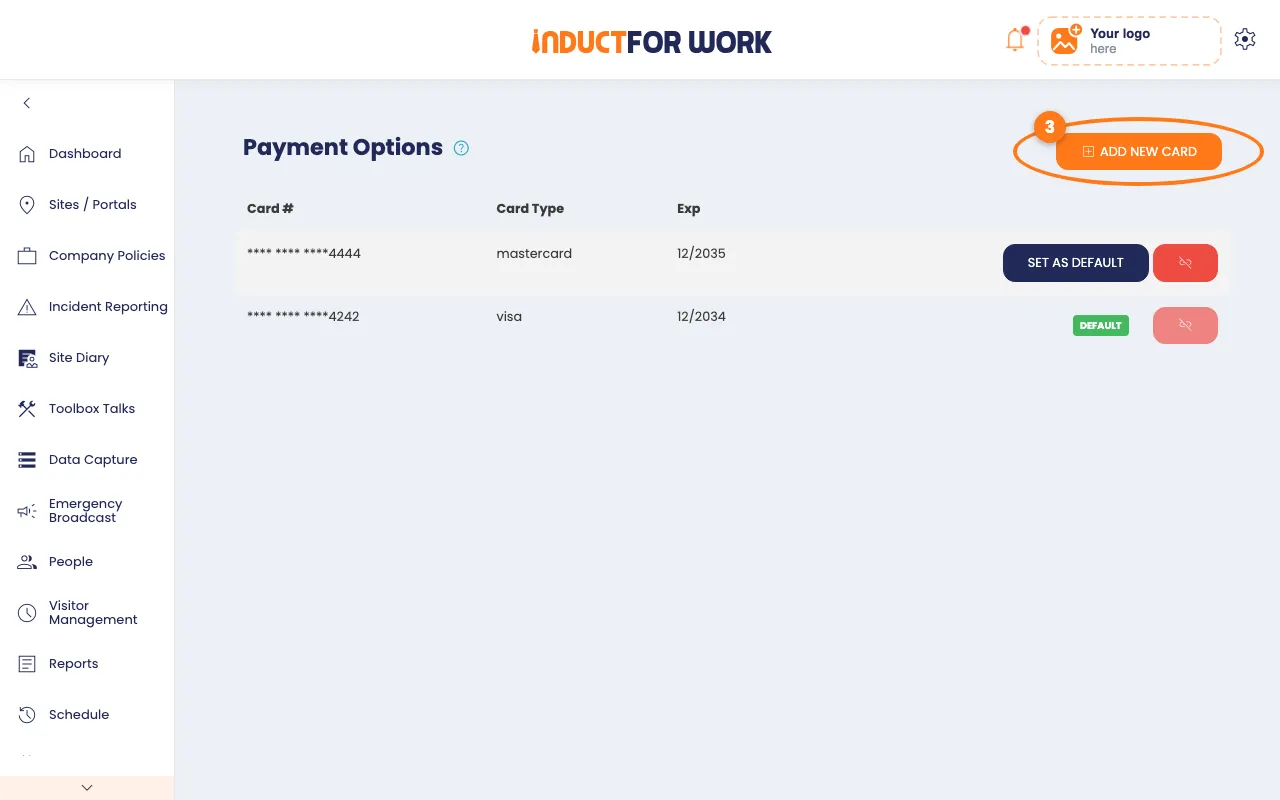
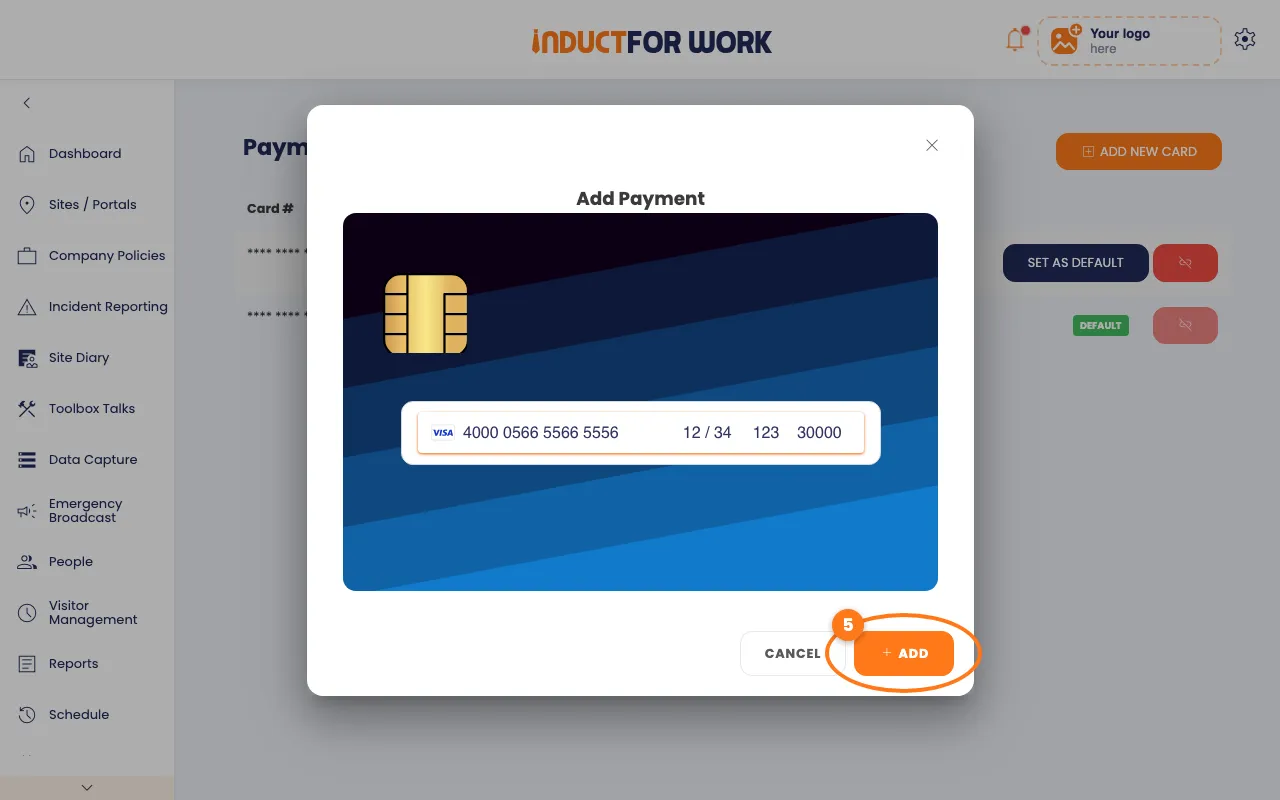
- Enter the card number, expiry date and CVC.
- Click the orange Add button.
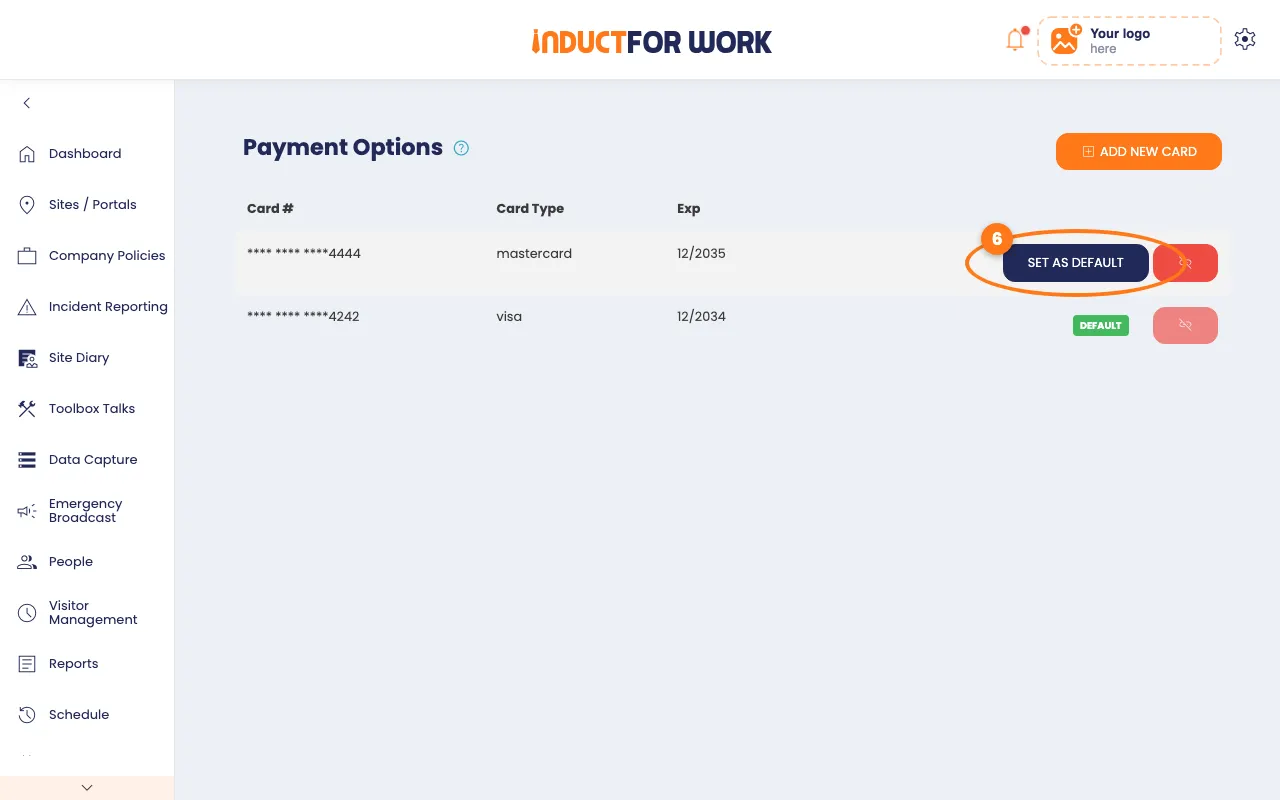
The new card shows in the list, marked DEFAULT.
Choose your default card
- Next to another card, click Set as default.
Remove a card
- Next to a card that isn’t the default, click the red remove button.
- Click Remove card in the pop-up box.
The card is removed. The default card’s remove button is greyed out.
Done! What happens next
- Your next bill is charged to the DEFAULT card.
- Past and upcoming bills are on Invoices.
- Next, update the contact details on your portals. See Updating portal contact details.