
27 Resetting Passwords
How do I reset my password?
Forgot your password? You can choose a new one yourself from the login page. We email you a 6-digit code, and you use it to set a new password. It works the same for admins and for people doing your online inductions.
Rules to know
- Code by email: we send a 6-digit code. It works for 15 minutes.
- Same place: type the code on the same internet connection you asked for it from. If you move, ask for a new code.
- Limits: you can ask for a code 5 times an hour, and try a code 5 times an hour.
- Password rules: at least 8 characters, with upper and lower case letters, a number and a special character such as @. Common passwords aren’t allowed.
- Single sign-on (SSO): if your company uses SSO, change your password with your SSO provider instead.
- Two-factor authentication: a new password doesn’t turn it off. You still need the code from your authenticator app.
What you’ll need
- The email address you log in with.
- Access to that email inbox.
Ask for a reset code
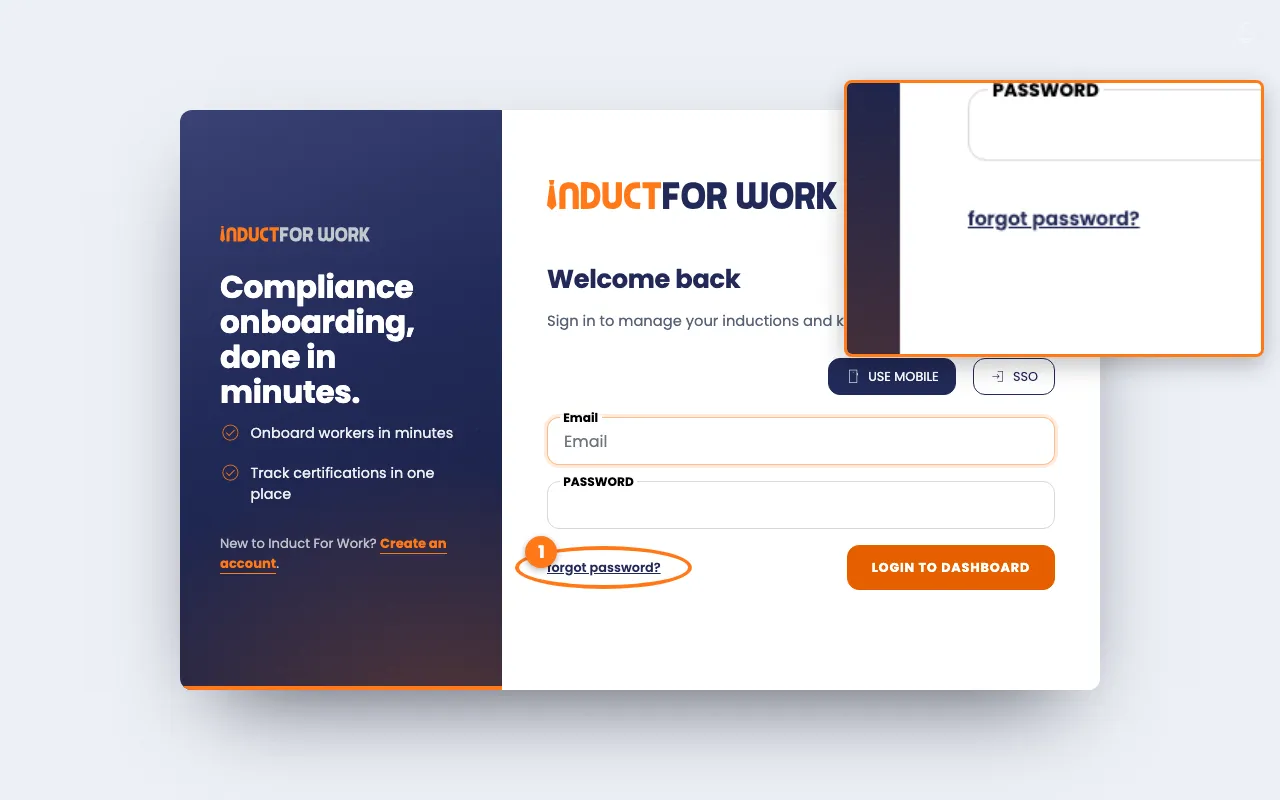
- Go to the login page and click forgot password?, below the Password box.
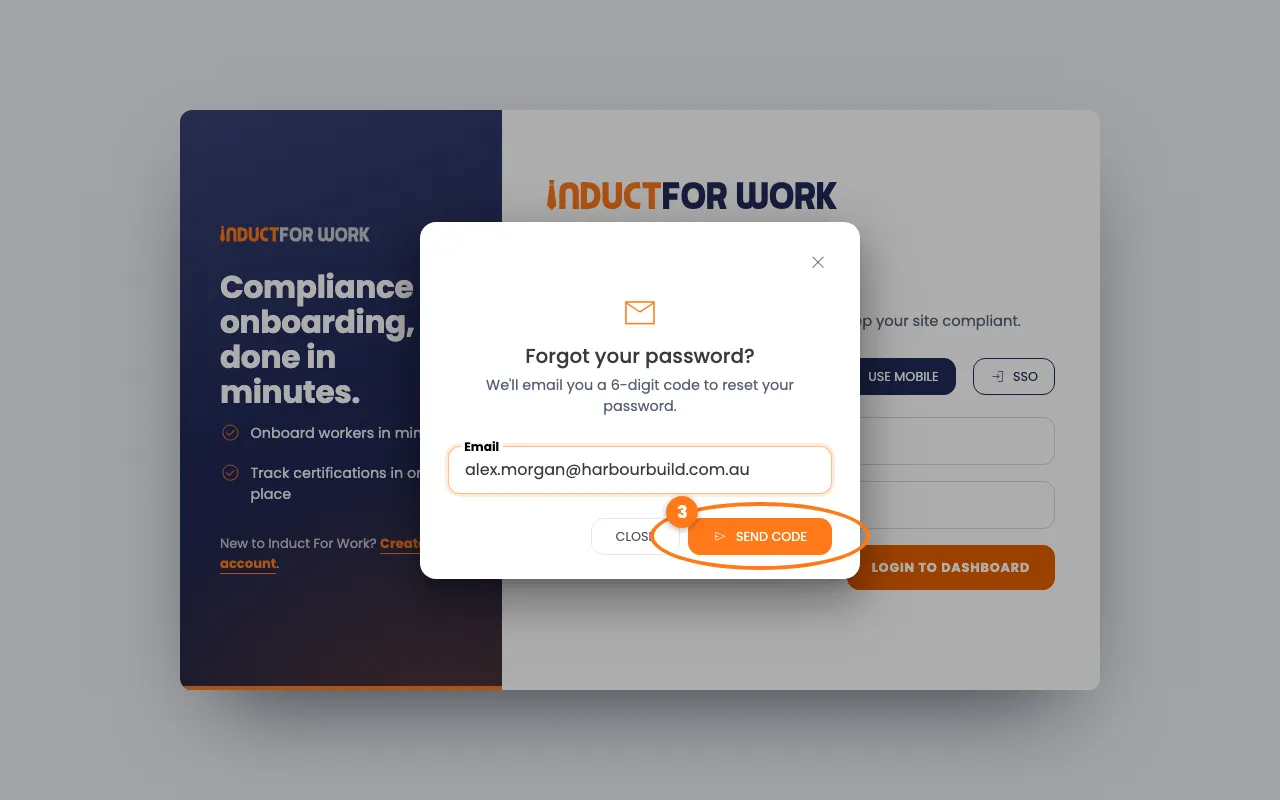
- Type your email address under Email.
- Click the orange Send code button. We email you a 6-digit code.
Choose a new password
- Open the email [Important] Password Reset Request and copy the code.
- Back in the pop-up box, type the code in Verification Code.
- Type your new password in New Password.
- Click the orange Change button.
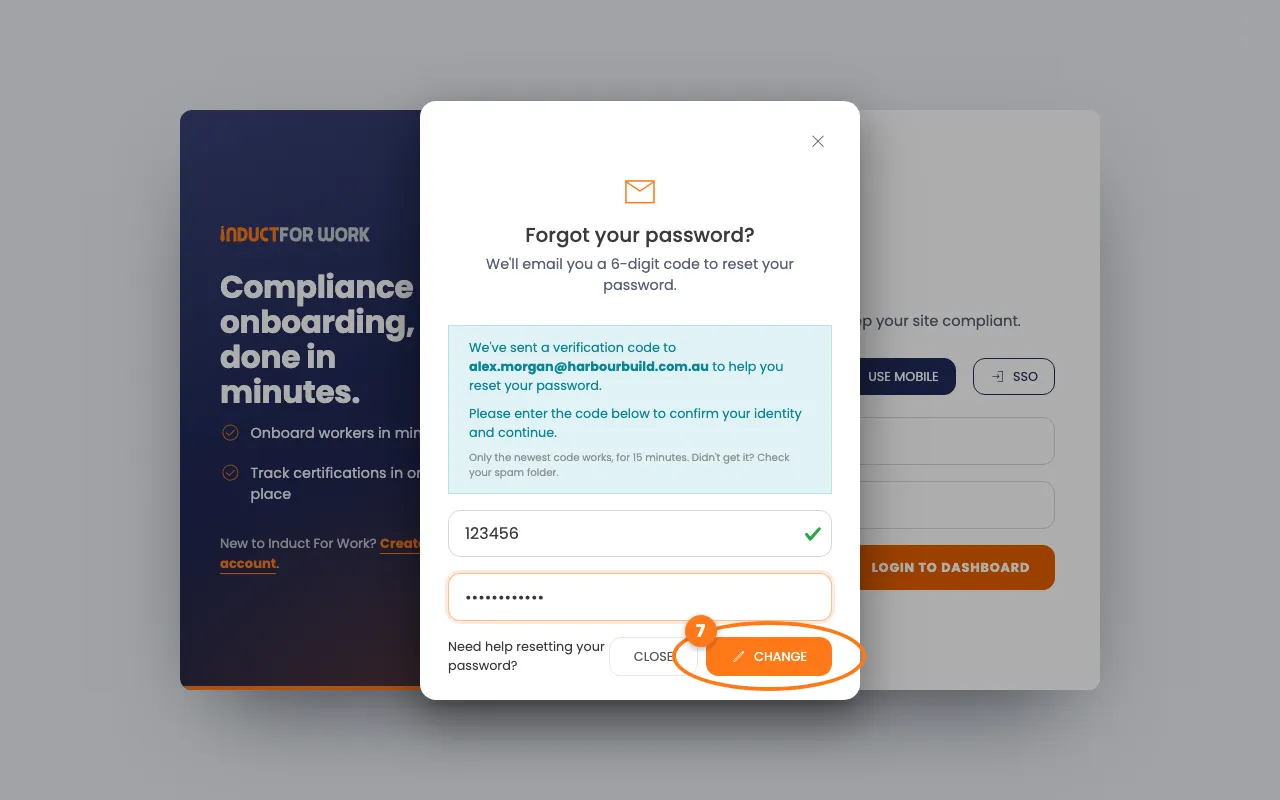
You’re logged in straight away with your new password. If you use two-factor authentication, type the 6-digit code from your authenticator app, then click Verify & sign in.
Log in with your mobile?
Click Use Mobile on the login page first, then click forgot password?. The code then comes by text message.
Lost your authenticator app?
Ask your Account owner or an Administration User to reset it. They click Actions next to you in Account Access, then Reset 2FA. The Account owner’s own app can only be reset by our support team.
Done! What happens next
- Your new password works for every account you open with this login.
- Only the newest code works, for 15 minutes. Asked twice? Use the code in the latest email.
- No email after a few minutes? Check your spam folder, then ask for a new code.
- Codes run out after 15 minutes. Just ask for a new one.