
28 Data Takeout
What is Data Takeout?
Data Takeout gives you a copy of your people’s files as one zip file: their certificates of completion and the documents they’ve uploaded. Use it to keep your own backup of your online induction records. You pick how far back to go, and we email you a download link when the file is ready.
Rules to know
- Who: only the Account owner and Administration Users can export.
- Plans: Data Takeout is on every plan.
- Once a month: your company can export once a month. The tab shows when the next export is allowed and who did the last one.
- How far back: 1, 2, 3, 6, 12, 18, 24 or 36 months.
- What’s in it: one folder per person, with their certificates of completion, the documents they’ve shared with you (front and back), and documents added to their profile.
- What’s left out: archived people. The zip holds files only, not a spreadsheet of people or results.
- How you get it: an email to the admin who clicked Export, with a Download link.
- Download within 6 hours: the emailed link stops working after 6 hours. Run the export again if it has expired.
What you’ll need
- An Account owner or Administration User login.
- Access to the email inbox for that login.
Export your data
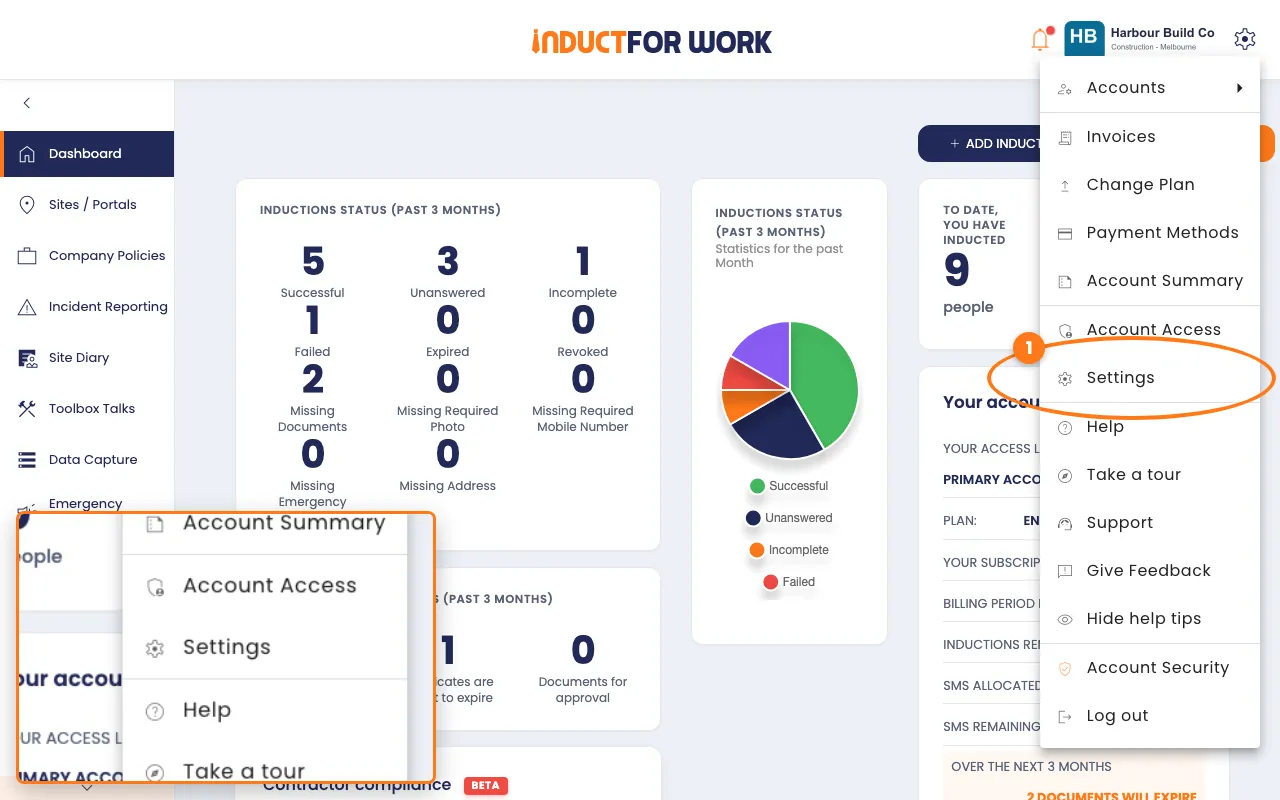
- Click the gear icon, top right, then click Settings.
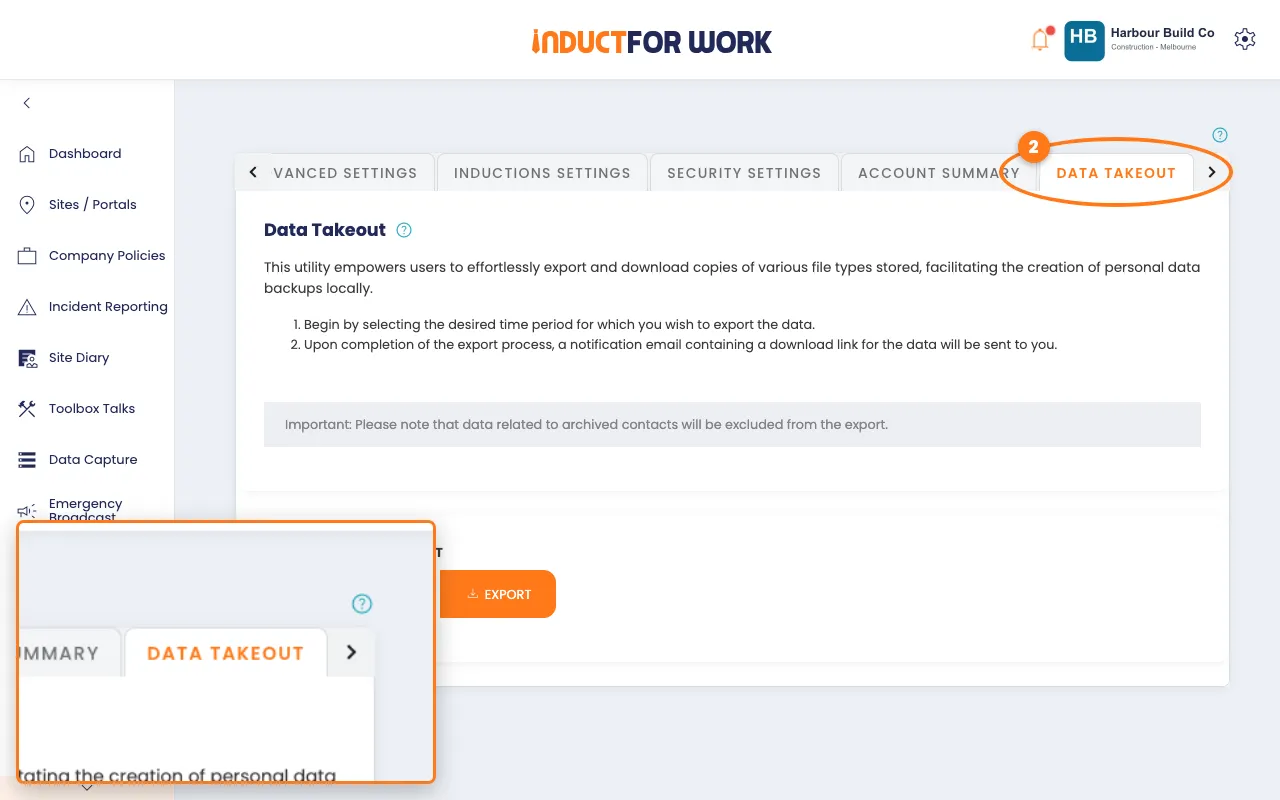
- Click the Data Takeout tab.
- Under Export data for the past, pick how many months.
- Click the orange Export button.
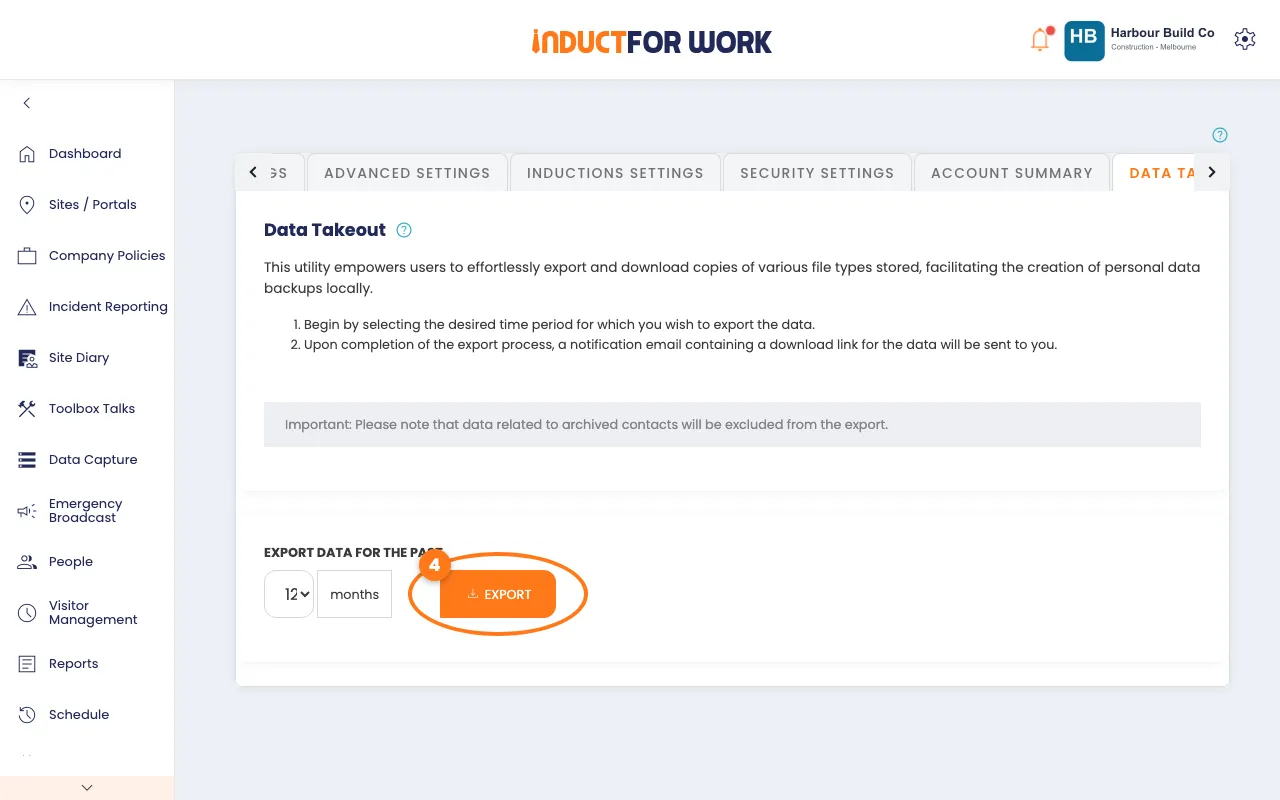
The Export button greys out. The tab now shows Last Exported on and when you can export again.
Download the zip
- Open the email with the subject [Requested Data] Data Export.
- Click Download.
- Open the zip file. Each person has a folder with their name.
Certificates and documents are inside each person’s folder. A document’s file name says what it is, and whether it’s the front or the back.
Tip
Need a spreadsheet of who did which induction? Use Reports instead. See Reports.
Done! What happens next
- The zip is a backup on your own computer. Nothing changes in Induct For Work.
- You can export again a month after the last export.
- To include someone who is archived, restore them first. See Archiving and Restoring People.