
Rapid Inductions That Are Fast Without Cutting Corners
Fast induction should still prepare people properly.
Rapid inductions can save time, reduce delays and help people start work sooner.
That matters when a business needs to onboard new staff, contractors, labour hire workers, seasonal teams, visitors or site users quickly. A delayed induction can hold up work, create pressure for supervisors and force administrators to chase people manually.
However, speed alone is not the goal.
An induction that is quick but confusing can create bigger problems later. Workers may miss safety instructions, contractors may arrive without documents and managers may struggle to prove who completed what.
A rapid induction should be short, clear, practical and properly recorded.
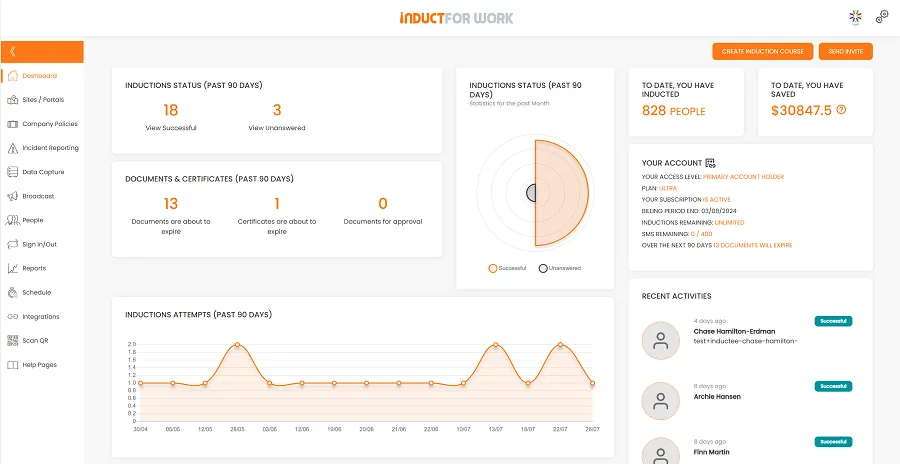
INDUCT FOR WORK helps businesses deliver online inductions, assign training pathways, collect forms, capture acknowledgements, issue certificates, support incident reporting and keep records in one platform. For broader training management, INDUCT FOR WORK can also support an LMS for workplace training structure where induction, refresher training, quizzes, certificates and records sit together.
For businesses that want help turning existing documents into online courses faster, see rapid induction setup. A faster setup process also supports a stronger safety culture because workers receive consistent instructions before they begin.
What are rapid inductions?
Rapid inductions are workplace inductions designed to be completed quickly without losing important information.
They may apply to:
- new employees
- contractors
- subcontractors
- visitors
- labour hire workers
- seasonal workers
- casual staff
- event workers
- drivers
- cleaners
- maintenance workers
- volunteers
- temporary workers
- site users
A rapid induction may cover:
- site rules
- emergency procedures
- PPE requirements
- role expectations
- hazard reporting
- incident reporting
- document uploads
- forms
- acknowledgements
- quiz questions
- certificates
- access requirements
The best rapid inductions do not simply remove content – they organise content better.
They give users the information they need for their role, site and task without forcing them through irrelevant material.
Why speed matters in induction
Induction delays can affect the whole workplace.
A contractor may be ready to start but cannot enter the site. A labour hire worker may be placed quickly but still needs safety instructions. A new employee may wait for a manager to run a briefing. A visitor may need a short site introduction before entering a restricted area.
Rapid induction helps businesses:
- reduce first-day delays
- prepare workers before arrival
- avoid repeated manual briefings
- speed up contractor readiness
- support seasonal workforce peaks
- reduce administrator chasing
- assign training by role or site
- issue certificates faster
- keep records easier to find
- update content quickly when rules change
Speed is useful when it reduces wasted time.
It becomes dangerous when it removes important safety, conduct or reporting information.
Why rapid induction can fail
A rapid induction can fail when it becomes too short, too vague or too generic.
Common problems include:
- important safety rules removed
- emergency procedures skipped
- no role-specific pathway
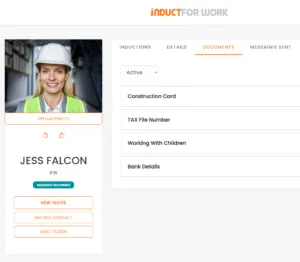
- documents not collected
- no quiz or understanding check
- no acknowledgement of important rules
- certificates not issued
- completion records missing
- users rushed through long PDFs
- videos too large to load quickly
- content not designed for mobile users
- site-specific details left out
- incident reporting not explained
A fast induction must still help people work safely and understand what the business expects.
If speed weakens understanding, the process is not effective.
Start with role-specific pathways
The fastest induction is often the one that only includes relevant content.
A visitor should not complete the same induction as a contractor. A warehouse worker does not need the same pathway as an office administrator. A driver needs different instructions from a cleaner.
Role-specific pathways may include:
- employee induction
- contractor induction
- visitor induction
- site induction
- driver induction
- cleaner induction
- supervisor induction
- remote worker induction
- labour hire induction
- seasonal worker induction
For a full guide, see role-specific work induction.
Role-specific training reduces unnecessary content and helps users focus on the rules that matter to them.
Keep the core induction short
A rapid induction should begin with the essentials.
Core content may include:
- who the organisation is
- what the user must complete
- where the person will work or visit
- who to contact
- emergency procedures
- key safety rules
- incident reporting
- hazard reporting
- site access rules
- forms and acknowledgements
- completion requirements
Long background sections can slow users down. A short welcome is enough.
The induction should move quickly into the practical information the user needs before starting.
Use plain language
Plain language makes induction faster and safer. Long sentences, legal-style wording and unclear policy language slow people down.
For example, instead of writing:
Personnel must familiarise themselves with the organisation’s emergency management framework prior to commencement.
Use:
Know the emergency exits. Follow the evacuation signs. Go to the assembly area when the alarm sounds.
Clear wording helps workers understand the instruction faster.
It also helps non-English-speaking workers, labour hire workers, contractors and users completing training on mobile devices. For multilingual induction guidance, see inducting non-English-speaking workers.
Use short videos carefully
Video can make induction clearer, but it can also slow the course down.
Large video files can create slow loading, poor mobile performance and user frustration.
Use video when it genuinely helps explain:
- site access
- emergency procedure
- equipment setup
- PPE use
- traffic flow
- manual handling
- cleaning process
- after-hours access
- reporting steps
Keep videos short. Compress files before upload.
Avoid long management speeches that users skip or forget.
A 45-second video showing the actual assembly area may be more useful than a 10-minute generic safety talk.
Optimise images and documents
Large images and uncompressed PDFs can make rapid induction feel slow.
Before uploading content, check:
- image file size
- video length
- PDF size
- slide count
- mobile display
- loading speed
- readability on small screens
- whether the document needs to be converted into shorter modules
Use real workplace photos where possible. However, optimise them before adding them to the course.
A clear, compressed image loads faster and still teaches the point.
Replace long PDFs with short modules
Many businesses begin with existing documents. That is normal.
Policies, procedures, manuals, SWMS-related material, site rules and HR documents often form the starting point for induction.
The problem appears when users are expected to read long PDFs and then tick a box.
A better rapid induction breaks the material into shorter modules.
For example:
- emergency procedures
- site access
- PPE
- reporting
- role-specific risks
- forms and acknowledgements
- quiz
This structure feels faster and makes the content easier to understand. For broader course planning, see online induction program.
Add quizzes without slowing people down
Quizzes can improve understanding when they are short and practical.
A rapid induction quiz should test key actions.
Useful questions may cover:
- where to go during an emergency
- how to report a hazard
- when PPE is required
- who to contact on site
- what to do after an injury
- which areas are restricted
- what documents are needed
- how to report damaged equipment
Avoid trick questions. The aim is not to make the course harder. It is to confirm that the user understood the most important points.
A short five-question quiz can be more useful than a long test that users rush through.
Collect forms inside the induction
Rapid induction becomes slower when forms sit outside the training process.
Users may complete training in one place, upload documents by email and sign acknowledgements on paper.
That creates delays and missing records.
Common forms may include:
- emergency contact form
- worker declaration
- contractor declaration
- visitor acknowledgement
- PPE acknowledgement
- policy acknowledgement
- licence upload
- certificate upload
- site access form
- equipment issue form
With custom forms, businesses can collect information inside the online process.
This reduces manual chasing and keeps records connected to the user.
Capture acknowledgements properly
Some induction content needs formal acknowledgement.
This may include:
- site rules
- safety responsibilities
- emergency procedures
- PPE requirements
- contractor obligations
- privacy expectations
- incident reporting steps
- after-hours access rules
- role-specific procedures
With digital signatures, organisations can collect acknowledgements online.
A digital acknowledgement gives managers a clearer record than a verbal “yes” or a paper form that gets filed in the wrong place. Rapid induction should not remove sign-off where sign-off matters.
It should make the sign-off easier to complete and easier to find.
Send induction links early
A rapid induction works best when people receive it before arrival.
Send the link before the first shift, site visit, contractor booking or event setup.
This helps:
- reduce waiting at reception
- reduce first-day pressure
- prepare contractors before site access
- collect documents early
- identify incomplete users
- issue certificates before arrival
- give managers time to follow up
SMS invitations can help organisations send induction links directly to mobile workers, contractors and users who may not check email quickly.
Email alone may not suit every workforce.
Make induction mobile-friendly
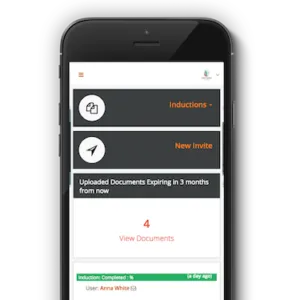
Many workers complete induction from a phone.
That includes contractors, labour hire workers, drivers, event staff, cleaners, field workers, farm workers and casual employees.
A mobile-friendly induction should use:
- short sections
- clear headings
- compressed images
- short videos
- simple quiz questions
- large buttons
- plain wording
- minimal scrolling where possible
- forms that work on small screens
Mobile users should not need to pinch, zoom and fight the layout.
A rapid induction should feel easy to complete on the device the worker actually uses.
Use templates where appropriate
Templates can make setup faster.
They are useful when a business needs a starting point for:
- general induction
- contractor induction
- visitor induction
- work-from-home induction
- safety induction
- role-specific training
- site access rules
- incident reporting instructions
Templates still need review.
A template should be adapted to match the organisation, site, role and risk profile.
For fast course setup support, see rapid induction setup.
Rapid contractor induction
Contractors often need fast turnaround.
A contractor may be booked for urgent maintenance, project work, cleaning, repairs, installation or site support.
A rapid contractor induction may include:
- company details
- worker details
- site access rules
- emergency procedures
- restricted areas
- PPE requirements
- licence or certificate uploads
- insurance documents
- SWMS-related acknowledgements where relevant
- incident reporting
- site contact
- completion certificate
For contractor-specific guidance, see contractor induction.
Contractor induction should be fast, but it must still collect the records the business needs.
Rapid employee induction
New employees need a clear start.
A rapid employee induction may include:
- welcome message
- role overview
- supervisor contact
- workplace rules
- safety procedures
- emergency contacts
- policy acknowledgements
- privacy and cybersecurity basics
- incident reporting
- required forms
- certificate issue
- next steps after induction
For broader work-readiness guidance, see work induction.
Fast employee induction should not replace proper onboarding.
It should prepare the worker for the first stage of work and then connect to further training where required.
Rapid visitor induction
Visitors usually need a short pathway.
A rapid visitor induction may include:
- sign-in and sign-out rules
- host details
- emergency procedures
- restricted areas
- visitor badge requirements
- evacuation instructions
- parking details
- photography rules where relevant
- incident reporting
- acknowledgement step
When connected with visitor management, a short induction can help visitors understand basic site rules without slowing entry unnecessarily.

Incident reporting must stay included
Rapid induction should always explain how to report incidents, hazards and near misses.
Users should know how to report:
- injuries
- unsafe conditions
- damaged equipment
- missing PPE
- near misses
- spills
- aggressive behaviour
- security concerns
- environmental issues
- site access problems
INDUCT FOR WORK supports incident reporting so organisations can capture hazards, near misses and incidents online.
A fast induction that skips reporting creates a weak process.
Reporting instructions should stay short, clear and visible.
Record keeping for rapid inductions
Speed is only useful if records remain reliable.
Managers may need to confirm:
- induction completion for each user
- completion date and assigned pathway
- forms submitted during induction
- documents uploaded before access
- acknowledgements signed by users
- quiz results and pass status
- certificates issued by the system
- incidents reported by workers or contractors
- refresher training still outstanding
- records that need follow-up
INDUCT FOR WORK helps improve record keeping by keeping training records, forms, certificates and acknowledgements online.
In addition, reporting helps administrators review completion status and follow up where needed.
A rapid process should make records easier, not weaker.
Common mistakes with rapid inductions
Removing important content
A shorter course should not remove emergency, safety or reporting information.
Using one generic pathway
Different users need different instructions.
Uploading large videos
Heavy media can make induction slow and frustrating.
Burying forms outside the process
Forms should sit inside the induction where possible.
Skipping quizzes
Short quizzes help confirm understanding.
Forgetting mobile users
Many users complete induction from phones.
Failing to track completion
Rapid induction still needs records, certificates and reports.
Treating templates as finished courses
Templates need workplace-specific details before use.
Best practice tips for rapid inductions
Start with the user group
Build the pathway around the person completing it.
Keep modules short
Short modules help users move through training faster.
Use plain wording
Clear instructions reduce confusion.
Include only relevant content
Remove information that does not apply to the role or site.
Optimise media
Compress images and keep videos short.
Keep reporting visible
Users should know how to report incidents, hazards and near misses.
Collect records in one place
Forms, acknowledgements, certificates and documents should stay connected.
Review after feedback
If users keep asking the same questions, improve the induction content.
Start building inductions that still work
Rapid inductions should save time without weakening safety, understanding or records.
A good rapid induction gives users the right information quickly, collects required forms, checks understanding, captures acknowledgements and creates records managers can trust.
INDUCT FOR WORK helps organisations deliver rapid online induction, assign role-based pathways, collect forms, issue certificates, support incident reporting and keep records in one platform.
For fast course setup support, visit rapid induction setup. For broader training management, see LMS for workplace training.
Give workers, contractors and visitors a faster start without cutting corners.
Frequently asked questions
Rapid inductions are short, focused induction pathways designed to prepare workers, contractors or visitors quickly without removing important safety, reporting or record requirements.
No. Rapid inductions are planned, focused and properly recorded. Rushed inductions remove important information or fail to check understanding.
Use role-specific pathways, plain language, short modules, compressed media, online forms, SMS invitations, quizzes and digital acknowledgements.
Yes. Users should know how to report injuries, hazards, near misses and unsafe conditions before work begins.
Yes. Contractors can complete rapid induction before arrival, upload documents, acknowledge site rules and receive certificates where required.
Do you have any questions or great tips to share?
Induct for Work – the only online induction system you would need to run online inductions.
Start a free trial or book a demo to see how INDUCT FOR WORK can support your workplace processes.
Author: Anna Milova
Published: 15/03/2020
Updated: 21/05/2026


