

Working From Home Wellbeing: How Remote Workers Can Stay Focused, Healthy and Connected
Working from home can be convenient, productive and calm.
It can also become draining when the working day has no clear start, no real finish and no separation between the job and home life.
A home office sits close to the kitchen, the couch, the laundry, family noise, personal errands and the constant temptation to keep working after hours. That closeness can make remote work easier in some ways and harder in others.
Good remote work depends on more than a laptop and internet connection.
Workers need routine, structure, movement, communication, proper breaks, clear expectations and a sensible end to the day.
This page focuses on working from home wellbeing. For the broader employer guide covering remote work induction, Victoria work-from-home law updates, policy checklists, training, cybersecurity, workstation checks and free Working from Home Induction Templates, see working from home.
INDUCT FOR WORK helps organisations deliver online induction, remote worker training, forms, acknowledgements, incident reporting, certificates and records in one platform. For broader training management, INDUCT FOR WORK can also support an LMS for workplace training structure where induction, refresher training, quizzes, certificates and records sit together.
A good remote work process also supports a stronger safety culture because people receive clear expectations before problems appear. In addition, rapid induction setup can help businesses turn remote work procedures, wellbeing guidance, cybersecurity rules and work-from-home checklists into online training sooner.
Why wellbeing matters when working from home
Remote work can quietly blur the line between work and rest.
A worker may start early, skip lunch, answer messages late and never fully switch off. Another person may feel isolated because the small conversations that happen naturally in an office disappear. Someone else may struggle to focus because home responsibilities sit close by all day.
These problems do not always appear immediately.
Over time, poor habits can affect:
- focus
- energy
- motivation
- sleep
- posture
- communication
- confidence
- work boundaries
- stress levels
- team connection
- physical comfort
- job satisfaction
Working from home should not mean working all the time.
A healthy remote work routine gives people a clear start, productive work blocks, proper breaks and a genuine finish.

The morning routine matters.
When a worker starts the day slowly, checks emails from bed or moves straight from breakfast into work without a proper transition, the mind may never fully enter work mode.
A simple morning routine can help.
Useful habits include:
- waking at a regular time
- getting dressed for the day
- eating breakfast away from the desk
- checking the day’s priorities before starting
- setting up water and basic supplies
- reviewing meetings and deadlines
- starting work at an agreed time
The routine does not need to be complicated.
It only needs to signal that the working day has started.
A short walk before work can also help. Some remote workers use it as a replacement for the morning commute. The walk creates a physical break between home time and work time, even when the office is only a few steps away.
Create a realistic work schedule
A daily schedule helps remote workers stay focused.
Without a schedule, work can spread across the whole day. Tasks may feel endless and small distractions can take over.
A practical work schedule should include:
- top priorities for the day
- meeting times
- focused work blocks
- breaks
- lunch
- admin time
- follow-up tasks
- a clear finish time
Do not fill every minute.
Remote work still needs room for phone calls, questions, unexpected tasks and short pauses between activities.
A useful schedule should reflect real energy levels too.
Some people work best early. Others focus better after clearing morning messages. The aim is to place the hardest tasks at the time when concentration is strongest.
Use breaks to protect energy
Breaks are not wasted time.
They help workers reset attention, move the body and reduce the strain of sitting at a screen for long periods.
A healthy break may include:
- standing up
- stretching
- walking outside
- drinking water
- eating lunch away from the computer
- resting the eyes
- stepping away from messages
- doing a short household task during a planned pause
- breathing quietly for a few minutes
Breaks should not become accidental scrolling sessions.
A person may intend to rest for five minutes and then lose half an hour to a phone screen.
Better breaks are deliberate.
They give the body and mind a proper reset before the next work block.
Protect lunch from becoming another meeting
Lunch should not become background noise while answering emails.
Eating at the desk can make the whole day feel like one long work session.
A better routine is simple:
- stop work properly
- move away from the desk
- eat without typing
- avoid work calls during lunch where possible
- return at a set time
This supports digestion, concentration and mood.
It also helps workers return to the afternoon with more energy.
Managers can support this by avoiding unnecessary lunch-hour meetings and by respecting break times.
Set a clear end to the working day
One of the biggest wellbeing risks in remote work is the endless day.
The computer is nearby. Messages keep arriving. A small task seems easy to finish. Before long, work takes over the evening.
That pattern is not sustainable.
A clear finish routine may include:
- reviewing completed tasks
- writing tomorrow’s first priority
- closing work programs
- turning off work notifications where appropriate
- packing away work material
- leaving the work area
- taking a short walk
- changing activity completely
Workers need permission to stop.
Employers should make expectations clear. Working from home should not mean being available at every hour.
For employer policies, training and work-from-home expectations, see working from home.
Keep the workspace separate where possible
Not everyone has a spare room or perfect home office.
Even so, workers should try to create some separation between work and rest.
Helpful steps include:
- using the same work area each day
- keeping the desk clear
- facing away from obvious distractions
- storing work items together
- removing non-work clutter
- using headphones if the home is noisy
- keeping cables tidy
- making the area comfortable and safe
- packing away work items at the end of the day
The aim is not to create a designer office.
A practical, consistent workspace can help the brain recognise when it is time to work and when it is time to stop.
Reduce distractions without removing all comfort
Home has distractions.
Some are obvious, such as television, household noise, pets and personal errands. Others are subtle, such as checking the fridge, doing laundry or reading personal messages during work time.
Distraction management does not mean turning the home into a strict office.
It means creating sensible boundaries.
Useful habits include:
- keeping the phone away during focus blocks
- setting household tasks for break times
- telling family or housemates when meetings occur
- using noise control where needed
- blocking distracting websites during key tasks
- keeping snacks and water nearby
- planning errands outside work hours
- setting a realistic task list
Remote workers should also avoid guilt over normal home interruptions.
The goal is control, not perfection.

Stay connected with the team
Working from home can feel lonely if communication disappears.
Remote workers need regular contact with managers and colleagues, especially when they are new, working on shared tasks or dealing with unclear priorities.
Good connection may include:
- short check-ins
- team messages
- weekly planning meetings
- clear project updates
- quick calls when written messages become confusing
- informal team conversations where suitable
- feedback from supervisors
- shared notes after important decisions
Communication should remain useful.
Too many meetings can damage focus. Too few can leave people isolated.
A balanced rhythm helps remote workers feel connected without being interrupted all day.
For broader communication guidance, see poor communication in the workplace.
Ask for help before pressure builds
Remote workers may delay asking for help.
They might not want to interrupt anyone. Some may worry that asking a question makes them look unprepared. Others may assume they should solve everything alone because they are not in the office.
That thinking can create unnecessary stress.
Workers should ask for help when:
- priorities are unclear
- deadlines conflict
- workload becomes unrealistic
- a system is not working
- instructions seem incomplete
- a task feels unsafe
- a customer or colleague behaves aggressively
- equipment causes discomfort
- fatigue starts affecting work
- isolation becomes difficult
Managers should make help-seeking normal.
A worker who asks early can prevent a bigger problem later.
Keep movement in the day
Remote work can reduce incidental movement.
There is no walk to the train, no movement between meeting rooms and no trip across the office to ask a question.
Less movement can affect posture, energy and comfort.
Simple movement habits help:
- stand during some calls
- walk during short phone conversations
- stretch between work blocks
- move away from the desk for breaks
- check posture during the day
- take a short walk before or after work
- avoid sitting for long uninterrupted periods
Workers do not need complex routines.
Small regular movement is often more realistic than one large exercise plan that never happens.
Watch for fatigue and overwork
Fatigue can grow slowly during remote work.
A worker may start early, skip breaks, finish late and repeat that pattern for weeks.
Warning signs may include:
- poor concentration
- irritability
- more mistakes
- headaches
- tired eyes
- reduced motivation
- poor sleep
- slower decision-making
- difficulty switching off
- feeling constantly behind
Fatigue should not be ignored.
Workers should raise workload concerns early. Managers should also watch for repeated late messages, missed breaks and signs that people are struggling.
For broader workplace support guidance, see workplace mental health.
Use music carefully
Music can help some workers focus and lift mood.
For others, it becomes another distraction.
A sensible approach is to match sound to the task.
Instrumental music may suit focused work. Quiet background sound may help with routine admin. Silence may work best for writing, calls or complex decisions.
The key is awareness.
If music improves focus, use it. When it disrupts attention, turn it off.
Remote work gives people more control over their environment. That control should be used to support good work, not to create noise that makes concentration harder.
Manage screen time and eye strain
Remote workers often spend long periods on screens.
Video meetings, documents, dashboards, messages and emails can fill the whole day.
Helpful habits include:
- looking away from the screen regularly
- adjusting screen height
- increasing text size where needed
- reducing glare
- using proper lighting
- taking breaks from video meetings
- avoiding unnecessary back-to-back calls
- standing or moving between meetings
- reporting discomfort early
Screen fatigue can affect mood and concentration.
A good remote work routine should create pauses between heavy screen tasks.
Keep cybersecurity habits simple and consistent
Remote wellbeing also depends on reducing preventable stress.
Cybersecurity mistakes can create panic, business disruption and personal pressure for workers.
Remote workers should understand:
- password rules
- multi-factor authentication
- phishing risks
- safe Wi-Fi use
- approved software
- data handling
- privacy rules
- suspicious email reporting
- lost device reporting
- screen privacy
- rules for business documents
For detailed training, see cybersecurity awareness.
Cybersecurity training should not be left to one warning email.
It should form part of induction and refresher training for remote workers.
Know how to report incidents or concerns
Remote workers still need a reporting pathway.
Work-related concerns may include:
- home workstation discomfort
- equipment faults
- electrical issues involving work equipment
- privacy concerns
- cybersecurity incidents
- fatigue concerns
- stress linked to workload
- aggressive customer interactions
- injuries during work tasks
- communication or supervision problems
INDUCT FOR WORK supports incident reporting so organisations can capture incidents, hazards and concerns online.
Workers should know how to report a concern before one appears.
A clear reporting process reduces hesitation and helps managers respond sooner.
Employers should train remote workers properly
Worker wellbeing improves when employers provide structure.
Remote workers should receive training on:
- work-from-home expectations
- communication rules
- cybersecurity
- privacy
- workstation setup
- breaks and fatigue
- mental health support
- incident reporting
- equipment use
- policy acknowledgements
- records and certificates
For the main employer guide, templates and policy information, see working from home.
INDUCT FOR WORK has free Working from Home Induction Templates available to help employers set up remote work training faster.
Templates can provide a starting point, but employers should adjust them to match their own policies, roles, systems and reporting pathways.
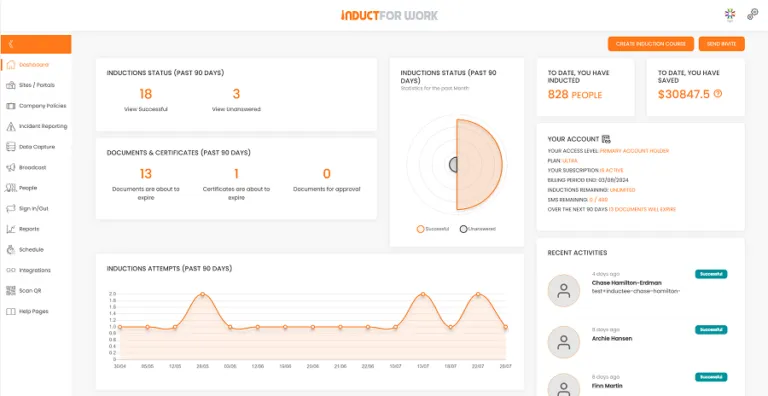
How INDUCT FOR WORK supports working from home wellbeing
INDUCT FOR WORK helps organisations turn remote work expectations into clear training and records.
It can support:
- work-from-home induction
- wellbeing awareness modules
- remote work policy acknowledgements
- cybersecurity training
- workstation checklists
- equipment forms
- incident reporting
- refresher training
- quizzes
- certificates
- completion tracking
- record keeping
This helps employers move beyond informal instructions and scattered emails.
Workers receive clearer guidance and managers can confirm who completed the required training.
From surviving to working well at home
| Common Remote Work Problem | Better Wellbeing Habit |
|---|---|
| The day has no clear start | Use a simple morning routine |
| Work spreads into the evening | Set a firm finish routine |
| Breaks disappear | Schedule short pauses and lunch away from the desk |
| Messages create constant interruption | Use clear communication rules |
| Workers feel isolated | Keep regular contact with managers and team members |
| The home workspace feels chaotic | Create a consistent work area |
| Fatigue builds quietly | Watch for warning signs and raise concerns early |
| Workers forget reporting steps | Include reporting instructions in induction |
| Training happens once | Use refresher training and scheduled updates |
| Records sit in emails | Keep training and forms in one platform |
Remote work should not only be survived.
With the right habits and support, it can become a healthier way to work.
Best practice tips for working from home wellbeing
Keep a start routine
Use a consistent morning pattern to move into work mode.
Plan the day
Choose realistic priorities and leave space for changes.
Take proper breaks
Step away from the desk and protect lunch time.
End work clearly
Close the laptop, turn off notifications where suitable and leave the work area.
Stay connected
Regular contact helps reduce isolation and confusion.
Move often
Small movement breaks support comfort and energy.
Speak up early
Raise workload, fatigue, equipment or communication concerns before they grow.
Use training and records
Remote work works better when expectations, policies and reporting steps are clear.
Start improving working from home wellbeing
Working from home can be productive and rewarding, but it needs healthy habits and clear workplace support.
Workers need routine, breaks, boundaries, connection, movement and practical reporting pathways. Employers need induction, training, policy acknowledgements and records that support remote work properly.
INDUCT FOR WORK helps businesses deliver work-from-home induction, provide free Working from Home Induction Templates, collect acknowledgements, support incident reporting and keep records in one platform.
For the main employer guide, see working from home.
Give remote workers a better way to stay focused, supported and well while working from home.
Frequently asked questions
Working from home wellbeing means looking after focus, energy, communication, boundaries, movement, mental health and support while working remotely.
Remote work can blur work and home boundaries, reduce movement, increase isolation and make it harder for workers to switch off after hours.
Workers can use a clear routine, take proper breaks, move during the day, keep communication open, protect finish times and report concerns early.
Yes. Remote workers should understand expectations, cybersecurity, privacy, communication rules, reporting steps and support pathways before working from home.
Yes. INDUCT FOR WORK has free Working from Home Induction Templates available to help employers build remote work training faster.
Yes. INDUCT FOR WORK can help businesses capture incidents, hazards and concerns from remote workers through online reporting pathways.
Yes. Refresher training helps workers remember expectations when policies, systems, cybersecurity risks or reporting procedures change.
Start a free trial or book a demo to see how INDUCT FOR WORK can support your workplace processes.
Author: Ari Parz
Published: 18/10/2020
Updated: 19/05/2026


