

Zoho Recruit and INDUCT FOR WORK: From Hiring to Online Induction
Recruitment does not end when a candidate accepts an offer.
That is only the point where the next risk begins.
A new worker may still need induction, site rules, forms, policy acknowledgements, certificates, role-specific training, contractor documentation, licence uploads or safety instructions before they start.
Zoho Recruit helps businesses manage hiring activity. INDUCT FOR WORK helps businesses prepare people after selection through online induction, online training, forms, acknowledgements, certificates and records.
Together, these systems can support a cleaner handover from candidate management to workplace readiness.
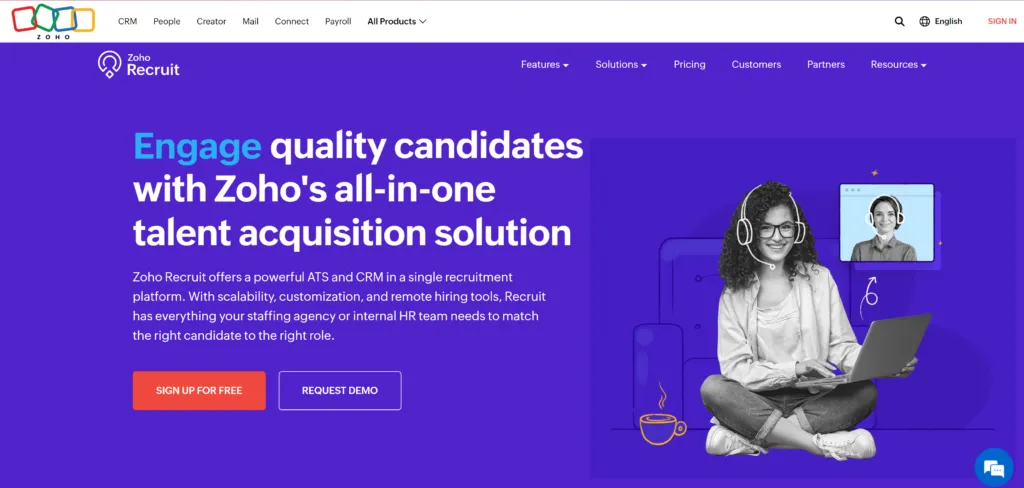
Zoho describes Zoho Recruit as a recruitment platform with applicant tracking, staffing tools and hiring workflow features. Zoho also promotes automation, candidate management and integration options across its recruitment product.
INDUCT FOR WORK supports the next stage: moving people from “selected” to “ready to begin”.
A structured induction process also supports a stronger safety culture because new workers, contractors and temporary staff receive clear instructions before they begin. In addition, rapid induction setup can help businesses turn existing onboarding documents, policies, videos and procedures into induction content sooner.
What is Zoho Recruit?
Zoho Recruit is a recruitment and applicant tracking platform designed to help businesses manage candidates, job openings, applications and hiring workflows.
It can help recruitment and HR teams manage:
- candidate profiles
- job postings
- application tracking
- interview scheduling
- hiring stages
- recruiter workflows
- candidate communication
- reporting
- integrations with other business tools
Zoho’s broader product ecosystem also includes CRM, HR, finance, support, analytics and other business applications. Zoho CRM’s current feature pages promote automation, artificial intelligence, reporting, customisation and business intelligence as part of its platform capabilities.
For hiring teams, Zoho Recruit can help organise the recruitment pipeline.
For operations, safety and HR teams, INDUCT FOR WORK helps organise what happens after the person needs training, site access or onboarding records.
What INDUCT FOR WORK adds after recruitment
Recruitment systems and induction systems solve different problems.
Zoho Recruit helps manage the hiring process.
INDUCT FOR WORK helps prepare the person for work.
That may include:
- online induction courses
- staff onboarding
- contractor onboarding
- policy acknowledgements
- safety training
- site-specific training
- forms
- digital signatures
- licence uploads
- insurance documents
- certificates
- incident reporting
- training records
- completion reports
- refresher training
A person can move through recruitment successfully and still be unready for their first day.
They may not know the site rules. They may not have completed safety induction. They may not have signed required acknowledgements. They may need to upload documents before attending a workplace.
INDUCT FOR WORK helps close that gap.
Why Zoho Recruit and induction workflows matter in 2026–27
Hiring and onboarding continue to move toward connected digital workflows.
Zoho CRM’s 2026 updates include Smart Prompts inside records to provide context-aware insights and summaries for CRM users. This reflects the broader direction of business software: faster access to useful information inside working records.
For recruitment and onboarding teams, the same principle applies.
Businesses need faster ways to know:
- who has accepted a role
- who needs induction
- which forms remain incomplete
- which documents workers uploaded
- which training users completed
- which certificates the system issued
- which users need follow-up
- which records managers can rely on
A modern onboarding workflow should not depend on memory, paper folders or repeated manual emails.
Zoho Recruit can support hiring. INDUCT FOR WORK can support induction and training readiness.
Zoho Recruit vs INDUCT FOR WORK
Zoho Recruit and INDUCT FOR WORK should not perform the same job.
They support different stages of the worker journey.
| Zoho Recruit | INDUCT FOR WORK |
|---|---|
| Manages candidate and recruitment workflows | Manages induction, training and onboarding records |
| Helps track applicants | Helps track training completion |
| Supports hiring stages | Supports workplace readiness |
| Helps recruiters manage communication | Helps HR, safety and operations teams manage induction |
| Supports candidate records | Supports training, forms and certificates |
| Focuses on recruitment | Focuses on induction and ongoing training |
This distinction matters.
A recruitment system helps you choose the right person.
An induction system helps you prepare that person before they begin.
Why recruitment handover often breaks down
The handover from recruitment to onboarding can fail when systems and teams do not connect properly.
A recruiter may know that a person has accepted the role. HR may need signed forms. A site manager may need induction completed. A safety manager may need training records. Payroll may need details and operations may need the person ready for a specific shift.
Without a clear process, gaps appear quickly.
Common problems include:
- new starters waiting for induction links
- forms sent manually by email
- training records sitting in different folders
- managers chasing incomplete acknowledgements
- contractors arriving before site induction
- licence documents missing before work begins
- safety instructions repeated verbally
- certificates hard to find later
- refresher training forgotten after the first onboarding stage
INDUCT FOR WORK helps businesses create a more repeatable onboarding process after recruitment.
Candidate to worker: the missing step
A candidate becomes useful to the business only when they are ready to work.
That readiness may require several steps:
- confirm role or contractor type
- assign the right induction pathway
- send training invitation
- collect required forms
- request licences or certificates
- capture policy acknowledgements
- issue completion certificate
- confirm site-specific requirements
- keep records for later review
This is where induction software becomes important.
A candidate record inside a recruitment system does not automatically mean the person understands the workplace, the task, the site or the safety rules.
INDUCT FOR WORK helps turn onboarding requirements into structured online steps.
Employee onboarding with INDUCT FOR WORK
New employees need more than a welcome email.
Their induction may include:
- company overview
- workplace rules
- safety expectations
- emergency procedures
- role-specific training
- site access information
- privacy and confidentiality
- incident reporting
- hazard reporting
- PPE requirements where relevant
- policy acknowledgements
- forms and declarations
- completion certificates
With online training, businesses can deliver this information before the person begins work.
This reduces pressure on managers and gives new starters a clearer first step.
Contractor onboarding after recruitment or selection
Some businesses use recruitment or staffing workflows for contractors, casual workers, temporary labour and project-based teams.
Contractors may still need induction before work begins.
A contractor induction can help businesses explain:
- site rules
- emergency procedures
- incident reporting
- PPE requirements
- restricted areas
- document upload requirements
- licence or insurance requirements
- SWMS-related acknowledgements where relevant
- completion requirements
This matters because contractors may join quickly and work across several locations.
INDUCT FOR WORK helps create contractor pathways that match the role, site or project.
Forms, declarations and acknowledgements
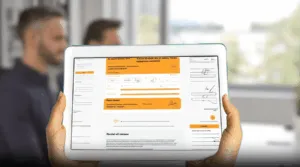
Onboarding often needs forms as much as training.
Businesses may need to collect:
- personal details
- emergency contacts
- licence details
- training evidence
- contractor declarations
- policy acknowledgements
- confidentiality acknowledgements
- safety declarations
- site access forms
- equipment issue forms
- role-specific confirmations
With custom forms and digital signatures, businesses can collect this information online.
This helps reduce loose documents, manual filing and missing acknowledgements.
Document collection after hiring
Many roles need document checks before work begins.
Depending on the workplace, records may include:
- licences
- qualifications
- insurance documents
- work permits where relevant
- trade certificates
- training evidence
- proof of competency
- emergency contact details
- contractor company documents
- signed policies
- site-specific declarations
Recruitment may confirm that the person looks suitable.
Induction and onboarding need to confirm that the person has completed required steps before starting.
INDUCT FOR WORK helps businesses request, store and review these documents in a more organised way.
Site-specific induction for new starters
A person may pass the recruitment stage but still need site-specific instructions.
This may include:
- site entry rules
- parking
- sign-in process
- emergency assembly areas
- first aid contacts
- restricted areas
- work zones
- PPE rules
- plant or traffic movement
- visitor rules
- reporting steps
- local supervisor contacts
A head office employee, warehouse worker, field worker, contractor, driver and site visitor may each need a different pathway.
INDUCT FOR WORK allows businesses to create role-based and site-specific induction pathways instead of using one generic course for everyone.
Incident reporting during onboarding and early employment
New workers need to know how to report problems from the start.
They should understand how to report:
- injuries
- near misses
- workplace hazards
- damaged equipment
- unsafe instructions
- missing PPE
- manual handling concerns
- public safety issues
- contractor issues
- site access problems
INDUCT FOR WORK supports incident reporting so businesses can capture hazards, near misses and incidents online.
This helps managers act early and keep better records.
For new starters, clear reporting instructions reduce confusion during the first days and weeks of work.
Record keeping after recruitment
Recruitment records and induction records serve different purposes.
Recruitment records show the hiring process.
Induction records show training, forms, certificates and acknowledgements.
Managers may need to confirm:
- who completed induction
- the date each person completed it
- the pathway assigned to each user
- forms submitted by users
- documents uploaded during onboarding
- policy acknowledgements recorded
- incidents reported by workers or contractors
- certificates issued by the system
- users who need refresher training
- records that need follow-up
INDUCT FOR WORK helps improve record keeping by keeping training records, forms, certificates and acknowledgements online.
In addition, reporting helps managers review completion status and follow up missing items.
This gives businesses better visibility than paper forms, spreadsheets and email folders.
Integration and workflow options
Zoho products support integration and workflow automation across their ecosystem and through connected tools. Zoho CRM’s feature suite highlights automation, customisation, analytics and integration capabilities for business workflows.
For businesses using Zoho Recruit and INDUCT FOR WORK, the right workflow depends on the business setup.
Some teams may use both systems side by side:
- Zoho Recruit for recruitment and candidate management
- INDUCT FOR WORK for induction, forms and training records
Other teams may want automation between systems.
Before connecting workflows, businesses should decide:
- which system owns candidate data
- the point when a candidate should become an inductee
- the induction pathway that should apply
- documents that need collection
- status updates that matter
- who manages incomplete onboarding
- how privacy and access rules apply
- reports managers need
A simple workflow that people actually follow will often beat a complex workflow no one maintains.
Why use INDUCT FOR WORK with Zoho Recruit?
Zoho Recruit can help a business manage the hiring process.
INDUCT FOR WORK can help the same business manage what happens after hiring.
Used together in a practical workflow, they can support:
- smoother handover from recruitment to onboarding
- faster induction invitations
- role-based induction pathways
- clearer policy acknowledgements
- better contractor onboarding
- easier document collection
- stronger training records
- certificate issue
- incident reporting
- refresher training
- reporting and follow-up
This does not mean every business needs a custom integration immediately.
Many businesses can start by using Zoho Recruit for recruitment and INDUCT FOR WORK as the dedicated induction platform.
From recruitment completion to workplace readiness
| Recruitment-Only Process | INDUCT FOR WORK Onboarding Support |
|---|---|
| Candidate accepts the role | User receives the right induction pathway |
| Forms move by email | Teams can collect forms online |
| Site rules rely on manager briefings | Workers can complete induction before starting |
| Contractor documents sit in inboxes | Contractors can upload documents online |
| Policy acknowledgements use paper | The system can capture acknowledgements |
| Training completion is hard to prove | Reports show who completed training |
| Mobile workers miss email instructions | Teams can send SMS invitations |
| New users need manual setup | Self-registration can support access |
| Certificates sit in folders | Certificates stay linked to completion |
| Managers chase missing records manually | Reports show who needs follow-up |
This gives businesses a clearer bridge between hiring and actual workplace readiness.
Best practice tips for Zoho Recruit and induction workflows
Keep recruitment and induction roles clear
Use Zoho Recruit for hiring workflows and INDUCT FOR WORK for training, forms and readiness records.
Trigger induction early
Send induction as soon as the person needs onboarding, not after they arrive.
Use role-based pathways
Employees, contractors, casual workers and visitors should not all receive the same content.
Collect forms online
Avoid moving important onboarding documents through scattered email threads.
Use SMS where needed
Mobile workers, contractors and field staff may respond faster to SMS links.
Track completion before start date
Managers should know who completed induction before the first shift or site visit.
Review after role changes
Update induction pathways when roles, sites, risks or policies change.
Keep records together
Training, forms, acknowledgements and certificates should stay easy to find.
Start improving onboarding after recruitment
Recruitment is only the first stage of getting a person ready for work.
Once a candidate moves toward employment, contractor work or site access, the business needs induction, forms, acknowledgements and training records.
Zoho Recruit can help manage candidate and hiring workflows. INDUCT FOR WORK helps businesses prepare people for work through online induction, forms, certificates, incident reporting and records.
Whether your organisation uses Zoho Recruit, Zoho CRM or another recruitment platform, INDUCT FOR WORK can support the onboarding and induction stage.
Give new starters, contractors and workers a clearer path from selection to workplace readiness.
Frequently asked questions
Zoho Recruit is a recruitment and applicant tracking platform that helps businesses manage candidates, job openings, hiring stages and recruitment workflows.
No. Zoho Recruit supports hiring and candidate management. INDUCT FOR WORK supports induction, training, forms, acknowledgements, certificates and onboarding records.
Absolutely. Businesses can use Zoho Recruit for recruitment and INDUCT FOR WORK for onboarding, staff induction, contractor induction and training records.
The business may need to assign induction, collect forms, request documents, capture acknowledgements, issue certificates and confirm readiness before the person begins.
Yes. INDUCT FOR WORK can help collect forms, declarations, acknowledgements, training confirmations and supporting documents online.
Yes. Contractors can complete induction, upload required documents, sign acknowledgements and receive certificates where required.
Yes. INDUCT FOR WORK supports SMS invitations so businesses can send induction links directly to workers and contractors.
Yes. INDUCT FOR WORK helps businesses keep induction records, forms, certificates, acknowledgements, reports and training completion data online.
Start a free trial or book a demo to see how INDUCT FOR WORK can support your workplace processes.
Author: Matt Tsashkuniats
Published: 13/12/2023
Updated: 13/05/2026


