
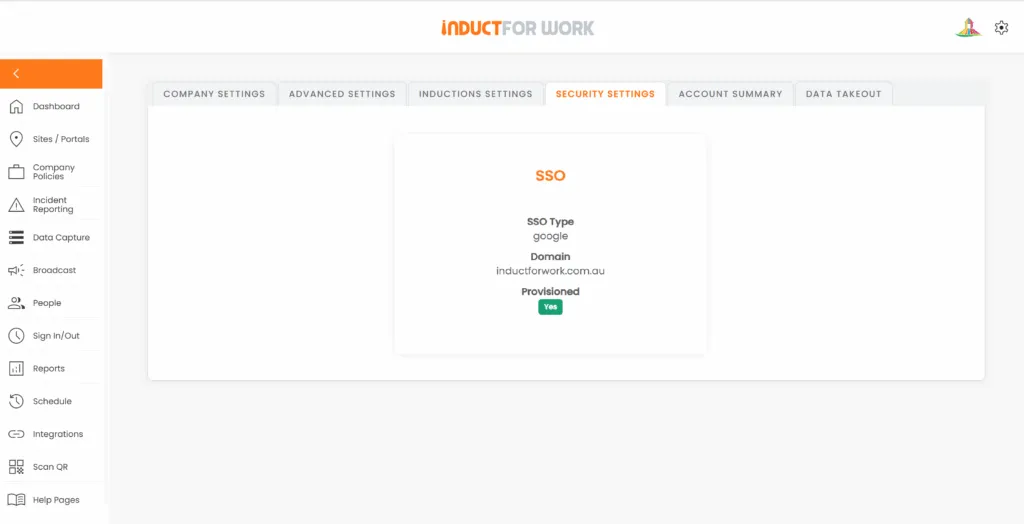
Simpler access matters more than most businesses realise
Single Sign-On lets people use one set of credentials to access multiple software systems instead of signing in separately to each one. That reduces repeated login prompts and helps create a smoother access experience across the business.
That matters because login friction slows people down.
If users have to remember a separate password for every system, access becomes harder to manage and support requests become more common. By contrast, SSO gives businesses a cleaner way to connect user access to the sign-in tools they already use. Induct For Work lists Single Sign-On in its pricing offer, so this is already part of the platform’s commercial setup.
What SSO means in practical terms
In practical terms, SSO means your team can sign in with one familiar business account and then access connected applications more easily.
So, instead of creating yet another separate login for Induct For Work, your business can align access with the identity system it already uses. SSO allows users to sign in once and then access the applications they need without authenticating with different credentials each time.
That makes SSO useful not only for IT teams, but also for the people who need quick and reliable access every day.
Why businesses use SSO in the first place
Most businesses do not choose SSO because it sounds technical.
Instead, they choose it because it solves common and expensive problems, such as too many passwords, repeated login friction, extra help desk work and weaker control over who should still have access. Okta says SSO helps simplify access, centralise management and reduce login-related support calls, while Microsoft highlights the value of reducing repeated authentication across applications.
As a result, SSO quickly becomes more than a convenience feature. It becomes a practical business tool.
Why use SSO in Induct For Work?
The simplest answer is this: SSO makes Induct For Work easier to access and easier to manage.
Induct For Work sits inside a wider business process that can involve induction, onboarding, training records and compliance activity. Therefore, access control matters. If your organisation already uses a central sign-in environment, SSO helps bring Induct For Work into that same structure instead of leaving it as a separate password island.
That creates a better experience for users and a cleaner control model for the business.
A better experience for everyday users
People already use enough systems at work.
They may need access to HR platforms, file systems, communication tools, learning systems and internal dashboards. Therefore, every extra password adds friction. SSO improves the sign-in experience by reducing the need to authenticate separately for each application, and users benefit from a single set of login credentials and easier access to the resources they need.
That means SSO in Induct For Work can help users with:
- fewer passwords to remember
- a more familiar login flow
- faster access to the platform
- less login frustration
- fewer reset and lockout issues
Consequently, the platform feels easier to adopt from the beginning.
Better control for admins and IT teams
SSO is not only about user convenience.
It also gives admins and IT teams a stronger way to manage access. SSO gives IT teams one place to view, manage and secure user access, and SSO planning should be part of a broader application access strategy.
That matters because access should stay aligned with business reality.
When someone joins, changes role or leaves the business, account control needs to stay clean. Therefore, SSO can support better handling of:
- access consistency
- joiners and leavers
- role changes
- internal control
- login-related support pressure
- user governance
As a result, the platform becomes easier to manage at scale.
Why SSO can strengthen security
SSO does not solve every security issue on its own. However, it can support a stronger identity and access model when it is connected to the organisation’s wider sign-in controls.
SSO can be planned through federated options such as SAML or OpenID Connect depending on the application and identity environment. SSO around secure access, reduced password friction and centralised identity control.
Therefore, using SSO in Induct For Work can help businesses connect platform access to the same identity controls they already trust elsewhere.
That can support:
- central identity management
- stronger sign-in policies
- reduced password sprawl
- tighter offboarding control
- clearer visibility over access
So, SSO matters not only because it feels easier, but also because it can fit into a more controlled security setup.
Why SSO matters more as your organisation grows
A small team may cope with separate logins for a while.
However, once the business grows, the pressure usually increases. More users, more systems and more onboarding activity create more room for password fatigue and access confusion. Okta positions SSO as a way to simplify management at scale, while Microsoft highlights the need to plan SSO deployment across applications as part of a broader environment.
Because of that, SSO becomes more valuable over time.
The larger the organisation becomes, the stronger the case for using one cleaner access model across connected systems, including Induct For Work.

Why SSO fits well with onboarding and induction
Induct For Work supports onboarding and induction workflows where fast access matters.
If a user struggles to get into the platform, the whole process slows down. Training may be delayed, support requests may rise and the onboarding experience can feel less professional than it should. By contrast, a simpler sign-in path reduces one of the easiest points of friction.
That is especially useful when your business is managing:
- new employees
- internal admins
- contractors
- multi-site teams
- frequent starters
Therefore, SSO can help make Induct For Work easier to adopt at exactly the point where first impressions matter most.
Where SSO fits in the Induct For Work offer
SSO is a practical fit for businesses on Ultra plus package that want simpler access and stronger control in one system.
Induct For Work supports induction, onboarding and training workflows that often sit inside a larger business environment. Because of that, login management matters. A separate password for every platform can slow people down and create extra support work. By contrast, SSO that is available on Ultra plus package gives the business a cleaner way to connect access to the sign-in systems it already uses.
That is commercially important because many organisations are not only choosing a platform for training. They are also choosing a platform that needs to work smoothly inside their wider software environment.
Why SSO makes Induct For Work a stronger business choice
Some businesses can manage with standard login access.
However, organisations with an existing identity setup often want more than another standalone password. Instead, they want a platform that fits the way they already manage software access.
That is where SSO adds value.
With SSO in Induct For Work, your organisation can:
- simplify user access
- reduce password fatigue
- improve internal control
- support a more professional rollout
- align the platform with existing sign-in systems
- make adoption easier for users and admins
As a result, Induct For Work becomes easier to use, easier to manage and easier to roll out across the business.
Setup checklist (15–30 minutes per environment)
Confirm protocol: SAML 2.0 or OIDC.
Create enterprise app: Add INDUCT FOR WORK in your IdP; note the ACS/redirect URLs and entity/client IDs.
Upload metadata / secret: Exchange SAML metadata or OIDC client credentials as required.
Map attributes/claims: Pass a unique identifier (UPN/email), display name and group claims needed for role mapping.
Assign groups/users: Start with a pilot group.
Test flows: Sign-in, first-time access, role mapping, error handling and a leaver scenario.
Rollout: Communicate to users; update your access policy and IT runbook.
Last words
If your business already uses a central identity system, the case for SSO in Induct For Work is strong.
It reduces password friction, improves the login experience and gives your organisation a cleaner way to manage access. At the same time, it supports a more scalable and more professional setup for induction, onboarding and training workflows.
So, why use SSO in Induct For Work? Because it gives your business a simpler and more controlled way to access the platform. Therefore, your users get an easier sign-in experience, your admins get better access control and your organisation gets a platform that fits more naturally into the way it already works.
Frequently asked questions
SSO or Single Sign-On, allows users to access INDUCT FOR WORK using the same identity provider they already use for other business systems. This means authentication can be handled centrally through your organisation’s IdP instead of requiring a separate platform password.
SSO can improve security, reduce password sprawl, simplify off-boarding and create cleaner audit trails. On an induction and compliance platform, that helps businesses control access to policies, assessments, licences, acknowledgements and other compliance records more reliably.
Yes. The SSO can strengthen audit readiness by linking user activity to an enterprise-verified identity, supporting consistent MFA enforcement and improving access governance. That can be useful for client due diligence, regulator reviews and internal compliance checks.
Yes. Because users sign in through a familiar business login, SSO can reduce the number of password-related support requests and make access easier for workers who need to complete inductions quickly.
SSO helps businesses manage user access more cleanly by tying access to identity provider groups. New users can be granted access through existing group rules, changes in role or site can update access more easily and terminated users can lose access immediately when disabled in the identity provider.
No. You can federate through their company IdP (if they have one) or keep a controlled exception path. Aim to minimise exceptions and time-limit them.
INDUCT FOR WORK supports standards-based SSO SAML 2.0 or OpenID Connect (OIDC).
Start a free trial or book a demo to see how INDUCT FOR WORK can support your workplace processes.
Author: Ari Parz
Published: 09/11/2025
Last edited: 28/04/2026


