
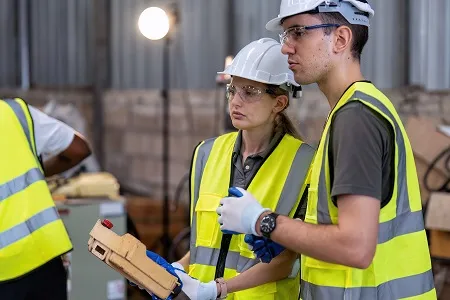
Manage staff, contractor and visitor inductions in one online platform
A workplace induction system helps businesses deliver important training, site information, safety instructions and company procedures before a person starts work or enters a workplace.
For many organisations, workplace inductions are still handled with printed forms, face-to-face sessions, spreadsheets and manual record keeping. This can work for a very small team, but it quickly becomes difficult when a business needs to manage staff, contractors, temporary workers, visitors or multiple sites.
INDUCT FOR WORK gives businesses a practical way to move workplace inductions online. New starters, contractors and visitors can complete their required induction before they arrive. Administrators can track completion, collect forms, store records and confirm who has completed the required steps.
A good workplace induction system does more than deliver training. It helps create a clear process from invitation to completion so your business knows who has been inducted, what they completed and which records are available when needed.
What is a Workplace Induction System?
A workplace induction system is a structured way to introduce workers, contractors and visitors to the information they need before they begin work or enter a site.
This can include:
- workplace rules
- safety procedures
- emergency information
- site access requirements
- company policies
- role-specific instructions
- hazard information
- reporting procedures
- forms and declarations
- quizzes and acknowledgements
- completion records
In the past, many inductions were delivered in person using paper handouts or verbal explanations. That approach can be inconsistent and hard to track.
An online workplace induction system makes the process easier to manage. Businesses can create induction courses, invite users, collect required information and keep completion records in one place.
This helps reduce administration and gives managers a clearer view of who is ready to begin.
Why a workplace induction system matters
Workplace inductions set expectations from the beginning.
A new employee may need to understand company policies, safety rules and reporting procedures. A contractor may need to complete a site induction, upload licences and acknowledge site requirements. A visitor may need to confirm they understand emergency procedures before entering a workplace.
Without a reliable system, these steps can be missed.
Common problems include:
- inductions delivered differently by different supervisors
- missing paperwork
- no clear record of completion
- workers starting before they understand site rules
- visitors entering without safety information
- contractors arriving before required documents are checked
- paper forms stored in different places
- old induction content still being used
- records that are hard to find during audits
A workplace induction system helps businesses reduce these problems by creating a more consistent process.
Everyone receives the right information. Administrators can see completion status. Records are stored in one place and the business can manage inductions without relying on paper files.
Who this is for
A workplace induction system is useful for organisations that need to provide clear information before people start work or enter a site.
This page is especially relevant for:
- construction companies
- councils and local government organisations
- schools and education providers
- warehouses and distribution centres
- manufacturing businesses
- transport and logistics companies
- event venues and event organisers
- aged care and healthcare providers
- mining and resources businesses
- farms and agriculture businesses
- recruitment agencies
- facilities management companies
- retail groups
- companies managing several sites
If your organisation inducts staff, contractors, suppliers, visitors or temporary workers, a workplace induction system can make the process easier to manage.
Common problems solved
INDUCT FOR WORK helps businesses solve many common workplace induction problems.
These include:
- too much time spent running face-to-face inductions
- inconsistent induction delivery
- paper forms going missing
- no reliable proof of completion
- poor visibility across multiple sites
- staff starting before training is complete
- contractors arriving without required paperwork
- visitors not receiving site safety information
- manual tracking in spreadsheets
- repeated follow-up emails
- expired records being missed
- old training documents being used
- difficulty finding records when needed
By moving inductions online, businesses can reduce manual work and create a clearer process for everyone involved.
Workplace induction system vs contractor management system
A workplace induction system and a contractor management system are related, but they should not target the same page intent.
A workplace induction system is broader. It covers inductions for employees, contractors, visitors, temporary workers, volunteers and other people who need workplace information.
A contractor management system is more specific. It focuses on contractor pre-qualification, contractor documents, contractor licences, contractor insurance and contractor approval workflows.
This page focuses on workplace induction across different user groups.
For businesses that mainly need contractor document tracking and approval workflows, the more specific contractor management system page is a better fit.
For businesses that need to deliver induction training across staff, contractors and visitors, this workplace induction system page is the stronger match.
What should a workplace induction system include?
The best workplace induction system should be simple for users and practical for administrators.
Important features include the following.
Online induction courses
Businesses should be able to create and deliver induction courses online. This may include text, images, videos, documents, policies, questions and acknowledgements.
An online induction software platform allows users to complete their induction before they arrive at work or on site.
This is useful for new employees, contractors, remote workers, field staff and visitors who need to receive information in advance.
Site-specific inductions
Different workplaces often have different rules.
A head office induction may not suit a construction site. A warehouse induction may not suit a school or council depot.
A good workplace induction system should allow businesses to create different inductions for different sites, roles or groups.
This helps make sure people receive information that matches where they are going and what they will be doing.
Quizzes and pass marks
Quizzes help check whether users have understood key information.
A workplace induction system should allow administrators to add questions, set pass marks and track results.
This is useful for confirming that users have not simply opened the content, but have also understood important information.
Digital forms and acknowledgements
Inductions often include more than training content. Users may need to complete declarations, accept policies or acknowledge safety information.
With custom forms, businesses can collect information online and keep records connected to the person completing the induction.
Acknowledgements can be used for:
- workplace policies
- safety rules
- emergency procedures
- site access requirements
- equipment rules
- visitor declarations
- contractor declarations
- induction completion statements
Document uploads
Some users may need to upload supporting documents before they are approved.
This may include licences, certificates, permits, identification, insurance documents or other records.
A workplace induction system should make document collection easier and keep submitted files linked to the correct person.
Completion certificates
Certificates can help confirm that a person completed a required induction.
A workplace induction system can issue completion certificates and keep them stored with the user record.
This gives businesses a simple way to confirm completion and provide proof when needed.
Reporting and records
Administrators need to know who has completed their induction and who has not.
A good workplace induction system should include reporting tools that make completion status easy to check.
Reports can help answer questions such as:
- Who has completed the workplace induction?
- Who still needs to finish?
- Which users failed a quiz?
- Which site induction did a person complete?
- When was the induction completed?
- Which records are missing?
- Who needs to complete a refresher?
Clear reporting helps managers act before problems occur.
Automatic reminders
Manual reminders take time.
A workplace induction system should help remind users when an induction is incomplete, a record is expiring or a refresher is required.
This helps reduce repeated follow-up and keeps administrators from relying only on spreadsheets.
Mobile-friendly access
Many workers and contractors complete inductions on phones or tablets.
A workplace induction system should be easy to use on common devices so users can complete training before they arrive.
This is especially useful for mobile workers, contractors, field staff and event teams.
Workplace inductions for employees
New employees need a clear introduction to the workplace.
This may include company policies, safety procedures, role expectations, emergency information, workplace behaviour, reporting steps and required forms.
A structured employee oboarding process helps new starters receive important information before or during their first day.
Employee workplace inductions may include:
- welcome information
- company overview
- workplace safety rules
- emergency procedures
- HR policies
- equipment use rules
- code of conduct acknowledgement
- privacy and security requirements
- role-specific instructions
- manager contact information
INDUCT FOR WORK helps businesses deliver this information consistently so new employees receive a clear and organised start.
Workplace inductions for contractors
Contractors often need to complete workplace inductions before they arrive on site.
A contractor may need to understand site hazards, emergency procedures, access rules, permit requirements and reporting steps before starting work.
A contractor induction can help businesses provide this information in advance.
Contractor workplace inductions may include:
- site rules
- hazard information
- emergency procedures
- PPE requirements
- SWMS acknowledgement
- licence upload requirements
- permit information
- incident reporting steps
- supervisor contact details
- site access rules
This helps reduce delays at reception or site entry and gives administrators a clearer record of contractor completion.
Workplace inductions for visitors
Visitors may also need a short induction before entering a workplace.
This is common for construction sites, schools, aged care facilities, factories, warehouses, council facilities and event locations.
A visitor induction may include:
- emergency evacuation information
- restricted areas
- PPE requirements
- visitor behaviour rules
- sign-in process
- host contact details
- photography rules
- safety declarations
When connected with visitor management, a short induction can help visitors receive important information before or during arrival.
This creates a better record than relying only on paper sign-in sheets.
Why use INDUCT FOR WORK instead of managing inductions manually?
Manual inductions may appear simple at first. A supervisor can explain the rules, hand out a form and file the paperwork.
That process becomes harder as the business grows.
Once you add multiple worksites, contractors, casual staff, visitors, remote workers and repeating inductions, manual processes create more work.
INDUCT FOR WORK helps businesses replace scattered induction processes with one organised online platform.
Instead of running the same session again and again, administrators can create induction content once and assign it to the right people.
This helps businesses:
- reduce repeated manual induction sessions
- deliver consistent information
- collect forms online
- store completion records
- track who has finished
- send reminders
- manage different sites
- support staff, contractors and visitors
- keep records easier to find
- reduce paperwork
For many businesses, the biggest benefit is control. Managers can see who has completed the required induction and who still needs to take action.
Manual Workplace Inductions vs INDUCT FOR WORK
| Manual Workplace Inductions | INDUCT FOR WORK |
|---|---|
| Supervisors repeat induction sessions | Users complete inductions online |
| Paper forms are handed out and filed | Forms are completed and stored online |
| Records are kept in folders or spreadsheets | Records are kept in one platform |
| Users may receive different information | Users receive consistent induction content |
| Completion is hard to track | Completion status is visible online |
| Contractors may arrive before training is complete | Contractors can finish before arrival |
| Visitors may only sign a paper book | Visitors can receive safety information online |
| Refresher training is easy to forget | Reminders help manage repeat inductions |
| Reports take time to prepare | Reports can be checked faster |
| Old documents may stay in circulation | Updated content can be managed centrally |
Workplace induction system for multiple sites
Multi-site workplaces need a more organised induction process.
Each location may have different hazards, procedures, site contacts, entry requirements and emergency information.
INDUCT FOR WORK helps businesses create different induction courses for different locations, roles or groups.
This is useful for:
- construction companies with multiple projects
- councils with many facilities
- schools with several campuses
- manufacturers with separate work areas
- logistics businesses with several depots
- event companies with temporary sites
- healthcare providers with multiple locations
A multi-site workplace induction system helps make sure people receive information that is relevant to the location they will attend.
Workplace induction records and audit preparation
Induction records are important because they help show what training was completed and when.
If records are stored in paper folders or email inboxes, they can be hard to find later.
INDUCT FOR WORK helps businesses improve record keeping by storing induction records online.
This can help with:
- checking completion history
- confirming quiz results
- reviewing signed acknowledgements
- finding uploaded documents
- preparing reports
- checking site access requirements
- supporting incident reviews
- responding to client requests
- preparing for audits
A workplace induction system should give your business more confidence that records can be found when needed.
Best practice tips for workplace inductions
A workplace induction system works best when the content is clear, relevant and easy to complete.
Keep inductions role-specific
Do not give every user the same long induction if they only need part of the information. Staff, contractors and visitors often need different content.
Use short sections
Short sections are easier to complete and easier to update.
Add quizzes where understanding matters
Use quiz questions for important safety instructions, site rules or procedures.
Keep documents current
Review induction content regularly so users receive current information.
Make it easy to complete on mobile
Many users will complete inductions on phones or tablets. Keep text clear and avoid overly complex layouts.
Track completion before arrival
Where possible, ask users to complete their induction before they arrive. This helps reduce delays and keeps the first day or site entry smoother.
Start managing workplace inductions online
A workplace induction system helps businesses deliver important information more consistently, reduce paperwork and keep better records.
INDUCT FOR WORK gives your organisation a practical way to manage staff inductions, contractor inductions, visitor inductions, forms, records, reminders and reporting in one online platform.
Instead of relying on repeated face-to-face sessions, spreadsheets and paper forms, you can create a more organised induction process that works across different roles, sites and user groups.
Whether you manage a construction site, council facility, school, warehouse, manufacturing workplace, event site, healthcare facility or growing office team, INDUCT FOR WORK helps you deliver inductions before people begin work or enter your site.
Give your workplace a clearer way to manage inductions from start to finish.
Frequently asked questions
A workplace induction system is software or a structured process used to deliver induction training, collect information, track completion and store records for staff, contractors, visitors or other workplace users.
Employees, contractors, visitors, temporary workers, volunteers and suppliers may need a workplace induction depending on the site, role and business requirements.
Yes. Workplace inductions can be completed online using a phone, tablet, laptop or desktop computer. This helps users complete training before they arrive.
A workplace induction may include workplace rules, safety procedures, emergency information, company policies, site access instructions, forms, quizzes and acknowledgements.
Yes. INDUCT FOR WORK can help businesses manage different induction courses for different sites, groups or user types.
Start a free trial or book a demo to see how INDUCT FOR WORK can support your workplace processes.
Author: Anna Milova
Published: 24/07/2025
Last edited: 30/04/2026


