
2 Completing an Induction
What happens when you complete an induction?
Your company asks you to finish an online induction before you work on site. You read a few pages about staying safe. Some pages have a video. Near the end there are questions to check you understood. Take your time. You can do it on your phone, and you can stop and come back later.
Rules to know
- Your place: it is saved each time you tap the arrow to go to the next page, so you can stop and come back later.
- Waiting: on some pages the arrow stays grey for a few seconds. Keep reading and it turns on.
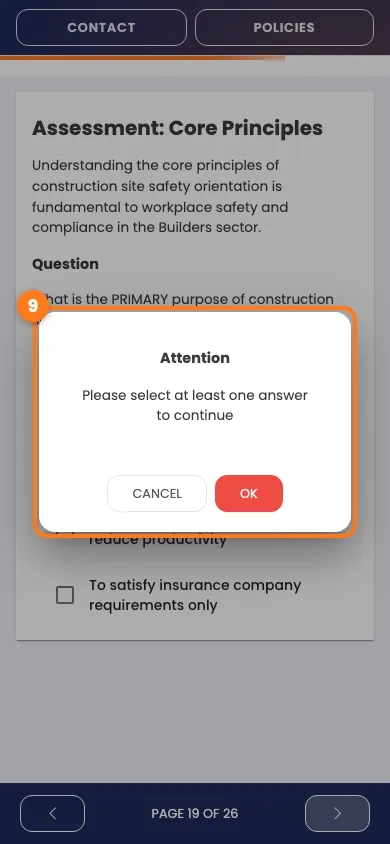
- Questions: choose an answer before you move on. If you don’t, a box says Attention.
- Right answers: a question only counts if you pick every right answer and no wrong ones.
- Pass mark: the company sets it, and some need every question right.
- Not passed: some inductions let you try again straight away. Others ask you to speak to the site contact.
- Must-read policies: some inductions show a policy first. You can’t skip it.
- No signal: if saving fails, you stay on the page. Wait for a good signal and tap the arrow again.
- After you pass: you may be asked for a photo, mobile number, emergency contact or address before you finish.
- Your certificate: we email it to you, unless the company keeps it in your account for you to download.
What you’ll need
- Your phone and a good signal.
- Your email address and password, if you left part-way.
- A little time. Each induction shows an estimated time on your list.
Move through the pages
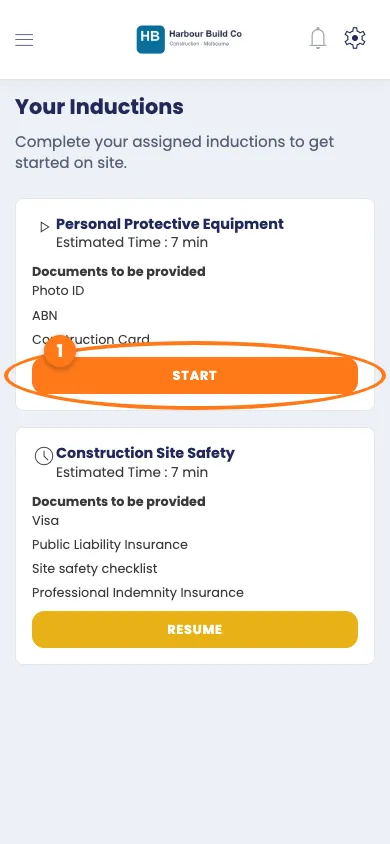
- On your Your Inductions list, tap the orange Start button.
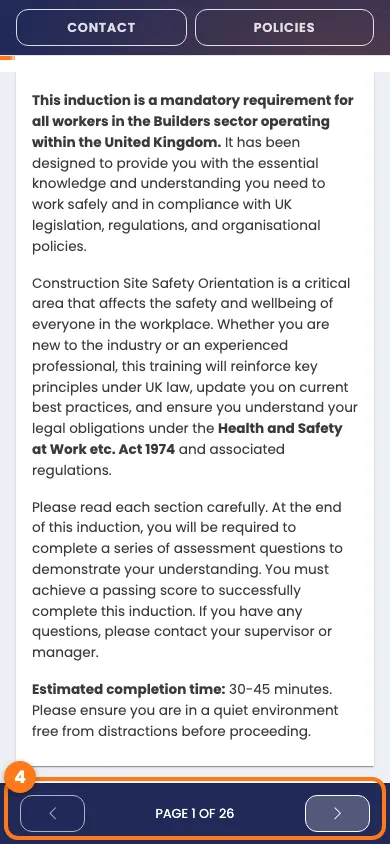
- Read the page. The bar at the bottom shows how far you are.
- Tap the arrow on the right of the bar to go to the next page.
- Tap the arrow on the left to go back.
Watch a video
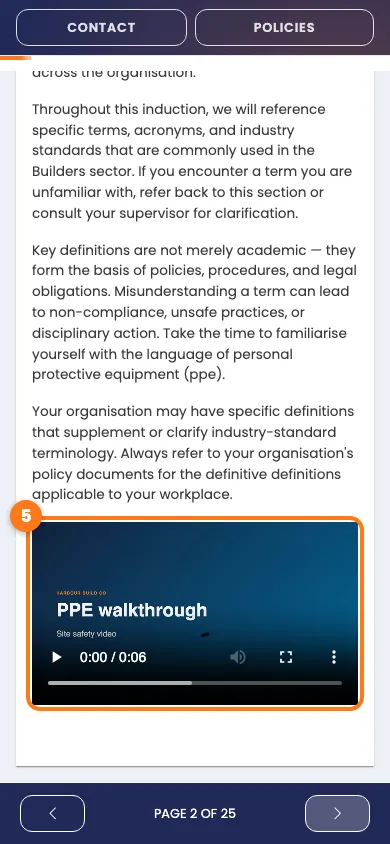
- If the page has a video, tap the play button.
Answer the questions
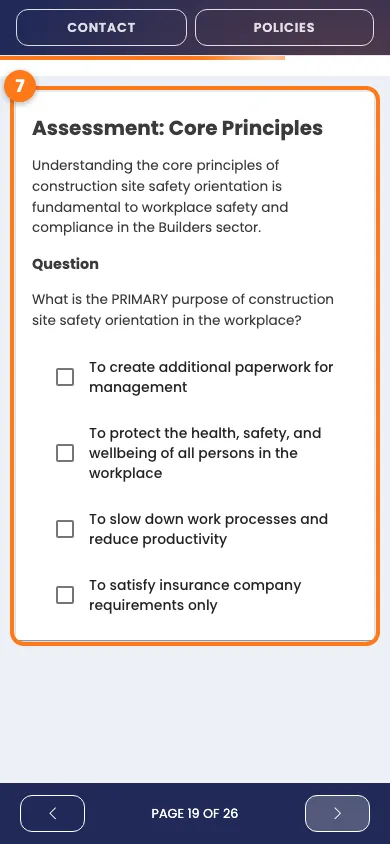
- Read the question under the Question heading.
- Tick your answer. Some questions need more than one tick.
- Tap the arrow on the right of the bar.
- If a box says Attention, tap OK, then choose an answer.
Finish the induction
- On the last page, tap the arrow on the right once more.
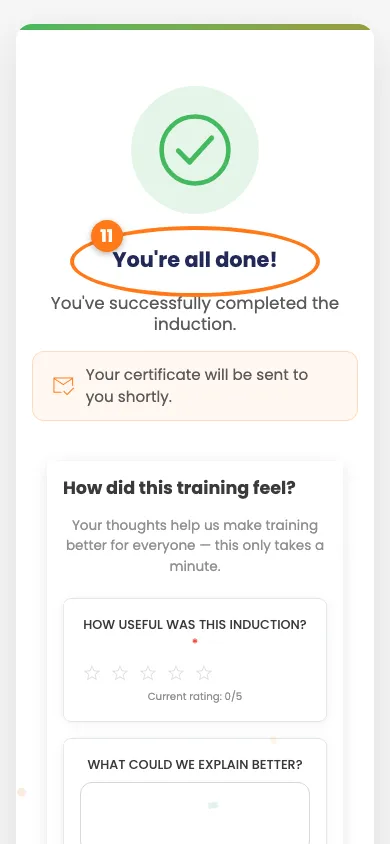
- If you passed, look for the green tick and You’re all done!
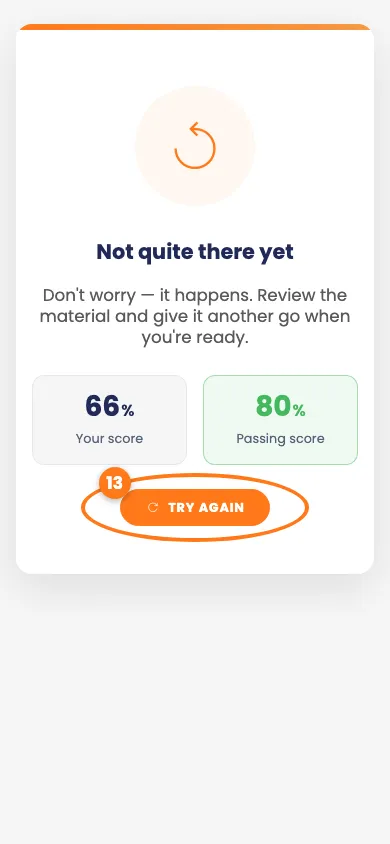
- If you didn’t pass, you see Not quite there yet, with your score and the score you need.
- If you see Try again, tap it to have another go.
Tip
No Try again button? Use the contact details on the screen to speak to the site team.
Stop and come back later
- Close the page whenever you need a break.
- Open your link again and sign in with your email and password.
- Tap the yellow Resume button.
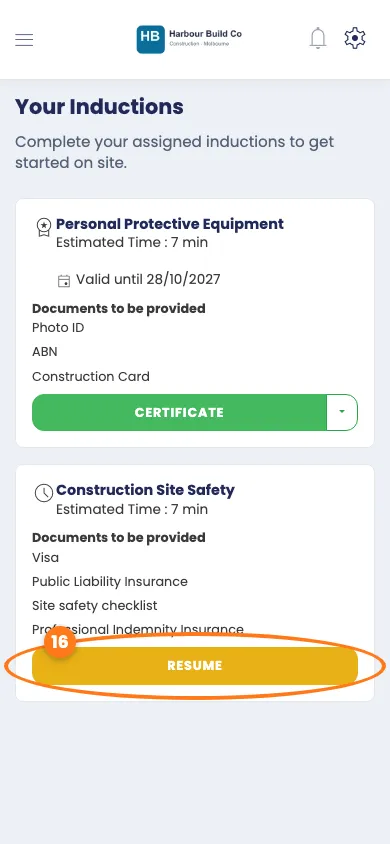
You land on the page you reached, with your earlier answers still there.
Done! What happens next
- You finished the pages and questions.
- Your certificate comes by email, or is in your account to download.
- You can open Your Inductions at any time to see what’s done.