

Best LMS for Workplace Inductions, Compliance Training and Workforce Readiness
Choosing the best LMS is not just a software comparison exercise.
For a workplace, the right learning management system needs to support real operational outcomes. People must receive the right training before they start. Managers need visibility over completion. Administrators need fewer manual follow-ups. Records should be easy to find when a client, auditor, insurer or internal manager asks for evidence.
That makes workplace LMS selection different from choosing a platform for general education.
A school, university or public course provider may focus heavily on curriculum delivery. A business usually needs something more practical: induction, refresher training, policy acknowledgement, contractor learning, document collection, certificates, reminders and reporting in one controlled workflow.
Induct For Work is designed for organisations that need training to connect with workplace readiness. The platform helps businesses create training modules, invite users, assign pathways, use quizzes, collect signatures, issue certificates and keep records organised.
For the main platform overview, see LMS. This page supports that money page by focusing on how to choose the best LMS for your organisation before you commit.
Start with the job the LMS must do
Before comparing products, define the job your LMS must perform.
Many buyers start with a feature list. That can be useful, but it often leads to confusion. Almost every LMS says it can host courses, track completion and generate reports. The better question is whether the system fits the type of training your workplace actually needs.
Start by listing the main outcomes.
Do you need to onboard employees faster? Train contractors before site access? Deliver annual compliance refreshers? Record policy sign-off? Manage training across multiple locations? Provide evidence to clients? Reduce repeated face-to-face sessions? Support mobile workers?
The answer should shape the platform choice.
The best LMS is not always the one with the longest feature list. It is the one that removes the most friction from your training process.
Match the LMS to workplace learning, not academic learning
Workplace learning has a different rhythm from academic learning.
Most workers are not sitting down for long study sessions. They need clear, practical training that helps them understand rules, responsibilities, procedures and expectations before they begin work.
A workplace LMS should therefore support:
- Short modules
- Clear completion steps
- Practical questions
- Mobile access
- Simple administration
- Worker groups
- Refresher cycles
- Evidence records
- Fast reporting
- Policy acknowledgement
This is where some generic systems fall short.
They may be built for formal learning programs, but workplace training often needs to be completed quickly, assigned accurately and recorded properly. A cleaner, more practical system may serve the business better than a complex platform designed for academic course delivery.
Look at who will use the system
The best LMS should work for more than one audience.
Administrators need to build and assign content. Managers need to check progress. Workers need to complete training without confusion. Contractors may need to upload documents. Senior leaders may need reports. Safety or HR teams may need records during reviews.
Each group has different needs.
Administrators want simple course editing and user management. Learners need clear instructions and a smooth mobile experience. Managers want to know who is ready and who is overdue. Compliance teams need reliable records.
If the system only works for one group, adoption will suffer.
A good LMS should reduce pressure across the whole process, not simply move work from one person to another.
Check how easily training can be assigned
Training assignment is one of the most important LMS selection points.
A system may be good at storing content, but weak at assigning the right content to the right people. That creates extra manual work for administrators.
Your organisation may need to assign training by:
- Role
- Site
- Department
- Contractor type
- Employment category
- Risk exposure
- Project
- Region
- Refresher date
- Approval requirement
This is especially important for businesses with contractors, multiple sites, labour hire, seasonal workers or different training pathways.
A good system should let administrators create sensible groups and assign content without rebuilding the same course repeatedly.
Choose an LMS that supports induction pathways
A workplace LMS should support induction pathways, not only standalone courses.
A pathway may include a welcome module, safety instructions, forms, policy sign-off, quiz questions, certificates and follow-up training. Some pathways may apply to employees. Other pathways may apply to contractors, volunteers, visitors, supervisors or remote staff.
The pathway structure matters because training rarely sits alone.
For example, employees may need onboarding content, workplace policies and role-specific training. Contractors may need site induction, document upload and acknowledgement of access rules. Supervisors may need leadership responsibilities and reporting instructions. A practical learning management system should allow those pathways to stay organised without forcing everyone into one large course.
Prioritise ease of administration
An LMS is only valuable if administrators can keep it current.
Some systems are powerful but difficult to manage. This creates dependence on specialists, consultants or external support for simple changes. Over time, content becomes outdated because nobody wants to edit it.
A workplace LMS should make common tasks easy.
Administrators should be able to update wording, replace a document, add a quiz question, change a module, invite users, review completion and export reports without unnecessary complexity.
This does not mean the system should be basic.
It means the everyday workflow should be clear. If a small policy update takes too long, the LMS will become a bottleneck instead of a solution.

Make mobile completion a serious requirement
Many workers complete training away from a desk.
A contractor may use a phone before attending site. Cleaners may complete training after hours. Drivers may use a tablet. Seasonal workers may not have access to a work computer. Volunteers may only have a personal device.
Mobile access is therefore not a bonus.
It is part of completion success.
The best LMS should make training easy to read, navigate and complete on common devices. Forms should be usable. Videos should load reliably. Buttons should be clear. Text should not be cramped. Upload steps should be simple.
When mobile completion is poor, administrators end up handling more support requests.
Check whether the LMS supports evidence, not just learning
In workplace training, evidence matters.
The business may need to show who completed training, when they completed it, which version they completed, whether they passed a quiz, which policies they acknowledged and whether a certificate was issued.
This is different from simple learning delivery.
A workplace LMS should create records that help the organisation prove what happened. Those records may support client requirements, internal audits, insurance checks, safety reviews, legal disputes or project close-out.
Good record keeping should be part of the platform, not an afterthought.
If the LMS cannot produce useful evidence quickly, the business may still be forced to rely on spreadsheets, screenshots or manual folders.
Quizzes should test decisions, not memory tricks
Quizzes are useful when they check understanding.
They are less useful when they ask users to remember small details that do not affect workplace behaviour. A good LMS should make quiz creation easy and allow questions that connect to practical decisions.
Better quiz questions ask what someone should do in a real situation.
For example, what should a worker do if a procedure is unclear? The next question might ask who should be contacted when equipment appears unsafe. Another scenario can show a document that has expired and ask what must happen before work continues. A final question may ask which step comes next after a hazard is reported.
These questions encourage practical thinking.
For more general online training guidance, online training can support the broader topic. This LMS page should keep the focus on choosing the system that makes those checks easy to manage.
Reporting should answer real management questions
Many platforms advertise reporting, but not all reports are useful.
A workplace LMS should answer the questions managers actually ask.
Useful reports may show:
- Completion by user
- Overdue users
- Blocked progress points
- Course version completed
- Quiz score achieved
- Training gaps by group
- Refresher dates coming due
- Certificates issued
- Records ready for review
A report that looks impressive but takes too long to filter will not help busy managers.
The best LMS should make common reporting tasks fast and clear. A reporting feature should help managers make decisions, not simply export raw data.
Consider policy acknowledgement and e-signatures
Workplace training often includes policies, declarations and acknowledgements.
A person may need to confirm that they have read a code of conduct, safety policy, privacy requirement, work-from-home rule, contractor condition or site access declaration.
If acknowledgements are handled outside the LMS, the record becomes fragmented.
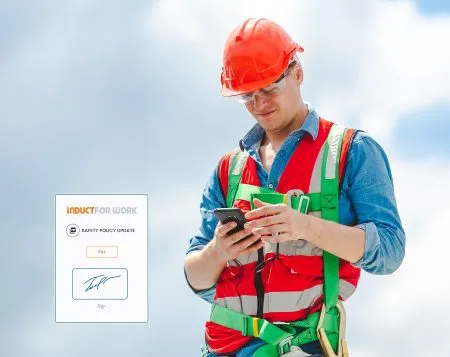
A good system should connect training completion with acknowledgement records. Digital e-signatures can help show who signed, when they signed and which requirement they accepted.
This is useful because completion alone may not be enough.
A worker might finish a course, but the organisation may still need clear evidence that a specific policy or declaration was accepted.
Think about contractor and external-user access
Not every learner is an employee.
Many organisations also train contractors, subcontractors, suppliers, visitors, volunteers, students, labour hire workers or external partners.
The best LMS for a workplace should handle these users without creating unnecessary admin.
External users may not have company email addresses. They may need self-registration, invitations, document uploads or access to only one pathway. Some may return later and need refresher training.
This is where workplace-focused systems are valuable.
They recognise that training is not limited to permanent staff. A system that only fits internal employees may struggle when the business needs to train broader worker groups.
For contractor-specific requirements, contractor induction can support the main contractor induction topic.
Review how content can be updated over time
Training content changes.
Policies are revised. Sites move. Contacts change. Equipment is replaced. Procedures improve. New risks appear. Client requirements shift. Old modules become less useful.
The best LMS should make updates manageable.
Administrators should be able to identify which content needs review, replace old material and keep records of completion. When content changes, the system should help determine who needs the new version or refresher training.
Content maintenance is often ignored during software selection.
That is a mistake. The system may look good during the demo, but the real test comes six months later when your team needs to update content quickly.
Avoid choosing by price alone
Price matters, but it should not be the only deciding factor.
Choosing the cheapest LMS may still create expensive manual work. Administrators may spend time chasing completion, collecting forms, building workarounds, fixing reports or helping confused users.
The better question is value.
Will the system reduce admin? Can repeated sessions be avoided? Are records easy to find? Can contractors be trained before arrival? Will managers save time when checking completion?
A system that costs less but fails to support the workflow may not be a good purchase.
The best LMS should reduce effort across the training lifecycle.
Trial the workflow, not just the interface
A free trial is useful, but only when it is tested properly.
Do not only click through the dashboard. Build a small real-world pathway and test the full process.
A practical trial may include:
- Create a short module
- Add a document
- Build a quiz
- Send an invitation
- Complete training on a phone
- Sign an acknowledgement
- Issue a certificate
- Check reporting
- Review a user record
- Update the module
This will reveal more than a simple product tour.
It shows whether the system fits your actual process.
Induct For Work offers a 14-day free trial, which gives businesses a practical way to test the platform before committing.
Plan implementation before choosing
The best LMS can still fail if implementation is weak.
Before choosing a system, decide who will own setup, who will approve content, who will manage users, who will review records and who will update modules when requirements change.
A simple implementation plan should cover:
- First training pathway
- Priority user groups
- Existing materials to upload
- Administrator roles
- Review responsibilities
- Launch date
- Communication plan
- Support process
- Reporting needs
- Review schedule
This does not need to be complicated.
Starting with one strong pathway is often better than trying to build a full training library on day one.
For organisations that already have slides, videos, handbooks, forms or policies, rapid induction setup can help turn existing material into a structured online pathway.
Choose a system that supports growth
Your LMS should fit the organisation now and still support it later.
A small business may start with basic employee induction. Later, it may add contractors, refresher training, policy acknowledgements, multiple sites or more detailed reporting. A larger organisation may need different pathways across departments, locations and worker groups.
A good system should allow sensible growth.
It should not force the business into a rebuild every time requirements expand.
Look for flexible pathways, reusable modules, reporting options, document support and simple user management. These features help the LMS grow with the workplace.

Why Induct For Work is a strong LMS choice
Induct For Work is a strong LMS choice for organisations that need workplace training to connect with induction, compliance and records.
The platform can support:
- Employee induction
- Contractor learning
- Online training modules
- Policy acknowledgement
- Quizzes
- Document uploads
- E-signatures
- Certificates
- Refresher training
- Completion reporting
- Record keeping
- Multi-site training pathways
This makes it especially useful for businesses that need training to be completed before work begins, before site access, before contractor approval or before a policy deadline.
Induct For Work is not just a content library. It is a practical workplace training platform built around completion and evidence.
Make the best LMS decision for your workplace
The best LMS is the one that fits your workforce, content, risk profile and administration process.
A strong workplace LMS should be easy to manage, simple for users, flexible enough for different groups and strong enough to keep records organised. It should support learning, but also help managers confirm readiness.
Before choosing, define your main purpose, test the workflow, check mobile use, review reporting, confirm acknowledgement options and consider how the system will grow with your organisation.
Induct For Work gives businesses a practical way to deliver online training, manage inductions, collect acknowledgements, issue certificates and keep completion records in one place.
Start your 14-day free trial and see how Induct For Work can help your organisation choose an LMS that works for real workplace training.
Frequently asked questions
The best LMS for workplace training is a system that helps organisations create training, assign it to the right people, track completion, check understanding and keep reliable records.
A workplace LMS usually focuses on readiness, compliance, induction, policy acknowledgement and records. An education LMS may focus more heavily on curriculum delivery and formal learning programs.
Useful reporting helps managers see who has completed training, who is overdue, which groups have gaps and which records are available.
Workplace systems can support contractors, subcontractors and external users with assigned training, documents, acknowledgements and completion records.
Quizzes can help confirm understanding and show whether training content needs improvement.
Induct For Work can collect digital acknowledgements and e-signatures for policies, declarations, site rules and training requirements.
Induct For Work is suitable for organisations that need online training, induction pathways, quizzes, e-signatures, certificates, reporting and compliance records.
Start a free trial or book a demo to see how INDUCT FOR WORK can support your workplace processes.
Author: Matt Tsashkuniats
Published: 24/04/2020
Updated: 23/06/2026


