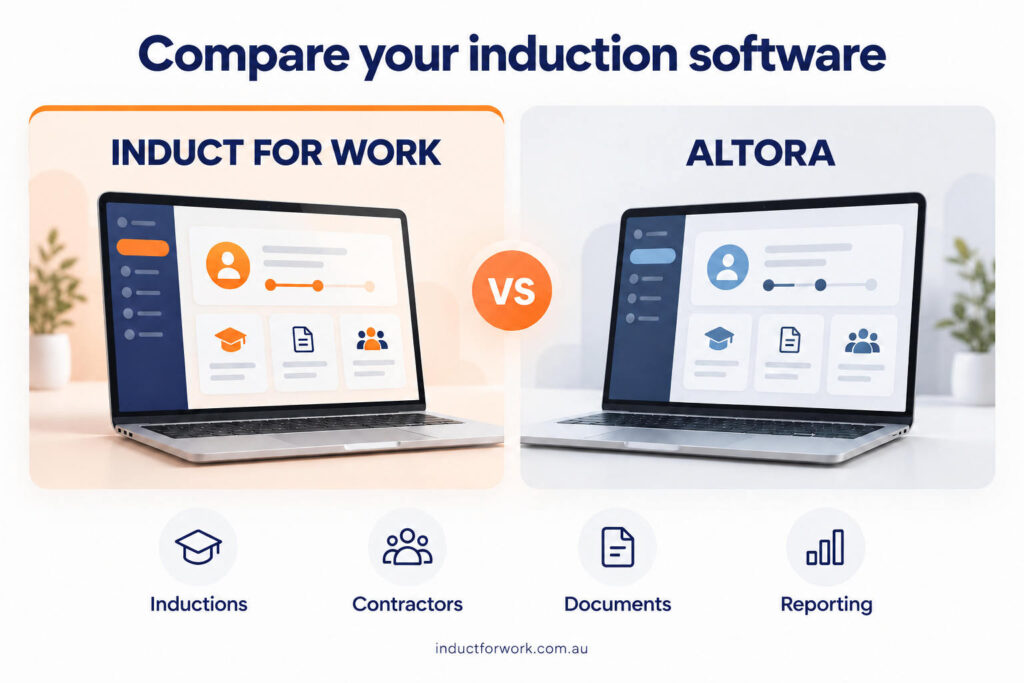
Looking for an Altora Alternative? Compare Induct For Work
You might start with one staff induction. Then a new site opens, contractors need different instructions and a manager asks for a separate refresher course.
Before long, the software you chose for a single task needs to support a much larger part of your workplace.
If you are comparing Induct For Work and Altora, it helps to look ahead. Consider the training you want to deliver, the people who will administer it and the other processes you want to bring online.
At Induct For Work, we help organisations manage inductions, training, contractor information and workplace records. Our platform also includes related tools for forms, visitor management and incident reporting, with inclusions depending on your plan.
This guide explains the differences worth investigating when you compare us with Altora, along with practical ways to test whether our platform suits your organisation.
This article is for business owners, safety managers, HR teams, facilities managers and anyone responsible for choosing WHS induction software.
You may be moving away from paper forms and spreadsheets. Perhaps you already use Altora and want to review your options. Alternatively, both platforms may be on your shortlist.
The decision often involves several people. Your safety team needs suitable training and document requirements. Administrators need a manageable process. Supervisors need to know whether people have completed the necessary steps.
Product information reviewed on 28 October 2026. Check current pricing and package inclusions before purchasing.
The first difference is how the packages work
Both platforms offer online course creation, training records and tools for managing onboarding information.
However, the packages follow different structures.
Our four main plans: Team, Team+, Team Pro and Enterprise include unlimited courses. Their other inclusions vary, including administrator numbers, site allowances and contractor pre-qualification.
Altora’s induction plans have different course allowances. It also lists Contractor Management and Check-in as separately priced add-on modules.
Those differences give you a useful starting point. Work out what your organisation needs as a complete setup, then compare the appropriate packages.
Induct For Work vs Altora at a glance
| Area | Induct For Work | Altora |
|---|---|---|
Course allowance | Unlimited across our four main plans | Essentials: 1; Standard: 5; Premium: 25; Enterprise: unlimited |
| Included administrators | 1, 3, 9 or 15 across our four main plans | 2, 5, 10 or 20 across its induction plans |
Course creation | Online editor and editable induction samples | Online editor and course library
|
Contractor pre-qualification | Included from Team+ upwards
| Contractor Management add-on
|
Visitor sign-in | Included across our four main plans, with site allowances | Check-in add-on |
SCORM | Supported; check plan allowances | Supported |
Reporting | Induction and workplace reporting | Dashboards, reports and CSV exports |
| Evaluation | Free trial available | Free trial available |
The plan figures above come from the current pricing pages. They describe package inclusions rather than equivalent bundles, so the same row should not be read as a complete like-for-like offer.
Count your courses before choosing a plan
It is easy to underestimate how many courses your organisation will eventually need.
A general induction may cover the business as a whole. A warehouse induction might address loading areas and pedestrian routes. Contractors could need separate instructions, while supervisors may need additional training.
Keeping these subjects in separate courses can make the content easier to maintain and assign.
With our four main plans, you can build that course structure without a course-count ceiling. Other allowances still apply, so we will help you review the complete package.
Altora provides options for different course counts, including an unlimited-course Enterprise plan. Consider where your requirements sit within its published allowances.
Before speaking with either team, make a list of the training you intend to deliver over the next year. Include refreshers, location-specific inductions and any courses you currently deliver outside the software.
For example, a business with three facilities might need one general induction, three site inductions and several task-specific courses. That is a different brief from a business delivering one induction to every worker.
Our online induction program guide can help you map out that structure.
Compare the package your business would actually use
Price matters, particularly when software becomes an ongoing operating expense. The most useful figure is the cost of the package that meets your requirements.
For reference, our Team plan is currently listed at $180 per month plus GST on monthly billing. Altora lists Essentials at $229 per month excluding GST, with annual payment options also available. These plans have different inclusions.
Administrator access is one example. If several people need to manage the account, compare the appropriate plans or additional administrator options before drawing a conclusion about price.
The same applies to contractor management and sign-in. Include every service your organisation needs, along with any implementation, hardware or integration costs.
A good purchasing brief should identify:
The people who will administer the system
Courses you need now and expect to add
Sites requiring induction or sign-in
Contractor approval and document requirements
Essential reports and integrations
Assistance needed during setup
Give the same brief to both providers. You will then have proposals you can compare with confidence.
Our current pricing page sets out our plans, billing options and inclusions.
Build your induction around the person completing it
An induction should help someone understand your workplace before they start.
For a new employee, that might mean learning emergency arrangements, reporting procedures and company policies. A contractor may need more specific information about access, work areas and local hazards.
Our online induction editor lets you build courses using your own content or work from editable samples. You can include text, images, video links and supporting files.
However, the quality of the experience also depends on how you organise that material.
During your trial, use a real course. Open it on a phone, read the instructions and complete the questions. Check whether the important information is easy to find and whether each step makes sense.
Ask someone unfamiliar with the content to try it too. Their questions can reveal unclear wording or missing instructions that the author no longer notices.
If you need a starting point, our induction checklist covers information to consider when preparing a workplace induction.
Separate company requirements from worker requirements
Contractor onboarding often involves two sets of information.
Your organisation might need insurance details from the contracting company and a relevant licence from the person attending the site. That worker may then need to complete a particular induction.
Our contractor pre-qualification tools support questionnaires, document requests and review steps. Requirements can vary according to the contractor group, role, project or configured process.
Altora’s Contractor Management product also describes pre-qualification, document management, worker inductions and reminders. It is therefore worth comparing the approval process in detail.
Bring a realistic example to your demonstration: a contractor company supplying several workers, perhaps across two locations.
Ask to see how the company information connects with the workers, who reviews the evidence and how outstanding requirements appear.
Then introduce a complication. What happens if one worker changes employer or needs to attend another site?
Working through those examples gives you a much clearer understanding than simply confirming that both platforms offer contractor management.
Our contractor management software guide provides further questions for your evaluation.
Find out what happens when a document needs correcting
Document collection is straightforward when everyone submits the right file first time.
The more revealing test is an expired insurance certificate, a missing page or a licence that does not match the work requested.
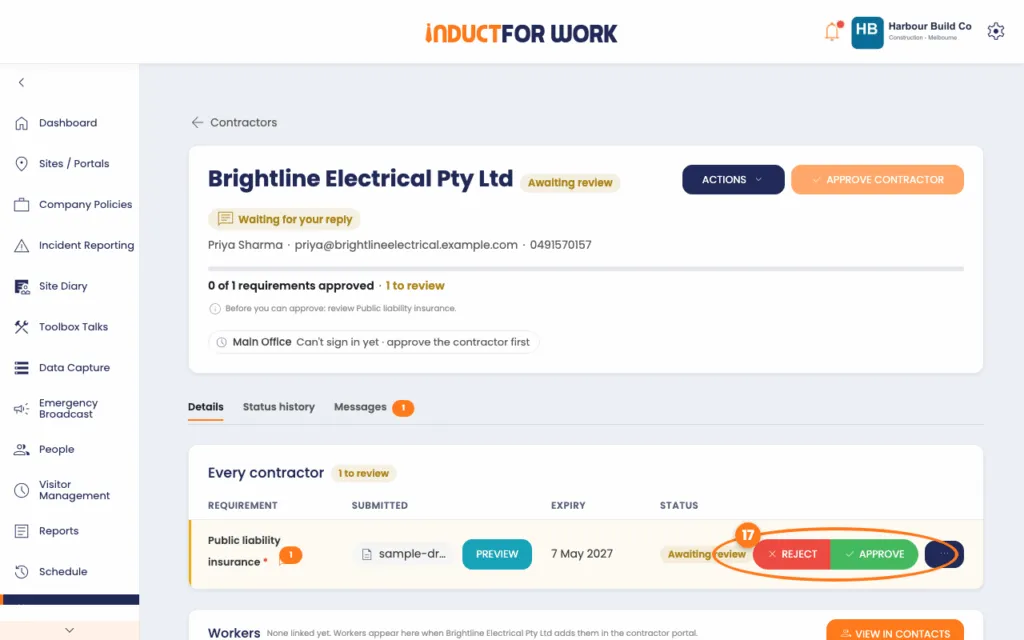
In Induct For Work, authorised administrators can review submitted documents, record decisions and request replacement information. Expiry tracking can also help your team identify records that need attention.
Try that process during your evaluation. Review an unsuitable submission, ask for a replacement and check how the contractor sees the request.
Look at the administrator’s workload as well. Can they identify what is waiting for review? Is it clear which requirements remain outstanding?
Your organisation still needs someone to decide whether the evidence is appropriate. The software should make that review easier to organise.
Our guide to collecting and checking contractor documents explains why both stages deserve attention.
Include site sign-in in the comparison
A person completing an induction and a person arriving at your workplace are two separate events. If both matter to your organisation, include sign-in in your software brief from the beginning.
Our visitor management functionality supports digital sign-in using kiosks, tablets and mobile devices. It also provides options for host notifications, visitor labels and connecting sign-in with configured induction requirements.
Altora’s Check-in module describes QR code and kiosk support, compliance verification and reports showing who is on site. Its published pricing treats this as an add-on.
When comparing the arrangements, describe what happens at your entrance.
Does reception assist visitors? Do contractors arrive before office staff? Are several buildings managed by different supervisors?
Then ask what happens when someone has an incomplete requirement. Check who receives the information and who decides the next step.
If you need physical gates or turnstiles connected to the process, raise that separately. The hardware and integration requirements need to form part of the proposed solution.
Make use of the training material you already have
Your existing induction content may represent years of work. Some of it may be ready to use, while other sections need a review.
Bring us a sample of your presentations, videos, documents or SCORM packages. We can discuss the options for using them in Induct For Work and any relevant preparation or upload allowances.
Our platform supports SCORM content. Altora also provides SCORM support and offers a library containing courses, forms and other resources.
Whichever platform you choose, test a representative course before transferring the whole collection.
Check how the material displays, whether questions behave as expected and which results appear in the completion record.
Source files matter too. A PowerPoint presentation gives you different editing options from a PDF or a completed SCORM package.
Our team can help you understand the available approach once we know what files you have and how you want people to use them.
Consider the forms and records around your induction
Training is often accompanied by information your organisation needs to collect.
A contractor might need to provide a declaration. An employee may need to complete a workplace form. Another person may need to acknowledge a policy.
Induct For Work offers custom forms for collecting information, alongside signature and acknowledgement functionality within the relevant setup. Altora also describes eForms, acknowledgements and document-signing features.
During a demonstration, bring one of the forms you actually use. Ask how it would be created, who completes it and where the result appears.
Check the distinction between recording an acknowledgement and collecting an electronic signature, especially if your process requires a particular method.
The completed record matters as much as the form itself. Your administrators should understand how to retrieve it and connect it with the relevant person or activity.
Ask to see the report you need on Monday morning
A dashboard can look impressive in a demonstration. Your managers, however, need answers to everyday questions.
Which workers still have an induction to finish? What documents need attention? Can a supervisor find the relevant reco
rd before a contractor arrives?
Our reporting tools help administrators review induction activity and retrieve workplace information. Altora also describes reporting dashboards, saved views and CSV exports.
Choose two or three reports you expect to use regularly and ask both teams to demonstrate them.
Look at the filters, permissions and export format. If you need to send information to a client, check whether the output contains what that client requests.
For a business managing several construction sites, this can be particularly useful. Our article on construction compliance challenges explores some of the record-keeping issues to address during setup.
Think about the work that follows induction
Your requirements may extend beyond preparing people for their first day.
For example, you may also want a place to record incidents, maintain a site diary or distribute further workplace information.
Induct For Work offers related workplace tools within its plan range. You can explore these through our solutions page and discuss which functions belong in your proposed setup.
Include these requirements when comparing providers. Ask each team to explain how the requested process would work and whether it needs another product or subscription.
The same approach applies to integrations. Tell us what information needs to move, where it should go and what should trigger the action.
A specific example is easier to assess than a general request to “connect everything”.
Use the trial to test ordinary work
A trial is most useful when someone takes responsibility for testing it.
Choose an administrator who will use the account, then give them a small, realistic task: prepare an induction, invite a colleague, review a submission and retrieve the resulting record.
Notice where they need help. Some questions will come from learning a new system; others may reveal a configuration requirement.
Include the participant’s experience as well. A system needs to work for someone completing an induction between other commitments, possibly on a phone.
Finally, discuss support before subscribing. Explain the help you need with setup, content and administrator training, then confirm what the proposal includes.
Our contractor induction guide can help you choose a useful scenario for the trial.
Planning a move from Altora to Induct For Work
If you already use Altora, begin with an inventory of your content and records.
Identify the courses you want to keep, the information you need to transfer and the historical evidence your organisation must retain.
Ask Altora which exports are available, then share the relevant formats with us. We can review what may be brought into your new setup and what may need to remain in a separate archive.
Historical records should not be assumed to transfer automatically.
For course content, gather the original files where possible and confirm your rights to reuse them. Then decide which courses need updating before the move.
A pilot with one location or contractor group can help you test the process before inviting everyone.
Give users clear instructions about the change. Explain where invitations will come from, whether they need a new account and which requirements they need to complete.
Take a closer look at Induct For Work
If you are looking for an Altora alternative, we would welcome the opportunity to work through your requirements.
Bring us your course list, a contractor checklist or an example of the process you want to improve. We can show you the relevant features and explain how they fit into our plans.
The aim is to leave you with a clear understanding of the setup, the cost and the work involved in getting started.
View our pricing or contact our team to arrange a demonstration.
Frequently asked questions
Yes. Our platform supports online induction, training, contractor onboarding and related workplace records. The two systems package their functions differently, so compare the complete setup your organisation requires.
Course allowances and packaging are useful starting points. Our four main plans provide unlimited courses, while Altora varies course allowances by plan. Altora also prices Contractor Management and Check-in as add-ons.
Yes. Our contractor pre-qualification functionality supports questionnaires, document requests and review steps. Tell us how your organisation approves contractors so we can discuss a suitable configuration.
Yes. Our visitor management functionality supports digital sign-in and related site records. We can explain the available configuration and the site allowance included in your proposed plan.
Possibly. It depends on the source files you hold, your rights to reuse them and the preparation required. Share a representative sample with our team before planning the transfer.
That depends on the plans and services you need. Compare equivalent requirements, including administrator access, courses, contractor management, sign-in, setup and support. Published entry prices alone do not establish the cost of a complete solution.
Do not assume they will. Obtain details of the available exports and discuss the formats with us. Some historical information may need to remain accessible through a separate archive.
Yes. We offer a free trial. Use it to test your own induction content and administrative tasks, then speak with our team about the package that suits your organisation.
Start a free trial or book a demo to see how INDUCT FOR WORK can support your workplace processes.
Author: Ari Parz
Published: 28/10/2026
Updated: 28/10/2026