Looking for a Rapid Global Alternative? Get to Know Induct For Work
A contractor arrives for a scheduled job. Their induction is complete, but the insurance certificate on file has expired. The supervisor calls the office. Someone searches their emails. Meanwhile, the contractor waits.
It is a familiar kind of administrative problem: the information exists, but the people who need it cannot easily see whether everything is ready.
At Induct For Work, we help organisations bring inductions, contractor documents, training and workplace records together. Our aim is to give your team a clearer process, from the first invitation through to completion and ongoing record keeping.
If you are looking for a Rapid Global alternative, we would like you to take a closer look at what we offer.
You might be comparing providers for the first time, reviewing your subscription costs or looking for a system that better suits your organisation. Whatever prompted your search, this guide explains where Induct For Work fits and what we suggest checking before you decide.
We have written this guide for the people responsible for choosing and running induction and whs software: business owners, safety managers, operations teams, HR staff and contractor administrators.
Product information reviewed on 28 October 2026. Features, prices and package inclusions may change.
What can you manage with Induct For Work?
You can use our platform to prepare employees, contractors, visitors and volunteers for your workplace.
That might begin with a straightforward online induction covering site rules, emergency procedures and important policies. From there, you can add questions, collect information and keep a record of completion.
Depending on your plan and configuration, you can also manage:
Contractor pre-qualification and document collection
Training courses, assessments and certificates
Forms, signatures and acknowledgements
Document expiry dates and reminders
Visitor sign-in and site attendance
Incident reporting and workplace records
Reporting and supported integrations
The useful part is how these functions fit into your own process.
For example, a maintenance contractor may need to provide company information, submit documents and complete an induction before attending a building. Your administrators need to see what has arrived, what requires review and what remains outstanding.
We can walk you through that process using an example from your organisation.
How does Rapid Global compare?
Rapid Global provides a range of workplace safety products. Rapid Induct is its online induction and training product, while its wider range includes contractor management, access control, permits and incident reporting.
Its Rapid Induct product page describes custom courses, assessments, SCORM uploads, assignments by role or site, and credential tracking.
There is overlap between our platforms. Both offer tools for online induction and contractor-related processes, so a list of feature names will only tell you part of the story.
We encourage you to compare how the features work, which package includes them and how much administration your proposed setup requires.
Rapid Global vs Induct For Work at a glance
| Area | Induct For Work | Rapid Global |
|---|---|---|
| Online inductions | Create and deliver courses with questions and assessments |
|
Contractor onboarding | Pre-qualification, induction and document workflows | Rapid Contractor Management covers pre-qualification and contractor management |
| Document management | Collect documents, review submissions and track expiry dates | Contractor document and credential management |
| Training content | Course editing and SCORM support, subject to plan allowances | Custom courses and SCORM support |
| Site attendance | Visitor management and sign-in functionality | Rapid Access is available within the product range |
| Incident reporting | Available, subject to package inclusions | Offered within the wider product range |
| Pricing | Our Australian plans are published online | Rapid One describes user-based pricing; request a proposal |
| Getting started | Speak with our team, arrange a demonstration or explore our free trial | Confirm current demonstration and trial options directly |
This comparison summarises publicly described capabilities. Check the details of each proposal, particularly where similarly named features may operate differently.
Start with the work your team needs to do
Before you book a demonstration with us, think about the tasks that currently take too much time or cause confusion.
Perhaps supervisors keep chasing incomplete inductions. Contractor documents may sit in several inboxes. You might have difficulty seeing which workers have met the requirements for a particular location.
Bring those examples to the discussion.
“We need better reporting” gives us a starting point. “Our depot managers need to see which contractors have outstanding documents before booking work” gives us a specific process to demonstrate.
You do not need to prepare an extensive brief. A sample induction, a document checklist and a description of your approval process can be enough to make the conversation useful.
Our contractor management software guide can help you identify the questions that matter most to your organisation.
See the induction from both sides
An induction needs to work for the administrator who builds it and the person completing it.
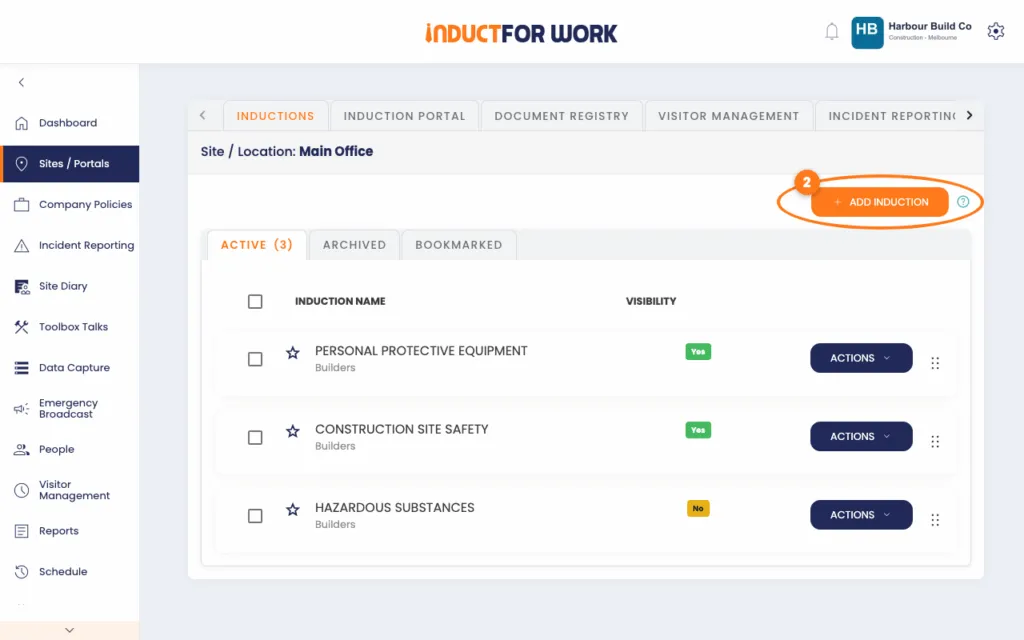
With our online induction editor, you can prepare content around your workplace requirements. That might include information about emergency arrangements, local hazards, reporting procedures, PPE and company policies.
You can then add questions and acknowledgements to suit the course.
During a demonstration or trial, we suggest following the entire journey. Start with the invitation, open the induction as a participant and work through it on a phone. Then check the administrator’s view to see how progress and completion appear.
Use a realistic example. A short sample course can show the basics, but your own material will give you a better feel for the platform.
This is also a useful time to review the induction itself. If the content has grown over several years, some sections may need updating or simplifying. Our online induction program guide can help you work through that review.
Keep contractor requirements organised
Contractor onboarding often involves information about both the company and the individual attending your workplace.
You may need insurance details from the business, a relevant licence from the worker and an induction specific to the site. Different trades or projects may require different documents.
Our contractor pre-qualification functionality helps you organise questionnaires, document requests and review steps around those requirements.
Authorised administrators can review submissions and request replacement information when something is incomplete or unsuitable. Contractors can then continue through the relevant induction and other configured steps.
The setup deserves careful thought, particularly when your organisation works across several locations.
For example, a cleaning company attending an office may have different requirements from an electrical contractor performing work at a depot. Your process should reflect those differences.
Tell us how you separate contractor groups, who approves their information and where they work. We can then show you how those requirements could be configured in Induct For Work.
Give document review as much attention as collection
A folder full of uploaded certificates is only useful if your team can tell which documents are current, relevant and acceptable.
In Induct For Work, you can request documents as part of your configured induction or pre-qualification process. You can also record expiry dates and use reminders to prompt updates.
However, your organisation still needs to decide who reviews each document and what they should check.
During your evaluation, try a submission that needs correcting. Look at how an administrator requests an update and how the contractor provides a replacement. Then check how your team identifies outstanding information.
These are ordinary tasks that can account for a considerable part of an administrator’s workload.
Our article on collecting and checking contractor documents explains how to build a clearer process around the information you request.
Rapid Global also describes document management and expiry tracking capabilities. When comparing the platforms, use the same example in each demonstration so you can assess the differences properly.
Connect your induction process with site sign-in
For many workplaces, induction and attendance belong in the same conversation.
Once someone has completed the required training, your team may need to record their arrival, confirm their details and keep track of who is attending the site.
Our visitor management functionality supports sign-in processes for visitors, contractors and other users.
The right configuration depends on how your workplace operates. A reception desk, a construction site and a facility with controlled entry will have different requirements.
Describe what should happen when someone arrives. Who checks their information? What happens if an induction is incomplete? Does someone need to approve entry?
If you require physical access controls, such as gates or turnstiles, raise that at the beginning of the discussion. We can clarify whether our proposed setup meets those requirements and what would need separate consideration.
Rapid Global offers Rapid Access within its product range. As with any comparison, confirm the exact software, hardware and services included in the proposal.
Bring your existing training material
You may already have induction content that works well: a presentation, a set of videos, important policies or a SCORM course.
Bring a sample when you speak with us.
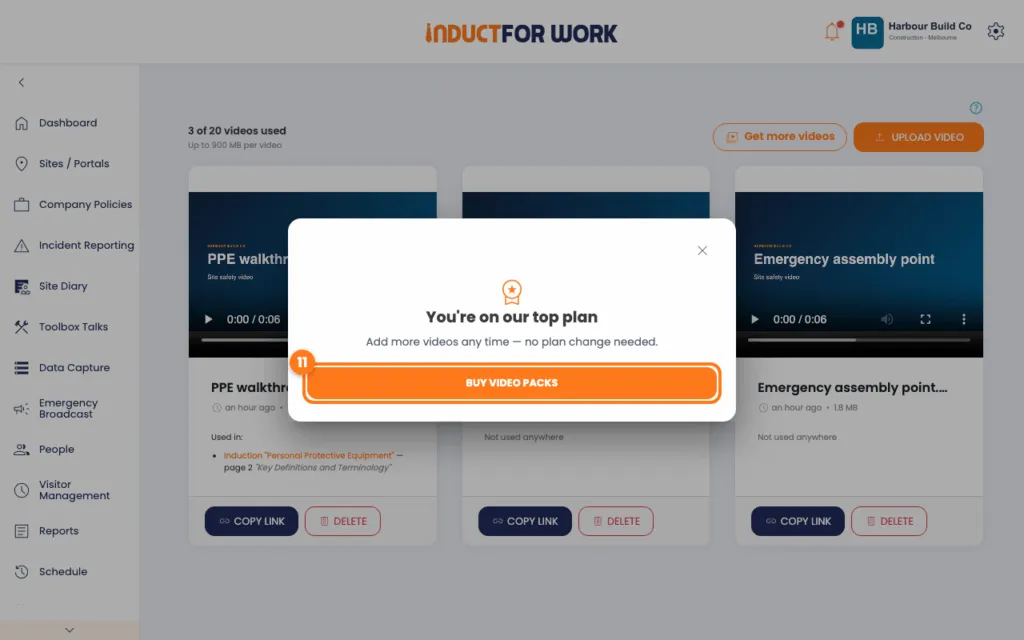
We can discuss the available options for using that material in Induct For Work, including any relevant plan allowances or preparation work. Depending on the source format, some content may need conversion or rebuilding.
If you use SCORM, test a representative package and check that it records the results you need. For other material, review how it appears on both a computer and a phone.
It is worth checking the wording at the same time. Old contact details, superseded procedures and unnecessary repetition can easily carry over into a new system.
Our induction checklist gives you a practical starting point for reviewing the content before it goes live.
Find the records you need without rebuilding the story
When a manager asks whether a contractor has completed the requirements, your team needs a clear answer.
Our reporting and record-keeping functions help administrators review induction activity, completion information and relevant workplace records.
To assess whether the available reports suit your organisation, choose a few questions you need to answer regularly.
You might want to identify everyone with an incomplete induction, check upcoming document expiries or retrieve a particular person’s completion record.
Ask us to demonstrate those examples. Check the filters, the information available and the export options you would use.
If another system needs the data, tell us what format it requires. That allows us to discuss the practical details before you commit to a particular workflow.
For businesses managing several construction sites, our article on construction compliance challenges looks at some of the record-keeping issues worth addressing during setup.
Understand what your package includes
We publish our Australian pricing so you can review our plans and compare their inclusions.
When you speak with our team, let us know how many administrators and sites you expect to manage, along with the functions you need. We can help you identify a suitable package and clarify the relevant allowances.
For a fair comparison with Rapid Global, give both teams the same requirements.
Rapid Global describes Rapid One as a subscription covering its product range, with a user-based pricing model. Compare the written proposal with the Induct For Work package that meets your needs.
Look at the full arrangement, including:
Setup and implementation
Administrator and site allowances
Required features and integrations
Content conversion or upload limits
Training and support
Billing periods and contract terms
Where a contractor-facing service is involved, clarify whether any separate charges apply to contractors.
Your own staff time matters too. Use a demonstration or trial to understand the work involved in building courses, reviewing documents and following up exceptions.
Ask us about setup and support
Choosing software also means deciding how your team will get it running.
You may be comfortable preparing your own induction content but want help configuring document requirements. Another organisation may need guidance on its initial structure or on giving several administrators the right responsibilities.
Explain what assistance you need so we can discuss what is available and what your proposed package includes.
It is also useful to distinguish between administrator questions and participant questions. Someone managing the account may need configuration advice, while a contractor may need help finding an invitation or understanding what your organisation has requested.
Agreeing on who handles those enquiries gives everyone a clearer process.
If several employees will administer the account, involve them in the evaluation. They are often the people best placed to spot missing steps or awkward handovers.
See whether Induct For Work suits your organisation
If you are considering a Rapid Global alternative, we would welcome the opportunity to show you how Induct For Work could support your workplace.
You do not need to arrive with a finished project plan. Bring an example of your current induction, a contractor checklist or a task that is taking too much time.
We can work through the relevant features, discuss your setup and help you identify a suitable plan.
View our pricing or contact our team to arrange a demonstration.
Moving to Induct For Work
If issues with your current provider can not be resolved, begin by identifying what needs to move and what needs to remain accessible.
That usually means reviewing your induction content, user information, documents and historical completion records.
Ask your current provider what you can export, then inspect a sample. Share the relevant formats with us so we can discuss what may be brought into your new setup and what may need to stay in a separate archive.
Please do not assume that historical records will transfer automatically. We need to assess the available information and your requirements before confirming an approach.
For course content, gather the original files where possible and check that you have the right to reuse them. Decide which courses remain suitable and which need updating.
A pilot with one site or contractor group can help you test the new process before a wider rollout.
Finally, give your users clear instructions and explain where their new invitation will be coming from.
Frequently asked questions
Yes. Our platform supports online inductions, contractor onboarding, training, document collection and related workplace processes. The two product ranges differ, so we recommend comparing the specific requirements your organisation needs to meet.
Both platforms support online induction and training. With Induct For Work, you can also explore related functions such as contractor pre-qualification, forms, document tracking and visitor management. We can demonstrate the features relevant to your organisation and explain which plans include them.
Yes. You can configure questionnaires, document requests and review steps to support your contractor pre-qualification process. Tell us how you group contractors and approve their information so we can discuss an appropriate setup.
You may be able to reuse source presentations, videos, documents or SCORM packages. The options depend on the material you have, your rights to reuse it and the preparation required. Send our team details of your existing content so we can discuss the next steps.
We need to review the available export formats and your record requirements before confirming what is possible. Some historical information may need to remain in a separate archive. Discuss this with us before setting a changeover date.
That depends on the packages and requirements being compared. Our prices are published online. Compare the relevant plan with a Rapid Global proposal that covers the same needs, including setup, features, support and usage allowances.
Yes. We offer a free trial so you can explore the platform. Contact our team or visit our pricing page for the current trial details. We suggest using the evaluation to test your own induction content, document requirements and reporting needs.
Start a free trial or book a demo to see how INDUCT FOR WORK can support your workplace processes.
Author: Ari Parz
Published: 28/10/2026
Updated: 28/10/2026