
In a nutshell
Induct For Work helps you grow by making onboarding consistent, measurable and easy to manage across multiple sites and teams. Standardise your inductions, capture proof of completion and keep training current without chasing paperwork. When your processes run smoothly, your team spends less time on admin and more time on the work that matters.
Key takeaways
Deliver consistent online inductions to employees, contractors and visitors across all sites
Capture acknowledgements, evidence, and completion records in one place
Reduce onboarding delays and manual follow-ups with Self registration portals
Keep compliance current with refreshers and expiry reminders
Why scaling businesses choose online inductions
When a business grows, onboarding is often the first process to break. People start at different times, supervisors explain things differently, paperwork gets lost and compliance becomes harder to prove. Online inductions solve that by putting the same message in front of every person, every time—then recording completion automatically via workplace induction system.
The benefits that support growth
- Save time and reduce admin
Online inductions remove the bottlenecks that happen when onboarding relies on face-to-face sessions and manual paperwork.
Induct people before their first shift, not after they arrive
Reduce back-and-forth chasing forms and documents
Keep everything in one system instead of emails, PDFs, and spreadsheets
Give managers a clear view of who is ready for site with Reporting function
- Improve consistency across sites and teams
As you grow, “word-of-mouth training” creates variation. Consistent inductions keep safety standards and expectations steady.
Standardise core policies and site rules with Induction Samples
Provide role-based content (e.g., staff vs contractors vs visitors)
Ensure every person receives the same instructions and updates
Reduce errors caused by confusion or inconsistent messaging
- Strengthen compliance and record keeping
Growth often brings audits, new clients and tighter expectations. You need proof—not just good intentions.
Store completion records against each person
Capture policy acknowledgements and key confirmations with e-Signatures
Maintain audit-ready records for clients and internal reviews
Make it easier to show what was communicated, and when
- Increase training completion and understanding
When training is easy to access and well-structured, people complete it sooner and retain more.
Use short modules rather than long, one-off sessions
Include images, videos and clear instructions where needed
Add quick checks (quizzes) to confirm understanding
Reduce “tick-and-flick” by focusing on the essentials
- Support renewals, refreshers, and continuous improvement
Growing organisations change frequently—new sites, new procedures, new risks. Your induction should keep pace.
Refresh critical training when policies change
Schedule re-inductions for high-risk areas
Track compliance over time using Record Keeping function without manual spreadsheets
Improve content using feedback and incident learnings
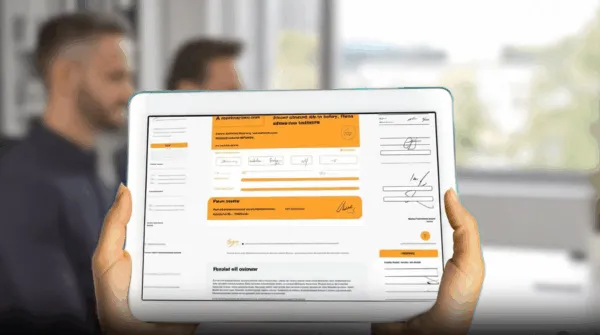
How to scale onboarding and inductions in 7 steps
Use this simple approach to build a system that works as you expand.
Step 1: Define your baseline induction
Create one “core” induction that applies to everyone, covering:
safety expectations and PPE
hazard reporting and incident response
emergency procedures and first aid
codes of conduct and site behaviour standards
Step 2: Add role-based modules
Keep the baseline consistent, then add short modules for specific groups:
employees vs contractors vs visitors
supervisors/managers
high-risk work areas or tasks
department-specific requirements
Step 3: Standardise evidence requirements
Decide what needs to be collected and stored (where relevant):
licences and tickets
insurances (contractors)
qualifications or competencies
acknowledgements e-signatures for key policies
Step 4: Make completion part of the workflow
Remove “optional” friction:
send inductions before start dates
require completion before site entry (where appropriate)
make it easy to complete on mobile
keep induction modules short and practical
Step 5: Track progress and follow up automatically
Use a simple operating rhythm:
weekly check of outstanding inductions
resend invites for overdue completions
Step 6: Keep records audit-ready
Make sure the system answers common questions instantly:
Who is inducted for this site?
When was it completed?
Which version did they complete?
What evidence did they provide?
Step 7: Refresh and improve over time
As your business grows, treat induction content as a living system:
update modules after incidents or near misses
refresh high-risk topics on a schedule
review content when site rules or client requirements change
When Induct For Work is a good fit
Induct For Work is especially useful if you:
onboard staff across multiple sites
manage contractors regularly and in need of a contractor management system
need clear records for compliance, audits, or clients want a consistent induction experience that scales as you grow via an easy to use workplace induction system
FAQs
Onboarding covers the full process of bringing someone into a role (people, systems, expectations, training). Induction focuses on safety, site rules, procedures and the information someone needs to work safely.
At minimum: emergency procedures, hazard reporting, PPE requirements, key site rules and role-specific safety instructions. Keep it practical, clear and easy to complete. Induction Samples are available.
You need a record of completion tied to the person, including date/time, content version (where possible) and acknowledgements for key policies. Good record keeping makes audits and client requests simple.
Refresh induction content when procedures change, when incidents identify gaps, and on a schedule for higher-risk activities. Many businesses review key modules at least annually.
Yes—use a core induction for your baseline rules, then add short site modules for site-specific hazards, muster points and local requirements.
Ready to grow without the admin burden?
If you’d like help setting up a scalable induction structure, tell us your industry and how many sites you operate. We’ll recommend the best starting structure (core + role modules + site modules) so you can roll it out quickly, starting with a 14 day Free Trial.
Do you have any questions or great tips to share?
Induct for Work – the only online induction system you would need to run online inductions.